
WatchGuard DNSWatch
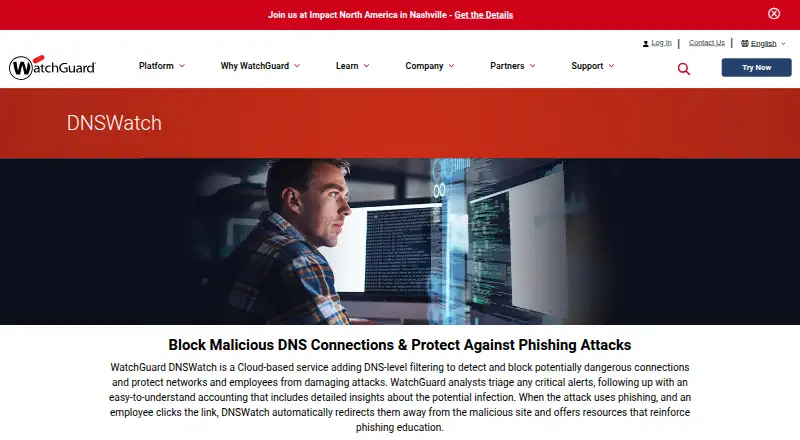
WatchGuard DNSWatch: A focused DNS filtering service for WatchGuard networks and supported Windows devices. Ranked #9 of 65 in Internet Filtering Software by our editors (8.4/10); pricing: Pricing on request; best for basic DNS filtering for Windows networks.
At a glance
- Editor score8.4 / 10
- PricingPricing on request
- Best forBasic DNS filtering for Windows networks
- Free planNo
- Custom blocklistsYes
- Founded1996 · Seattle, Washington, United States
- Facts checked20 Sep 2026
Where it wins
- Blocks malicious, phishing, and policy-filtered domains at the DNS level
- Combines custom lists, SafeSearch, block pages, and category policies
- Extends protection to supported Windows devices and Chrome users off-network
Where it doesn't
- Built primarily around WatchGuard-protected networks and Firebox appliances
- Windows endpoint protection supports specific Windows versions
- Pricing requires a sales conversation rather than a public plan comparison
Our verdict on WatchGuard DNSWatch
WatchGuard DNSWatch is a cloud-based DNS filtering service for organizations using WatchGuard Firebox appliances and supported endpoint clients. It is designed for small and midsize organizations, distributed enterprises, and managed service providers that need to control DNS requests across protected networks and selected off-network devices. Administrators can block malicious and phishing domains, apply category-based content policies, create custom allowlists and blocklists, and enforce SafeSearch across Google, YouTube, Bing, and DuckDuckGo. The service also provides customizable block pages and DNS activity reporting.
Its strongest fit is a Windows-centered environment that already uses WatchGuard infrastructure. DNSWatchGO provides client protection for supported Windows devices, while a Chrome extension supports off-network protection. The published platform coverage includes Windows 8/8.1, Windows 10, Windows 11, protected networks, and Firebox appliances. Scheduled DNSWatch reports in WatchGuard Cloud add a useful administrative layer for organizations that need recurring visibility into DNS activity and filtered content.
Pricing is handled through sales, and DNSWatch is documented as a subscription service available with WatchGuard Total Security Suite. DNSWatchGO has separate licensing documentation, so buyers should evaluate the network service and endpoint coverage as distinct parts of the deployment. Choose DNSWatch when DNS-level enforcement, SafeSearch, custom domain controls, Windows roaming protection, and reporting meet your requirements. Organizations seeking broad native platform coverage beyond protected networks, Windows clients, and Chrome should consider whether its ecosystem fit matches their environment.
Your product? Our editors can test WatchGuard DNSWatch in depth and publish a review, labelled as paid · from $149/mo →
WatchGuard DNSWatch pricing
WatchGuard DNSWatch fact sheet
| Free plan | No |
|---|---|
| Paid from | Not verified |
| Device limit | Not verified |
| Custom blocklists | Yes |
| Safe search controls | Yes |
| Filtering schedules | Not verified |
| Activity reports | Advanced |
| Platform support | Protected networks and Firebox appliances; Windows 8/8.1, Windows 10, Windows 11; Chrome extension |
| Deployment | Cloud, Desktop, Browser extension |
| Platforms | Web, Windows, Chrome extension |
| Support | Email, Phone, Docs |
| Built for | Small business, Mid-market, Enterprise (editorial estimate) |
| Pricing | Pricing on request |
| Website | watchguard.com |
| Facts checked | 20 Sep 2026 |
Alternatives to WatchGuard DNSWatch
- Cloudflare GatewayA broad filtering gateway with strong policy controls and basic reporting.9.2
- Cisco UmbrellaA mature enterprise filter with broad controls, integrations, and contact-sales pricing.9.1
- Pi-holeFree, open-source network blocking for self-hosted administrators.9.0



See all WatchGuard DNSWatch alternatives →
Also Ranked In
WatchGuard DNSWatch is ranked in 2 of our directories.
Used WatchGuard DNSWatch? Be the first to review it
The editor score above is our own research. What this page doesn't have yet is a reader's view — what you used WatchGuard DNSWatch for, what worked and what didn't. No stars are seeded and no review is paid for; an editor reads every one before it appears.
Write a reviewTwo minutes · verified accounts only · read by an editor before it appears
Featured on iTechGuides

WatchGuard DNSWatch is listed in our Internet Filtering Software directory. Add the badge to your site — it links back to this page.
<a href="https://www.itechguides.com/products/watchguard-dnswatch/"><img src="https://www.itechguides.com/best/badge/watchguard-dnswatch.svg" alt="Featured on iTechGuides" width="230" height="46"></a>
Reviewed by iTechGuides Editors · Editorial team · Updated Oct 2026
Advertiser disclosure: iTechGuides is reader-supported. Vendors can pay for top positions in our rankings and for a place on other products' pages, and we may earn a commission when you click some links. Bought places stand at the number bought; this page and our disclosure say so. Paying vendors may get a fuller, more detailed review from our editors, and that review can change their score. How we rank.
Last updated · How we research and update