
VueScan
VueScan: A versatile desktop scanner app for documents, film, slides, and searchable PDFs. Ranked #4 of 27 in Document Scanning Software by our editors (8.8/10); pricing: Paid; best for multi-platform scanning and photo-film workflows.
At a glance
- Editor score8.8 / 10
- PricingPaid
- Best forMulti-platform scanning and photo-film workflows
- Free planNo
- OCR languages49 languages
- Founded1991
- Facts checked20 Sep 2026
Where it wins
- Supports flatbed, feeder, film, and slide scanners
- Creates OCR, searchable PDF, TIFF, JPG, and RAW files
- Runs on Windows, macOS, and Linux
Where it doesn't
- There is no free plan
- Film and slide scanning requires Professional Edition
- Trial output includes a watermark
Our verdict on VueScan
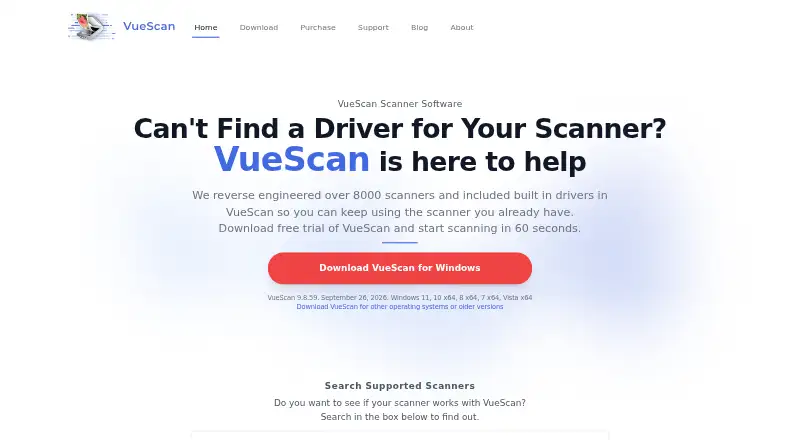
VueScan is desktop scanning software from Hamrick Software for people who need an alternative to scanner manufacturers’ applications. It supports flatbed, document-feeder, film, and slide scanners across Windows, macOS, and Linux, including many older scanners with discontinued manufacturer support. Its document workflow covers batch scanning, automatic cropping, multi-page PDF and TIFF creation, OCR, and searchable PDFs. The software also supports 49 OCR languages and exports to JPG, PDF, OCR, and TIFF formats.
Pricing is organized around Standard and Professional editions. Standard includes flatbed scanning, document-feeder support, auto crop, and exports to JPG, PDF, OCR, and TIFF. Professional adds film and slide scanner support, RAW output, color-management tools, and workflow automation. The listed starting price is 7.95, and there is no free plan. A trial can be used indefinitely, but trial output includes a watermark. This makes VueScan more suitable for buyers who need ongoing scanner software than for users seeking a permanently free utility.
Its strongest fit is for mixed scanning workloads rather than basic one-page capture. Document users get batch scanning, feeder controls, multi-page files, OCR, and automatic cropping, while film and slide users can add infrared dust and scratch removal, raw and DNG output, ICC color profiles, and IT8 calibration through the Professional edition. Choose VueScan if cross-platform support, older scanner compatibility, or photo-film workflows matter. Choose an alternative if you only need a free plan or a simpler document-scanning tool.
Questions about VueScan
What does VueScan run on? Windows, macOS and Linux. It runs as a desktop app.
Does VueScan offer a money-back guarantee? Yes: 7 days.
Who is VueScan built for? Solo users, small businesses and enterprises (our editorial estimate).
Your product? Our editors can test VueScan in depth and publish a review, labelled as paid · from $149/mo →
VueScan pricing
All 2 VueScan plans and prices →
VueScan fact sheet
| Free plan | No |
|---|---|
| Paid from | Not verified |
| OCR languages | 49 languages |
| Scanner support | Yes |
| Camera capture | Not verified |
| Batch scanning | Yes |
| Searchable PDF | Yes |
| Supported platforms | Not verified |
| Export formats | JPG, PDF, OCR, TIFF |
| Money-back guarantee | 7 days |
| Deployment | Desktop |
| Platforms | Windows, macOS, Linux |
| Support | Tickets, Docs |
| Built for | Solo, Small business, Enterprise (editorial estimate) |
| Pricing | Paid (source) |
| Website | hamrick.com |
| Facts checked | 20 Sep 2026 |
Alternatives to VueScan
- NAPS2A capable no-cost scanner app with broad driver support, OCR, and automation.9.4
- ScanSnap HomeA free ScanSnap companion for organized scanning, OCR, search, and cloud export.9.2
- Brother iPrint&ScanA capable free companion app for Brother owners who need everyday scanning tools.9.0


See all VueScan alternatives →
VueScan vs the competition
- VueScan vs NAPS2
- VueScan vs ScanSnap Home
- VueScan vs Brother iPrint&Scan
- VueScan vs PaperScan
- VueScan vs ABBYY FineReader PDF
- VueScan vs ExactScan


Compare VueScan with any tool side by side →
Used VueScan? Be the first to review it
The editor score above is our own research. What this page doesn't have yet is a reader's view — what you used VueScan for, what worked and what didn't. No stars are seeded and no review is paid for; an editor reads every one before it appears.
Write a reviewTwo minutes · verified accounts only · read by an editor before it appears
Featured on iTechGuides

VueScan is listed in our Document Scanning Software directory. Add the badge to your site — it links back to this page.
<a href="https://www.itechguides.com/products/vuescan/"><img src="https://www.itechguides.com/best/badge/vuescan.svg" alt="Featured on iTechGuides" width="230" height="46"></a>
Reviewed by iTechGuides Editors · Editorial team · Updated Nov 2026
Advertiser disclosure: iTechGuides is reader-supported. Vendors can pay for top positions in our rankings and for a place on other products' pages, and we may earn a commission when you click some links. Bought places stand at the number bought; this page and our disclosure say so. Paying vendors may get a fuller, more detailed review from our editors, and that review can change their score. How we rank.
Last updated · How we research and update