
Vovsoft Photos to Video
Vovsoft Photos to Video: A low-cost Windows tool for straightforward photo-to-video conversion. Ranked #23 of 23 in Photo Slideshow Makers by our editors (6.0/10); pricing: Paid; best for low-cost Windows photo-to-video conversion.
At a glance
- Editor score6.0 / 10
- PricingPaid
- Best forLow-cost Windows photo-to-video conversion
- Free planNo
- Paid from$19 one-time
- Facts checked20 Sep 2026
Where it wins
- $19 one-time license includes lifetime updates and no watermark
- Exports video in eight formats plus animated GIF
- Drag-and-drop ordering and millisecond image durations
Where it doesn't
- Windows-only desktop software
- Evaluation output includes a watermark
- Editing centers on slideshows, music, timing, and export
Our verdict on Vovsoft Photos to Video
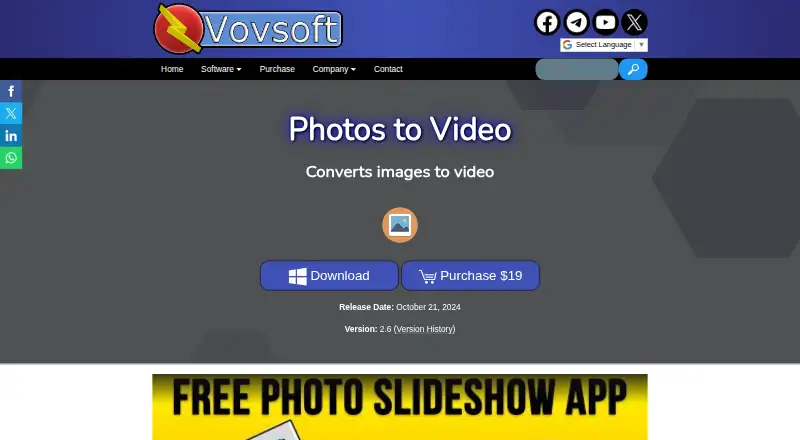
Vovsoft Photos to Video is a Windows desktop utility for turning image collections into video slideshows. It suits users who want a focused way to arrange photos, set display durations, add background music, and export a finished video or animated GIF. Images can be reordered with drag and drop, while WAV and MP3 files can provide the soundtrack. The software offers installer and portable Windows editions and supports Windows 11, Windows 10, Windows 8/8.1, and Windows 7 64-bit.
Pricing is straightforward. The evaluation version supports trial use but places a watermark on output and does not allow commercial use. The $19 one-time Lifetime license removes those trial limitations, removes the watermark, and includes all future updates. For buyers who need a low-cost conversion utility rather than a recurring subscription, the lifetime model keeps the purchase simple. The trade-off is that the product is designed for Windows desktops, with no listed edition for other platforms.
Its main strength is format and output flexibility within a narrow slideshow workflow. Users can choose between the default and OpenH264 video encoders, export AVI, MOV, MP4, WEBM, MPEG, FLV, WMV, or MKV files, and create animated GIFs. Image durations can be adjusted in milliseconds, which helps when timing matters. The feature set is centered on photo ordering, timing, music, encoding, and export rather than a broad video-editing workflow. Choose it for direct Windows photo-to-video conversion at a one-time price; choose an alternative if you need a wider editing environment or support beyond Windows.
Your product? Our editors can test Vovsoft Photos to Video in depth and publish a review, labelled as paid · from $149/mo →
Vovsoft Photos to Video pricing
All 2 Vovsoft Photos to Video plans and prices →
Vovsoft Photos to Video fact sheet
| Free plan | No |
|---|---|
| Paid from | $19 one-time |
| Maximum photos | Not verified |
| Caption tools | Not verified |
| Audio upload | Yes |
| Export formats | AVI, MOV, MP4, WEBM, MPEG, FLV, WMV, MKV, animated GIF |
| Playback options | Not verified |
| Supported platforms | Windows 11, Windows 10, Windows 8/8.1, Windows 7 64-bit |
| Deployment | Desktop |
| Platforms | Windows |
| Support | Docs |
| Built for | Solo, Small business (editorial estimate) |
| Pricing | Paid (source) |
| Website | vovsoft.com |
| Facts checked | 20 Sep 2026 |
Alternatives to Vovsoft Photos to Video
- MAGIX Photostory deluxeA feature-rich Windows slideshow editor for personal photo and video projects.8.9
- PhotoStageA versatile slideshow maker with broad export options and a non-commercial free version.8.7
- Icecream Slideshow MakerA capable free Windows slideshow maker with paid 4K, DVD, and cloud-upload features.8.4



See all Vovsoft Photos to Video alternatives →
Used Vovsoft Photos to Video? Be the first to review it
The editor score above is our own research. What this page doesn't have yet is a reader's view — what you used Vovsoft Photos to Video for, what worked and what didn't. No stars are seeded and no review is paid for; an editor reads every one before it appears.
Write a reviewTwo minutes · verified accounts only · read by an editor before it appears
Featured on iTechGuides

Vovsoft Photos to Video is listed in our Photo Slideshow Makers directory. Add the badge to your site — it links back to this page.
<a href="https://www.itechguides.com/products/vovsoft-photos-to-video/"><img src="https://www.itechguides.com/best/badge/vovsoft-photos-to-video.svg" alt="Featured on iTechGuides" width="230" height="46"></a>
Reviewed by iTechGuides Editors · Editorial team · Updated Oct 2026
Advertiser disclosure: iTechGuides is reader-supported. Vendors can pay for top positions in our rankings and for a place on other products' pages, and we may earn a commission when you click some links. Bought places stand at the number bought; this page and our disclosure say so. Paying vendors may get a fuller, more detailed review from our editors, and that review can change their score. How we rank.
Last updated · How we research and update