
VocalDrop
VocalDrop: A free desktop stem separator with local processing and practical batch workflows. Ranked #12 of 23 in AI Voice Isolators by our editors (7.4/10); pricing: Free plan; best for free local desktop stem separation.
At a glance
- Editor score7.4 / 10
- PricingFree plan
- Best forFree local desktop stem separation
- Free planYes
- Paid fromFree
- Processing modeUpload
- Facts checked22 Sep 2026
Where it wins
- Fully free with no account, watermark, tiers, or track limit
- Local CPU and GPU processing across Windows, macOS, and Linux
- Supports batch inputs, denoising, video output, CLI JSON, and Quick Actions
Where it doesn't
- Focused on vocal and instrumental separation rather than broader stem work
- No documented API or integrations
- Not open source, limiting customization and ecosystem extensibility
Our verdict on VocalDrop
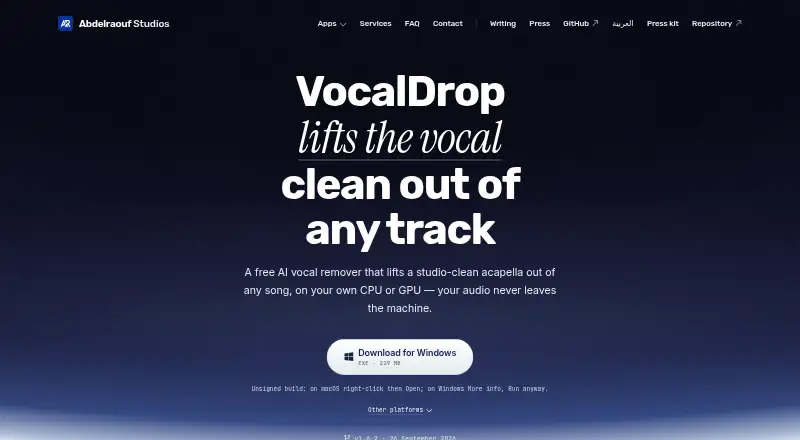
VocalDrop is a free desktop application for separating vocals and instrumentals from songs with locally run RoFormer-based models. It is aimed at musicians, producers, karaoke users, and anyone who needs offline vocal extraction without uploading tracks. The app accepts audio files, folders, videos, and pasted links from supported sites, then produces isolated stems or synchronized video with a selected stem. Its one-pass workflow keeps the product focused on a specific audio task rather than presenting itself as a general production suite.
The Free plan costs 0 USD and includes no tiers, no watermark, no account, and no track limit. Processing runs locally on the CPU or GPU, with support for Apple Silicon, NVIDIA, AMD, and Intel graphics through platform-specific acceleration. Fast and Max RoFormer-based separation models give users a choice within the core workflow, while optional denoising and vocal-restoration post-stages add cleanup after separation. Folder and video inputs support batch-oriented work, and synchronized video output is useful when the original visual track needs to remain intact.
VocalDrop also includes a command-line interface with JSON output and macOS Finder Quick Actions, giving it useful workflow options beyond its desktop interface. Its scope remains narrow: the product centers on vocal and instrumental separation, has no documented API or integrations, and is not open source. Choose it if local processing, broad file input, and a fully free desktop workflow are the priorities. Choose a broader audio platform instead if you need API access, connected integrations, or functionality extending well beyond vocal and instrumental isolation.
Your product? Our editors can test VocalDrop in depth and publish a review, labelled as paid · from $149/mo →
VocalDrop pricing
All 1 VocalDrop plans and prices →
VocalDrop fact sheet
| Free plan | Yes |
|---|---|
| Paid from | Free |
| Input types | Audio_and_video |
| Processing mode | Upload |
| Batch processing | Yes |
| API access | No |
| Maximum file duration | Not verified |
| Export formats | Not verified |
| Deployment | Desktop |
| Platforms | Windows, macOS, Linux |
| Built for | Solo, Small business (editorial estimate) |
| Pricing | Free plan (source) |
| Website | abd3lraouf.dev |
| Facts checked | 22 Sep 2026 |
Alternatives to VocalDrop
- Krisp Voice IsolationA focused real-time SDK for cleaner speech, turn-taking, and transcription pipelines.9.4
- SharpiA focused on-premise option for real-time call audio isolation.9.1
- Sencial APIA developer-focused audio API with isolation, separation, diarization, and real-time processing.8.9


See all VocalDrop alternatives →
Used VocalDrop? Be the first to review it
The editor score above is our own research. What this page doesn't have yet is a reader's view — what you used VocalDrop for, what worked and what didn't. No stars are seeded and no review is paid for; an editor reads every one before it appears.
Write a reviewTwo minutes · verified accounts only · read by an editor before it appears
Featured on iTechGuides

VocalDrop is listed in our AI Voice Isolators directory. Add the badge to your site — it links back to this page.
<a href="https://www.itechguides.com/products/vocaldrop/"><img src="https://www.itechguides.com/best/badge/vocaldrop.svg" alt="Featured on iTechGuides" width="230" height="46"></a>
Reviewed by iTechGuides Editors · Editorial team · Updated Oct 2026
Advertiser disclosure: iTechGuides is reader-supported. Vendors can pay for top positions in our rankings and for a place on other products' pages, and we may earn a commission when you click some links. Bought places stand at the number bought; this page and our disclosure say so. Paying vendors may get a fuller, more detailed review from our editors, and that review can change their score. How we rank.
Last updated · How we research and update