
VisualSubSync
VisualSubSync: A focused, free subtitle editor for Windows users who prioritize timing control. Ranked #24 of 30 in Subtitle Software by our editors (6.7/10); pricing: Free plan; best for windows users focused on timing accuracy.
At a glance
- Editor score6.7 / 10
- PricingFree plan
- Best forWindows users focused on timing accuracy
- Free planYes
- Paid fromFree
- Facts checked20 Sep 2026
Where it wins
- Audio waveform makes subtitle timing and synchronization precise
- Free, open-source editor with translation and review tools
- Supports error checks, reading-speed indicators, and video preview
Where it doesn't
- Windows-only desktop availability
- No AI captioning features
- Focused format support: SRT and SSA/ASS
Our verdict on VisualSubSync
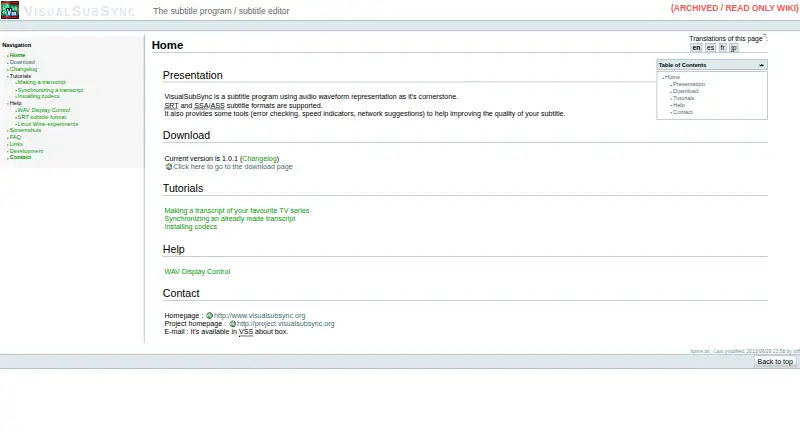
VisualSubSync is a free, open-source desktop subtitle editor for creating, timing, synchronizing, and reviewing subtitles against video and audio. It is aimed at individual subtitle creators and small subtitle-production workflows, particularly Windows users who want a visual timing interface. Its core workflow centers on an audio waveform, with support for SRT and SSA/ASS subtitles, video preview with overlay, spell checking, and transcript synchronization through a text pipe.
Timing is the product’s clearest strength. The waveform-based editor gives subtitle creators a visual way to align dialogue with audio, while reading-speed indicators and subtitle error checks support review before export. Translation mode and translation templates extend the workflow beyond timing, and network mode can provide browser-based subtitle suggestions. JavaScript action plugins also offer a way to add workflow actions for users comfortable with that approach. These tools make VisualSubSync more than a basic subtitle text editor, while keeping its focus on subtitle production rather than automatic caption generation.
The trade-off is a narrow platform and format focus. VisualSubSync is available for Windows, and its documented subtitle support centers on SRT and SSA/ASS. It does not provide AI features, broad integrations, or a wider ecosystem for automated captioning. The official release listing identifies version 1.0.1 dated 2013-06-29, which gives the project an archival feel for buyers evaluating ongoing platform development. Choose VisualSubSync for free, waveform-led subtitle timing and translation-oriented editing on Windows; choose an alternative if you need automatic captioning, broader format coverage, or integrations.
Your product? Our editors can test VisualSubSync in depth and publish a review, labelled as paid · from $149/mo →
VisualSubSync pricing
VisualSubSync fact sheet
| Free plan | Yes |
|---|---|
| Paid from | Free |
| Max video length | Not verified |
| Auto-captioning | Not verified |
| Subtitle translation | Yes |
| Speaker labels | Not verified |
| SRT export | Yes |
| VTT export | Not verified |
| Deployment | Desktop |
| Platforms | Windows |
| Support | Docs, Email |
| Built for | Solo, Small business (editorial estimate) |
| Pricing | Free plan |
| Website | visualsubsync.org |
| Facts checked | 20 Sep 2026 |
Alternatives to VisualSubSync
- Subtitle EditA broad, free subtitle toolkit for local editing, transcription, translation, and video processing.9.4
- SRTGenA broad subtitle toolkit for creators who need transcription, localization, and exports.9.2
- EditsubEditsub combines broad subtitle tools, collaboration, and a low-cost annual Pro plan.9.0


See all VisualSubSync alternatives →
Used VisualSubSync? Be the first to review it
The editor score above is our own research. What this page doesn't have yet is a reader's view — what you used VisualSubSync for, what worked and what didn't. No stars are seeded and no review is paid for; an editor reads every one before it appears.
Write a reviewTwo minutes · verified accounts only · read by an editor before it appears
Featured on iTechGuides

VisualSubSync is listed in our Subtitle Software directory. Add the badge to your site — it links back to this page.
<a href="https://www.itechguides.com/products/visualsubsync/"><img src="https://www.itechguides.com/best/badge/visualsubsync.svg" alt="Featured on iTechGuides" width="230" height="46"></a>
Reviewed by iTechGuides Editors · Editorial team · Updated Oct 2026
Advertiser disclosure: iTechGuides is reader-supported. Vendors can pay for top positions in our rankings and for a place on other products' pages, and we may earn a commission when you click some links. Bought places stand at the number bought; this page and our disclosure say so. Paying vendors may get a fuller, more detailed review from our editors, and that review can change their score. How we rank.
Last updated · How we research and update