VimEcho Studio
VimEcho Studio: A focused, low-cost Windows tool for scripted slide narration and MP4 export. Ranked #24 of 26 in Presentation Recording Software by our editors (6.4/10); pricing: Paid; best for offline Windows narration workflows.
At a glance
- Editor score6.4 / 10
- PricingPaid
- Best forOffline Windows narration workflows
- Free planNo
- Paid from$19.99 one-time
- Recording modesSlides
- Facts checked20 Sep 2026
Where it wins
- One-time pricing starts at $19.99 for 2 seats.
- Script timing, Windows voices, custom audio, and background music.
- Offline local generation with MP4 video export.
Where it doesn't
- Windows-only, with no broader platform support.
- No webcam recording, transcript generation, or viewer analytics.
- Designed for scripted slides rather than live presentation capture.
Our verdict on VimEcho Studio
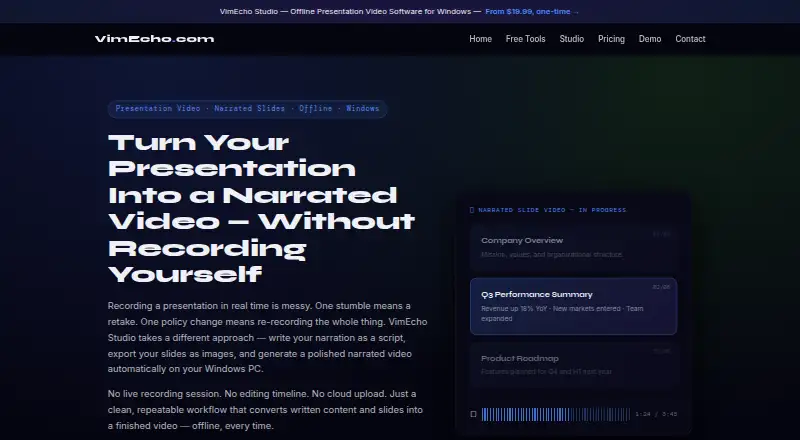
VimEcho Studio is a Windows desktop application for converting exported presentation slides and a text narration script into a timed narrated video. It is aimed at individual creators, educators, training teams, onboarding workflows, client briefings, and organizations producing repeatable presentation videos. The workflow centers on slide-based projects: users can provide a plain text script, select a Windows text-to-speech voice, upload narration in WAV, MP3, or OGG, add optional background music, and export the result as an MP4 video. JPEG and PNG are supported as slide inputs. Processing occurs locally after one online license activation, with no cloud upload or subscription.
Pricing is built around one-time seat licenses. The 2 Seats plan costs $19.99 one-time for individual creators on 1–2 PCs. The 10 Seats plan costs $79.99 one-time for teams, small labs, and classrooms. The 50 Seats plan costs $349.99 one-time for schools, training departments, and organizations, while the 100 Seats plan costs $599.99 one-time for larger organizations and multi-team deployments. A 1,000 Seats plan is available for enterprise and district-wide licensing. Project presets support repeatable workflows, making the product a practical fit when teams produce similar narrated slide videos repeatedly rather than requiring a recurring cloud service.
The main trade-off is focus. VimEcho Studio provides script-driven narration, automatic slide timing, selectable Windows voices, custom audio, offline generation, and MP4 output, but its published positioning does not extend to webcam recording, transcript generation, viewer analytics, or live-presentation capture. That makes it a sensible choice for offline Windows narration workflows and structured presentation production. Organizations needing broader platform coverage, webcam-based recording, post-publication audience data, or transcript features should choose a more expansive presentation recording product instead.
Your product? Our editors can test VimEcho Studio in depth and publish a review, labelled as paid · from $149/mo →
VimEcho Studio pricing
All 5 VimEcho Studio plans and prices →
VimEcho Studio fact sheet
| Free plan | No |
|---|---|
| Paid from | $19.99 one-time |
| Recording modes | Slides |
| Maximum video quality | Not verified |
| Webcam recording | No |
| Transcript generation | No |
| Viewer analytics | No |
| Export formats | MP4 video; narration input WAV, MP3, and OGG; slide input JPEG and PNG |
| Maximum recording length | Not verified |
| Deployment | Desktop |
| Platforms | Windows |
| Support | |
| Built for | Solo, Small business, Mid-market, Enterprise (editorial estimate) |
| Pricing | Paid (source) |
| Website | vimecho.com |
| Facts checked | 20 Sep 2026 |
Alternatives to VimEcho Studio
- SlideatorA flexible presentation recorder with 4K video, AI tools, and a free starting point.9.4
- Flonnect Presentation RecorderA flexible presentation recorder with synchronized capture, annotations, and team workspaces.9.2
- Google VidsA strong Google Workspace option for recording, editing, and sharing presentations.9.1



See all VimEcho Studio alternatives →
Used VimEcho Studio? Be the first to review it
The editor score above is our own research. What this page doesn't have yet is a reader's view — what you used VimEcho Studio for, what worked and what didn't. No stars are seeded and no review is paid for; an editor reads every one before it appears.
Write a reviewTwo minutes · verified accounts only · read by an editor before it appears
Featured on iTechGuides

VimEcho Studio is listed in our Presentation Recording Software directory. Add the badge to your site — it links back to this page.
<a href="https://www.itechguides.com/products/vimecho-studio/"><img src="https://www.itechguides.com/best/badge/vimecho-studio.svg" alt="Featured on iTechGuides" width="230" height="46"></a>
Reviewed by iTechGuides Editors · Editorial team · Updated Oct 2026
Advertiser disclosure: iTechGuides is reader-supported. Vendors can pay for top positions in our rankings and for a place on other products' pages, and we may earn a commission when you click some links. Bought places stand at the number bought; this page and our disclosure say so. Paying vendors may get a fuller, more detailed review from our editors, and that review can change their score. How we rank.
Last updated · How we research and update