
Videvra Restore
Videvra Restore: A focused free beta for restoring faces, noise, color, and resolution in short clips. Ranked #30 of 32 in AI Video Upscalers by our editors (5.8/10); pricing: Free plan; best for free face-focused talking-head restoration.
At a glance
- Editor score5.8 / 10
- PricingFree plan
- Best forFree face-focused talking-head restoration
- Free planYes
- Paid fromFree
- Facts checked20 Sep 2026
Where it wins
- Free public beta includes face restoration and video upscaling
- Supports x2 and x4 upscaling, denoising, and colorization
- Browser workflow includes before-and-after comparisons
Where it doesn't
- Focused on short clips rather than broad video production workflows
- No batch processing for handling multiple clips together
- Uploads and outputs are temporary and should be downloaded promptly
Our verdict on Videvra Restore
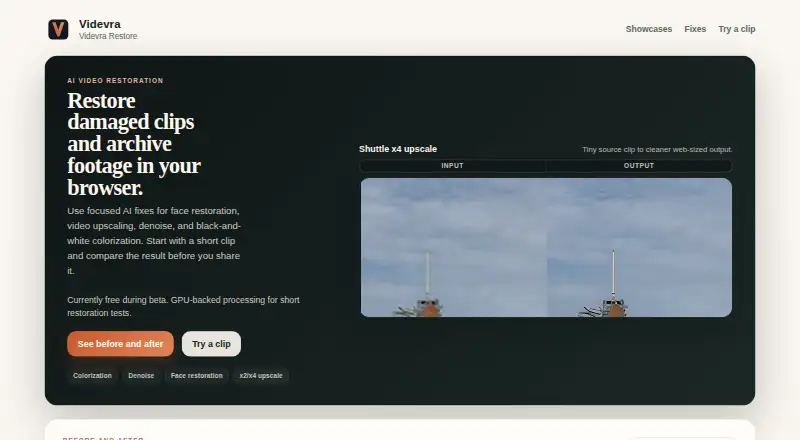
Videvra Restore is a browser-based AI video restoration service for short clips, archive footage, talking-head video, and noisy or low-resolution material. Its main focus is compressed talking-head content, where face restoration can be paired with video upscaling, denoising, or black-and-white colorization. The free public beta makes it suitable for individuals who want to improve a small number of damaged or dated clips without adopting a paid plan.
The enhancement set is focused rather than broad. Face restoration targets compressed talking-head video, while x2 and x4 upscaling address low resolution. Denoising covers grain, low-light noise, and compression noise, and colorization applies to black-and-white video. Before-and-after showcase comparisons help users review the intended change. This combination fits archive footage, interviews, and other clips where faces and overall clarity matter more than production effects or advanced motion processing.
The workflow stays in the browser: upload one clip, select a restoration type, monitor processing, and download the result. GPU-backed processing is available for short restoration tests, while temporary upload and output retention make prompt downloads part of the workflow. Videvra Restore is a good choice for free, face-focused restoration of short talking-head or archive clips. Teams needing batch processing, broader production workflows, or integrations should choose a different tool.
Your product? Our editors can test Videvra Restore in depth and publish a review, labelled as paid · from $149/mo →
Videvra Restore pricing
All 1 Videvra Restore plans and prices →
Videvra Restore fact sheet
| Free plan | Yes |
|---|---|
| Paid from | Free |
| Max output resolution | Not verified |
| Enhancement modes | face restoration; video upscaling; denoise; black-and-white colorization |
| Frame interpolation | Not verified |
| Batch processing | Not verified |
| Supported video formats | Not verified |
| Desktop app | Not verified |
| API access | Not verified |
| Deployment | Cloud |
| Platforms | Web |
| Support | |
| Built for | Solo, Small business (editorial estimate) |
| Pricing | Free plan (source) |
| Website | videvra.com |
| Facts checked | 20 Sep 2026 |
Alternatives to Videvra Restore
- Topaz VideoA professional desktop editor for AI upscaling, restoration, motion work, and batch processing.9.4
- PixopA professional video upscaler with 8K output, restoration, conversion, and archive processing.9.1
- AVCLabs Video Enhancer AIA feature-rich desktop tool for restoring and enlarging video up to 8K.8.9


See all Videvra Restore alternatives →
Also Ranked In
Videvra Restore is ranked in 2 of our directories.
Used Videvra Restore? Be the first to review it
The editor score above is our own research. What this page doesn't have yet is a reader's view — what you used Videvra Restore for, what worked and what didn't. No stars are seeded and no review is paid for; an editor reads every one before it appears.
Write a reviewTwo minutes · verified accounts only · read by an editor before it appears
Featured on iTechGuides

Videvra Restore is listed in our AI Video Upscalers directory. Add the badge to your site — it links back to this page.
<a href="https://www.itechguides.com/products/videvra-restore/"><img src="https://www.itechguides.com/best/badge/videvra-restore.svg" alt="Featured on iTechGuides" width="230" height="46"></a>
Reviewed by iTechGuides Editors · Editorial team · Updated Oct 2026
Advertiser disclosure: iTechGuides is reader-supported. Vendors can pay for top positions in our rankings and for a place on other products' pages, and we may earn a commission when you click some links. Bought places stand at the number bought; this page and our disclosure say so. Paying vendors may get a fuller, more detailed review from our editors, and that review can change their score. How we rank.
Last updated · How we research and update