
Videotto
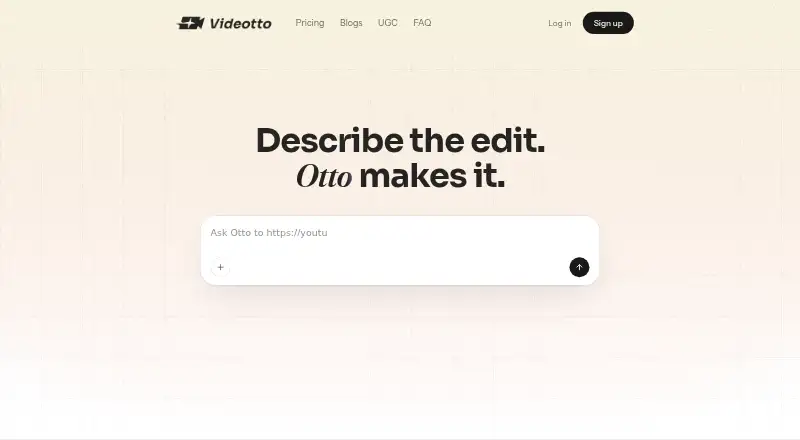
Videotto: A focused web tool for turning long videos into branded, publish-ready social clips. Ranked #28 of 50 in AI Video Repurposing Tools by our editors (5.7/10); pricing: Paid; best for small teams wanting simple publishing insights.
At a glance
- Editor score5.7 / 10
- PricingPaid
- Best forSmall teams wanting simple publishing insights
- Free planNo
- Paid from$12/mo
- AI highlight detectionYes
- Founded2024 · Singapore
- Facts checked24 Sep 2026
Where it wins
- AI highlights, jump cuts, silence removal, captions, and format cropping
- Brand presets and post-generation clip editing support consistent outputs
- Publishes directly to YouTube, Instagram, TikTok, and LinkedIn
Where it doesn't
- Web-only access limits platform flexibility
- Advanced analytics and priority support require the Plus plan
- The $95 monthly Plus plan is a significant step up from Pro
Our verdict on Videotto
Videotto is a paid web-based AI video repurposing tool for podcasters, livestreamers, and content creators. It analyzes long-form footage to identify highlights, turns selected moments into short clips, adds editable captions, applies brand controls, and prepares videos for 9:16, square, and 16:9 formats. Small teams that need a straightforward path from long recordings to social publishing will find its scope easy to understand, particularly when publishing insights matter more than a broad editing suite.
The standout workflow combines AI highlight detection with automatic jump cuts and silence removal. Generated clips can be edited afterward, while caption styling and timing remain adjustable. Logo, color, font, and brand preset controls help keep outputs consistent across a content pipeline. Videotto also connects with Dropbox and Google Drive for source files, and it supports direct publishing to YouTube, Instagram, TikTok, and LinkedIn. That combination makes it a practical fit for teams producing recurring clips across several social channels, although its focus remains repurposing rather than general-purpose video production.
Pricing is structured around three plans. Pro costs $20 per month and includes AI clipping and AI motion, multiple languages, cloud-storage connections, auto posting, and clip editing. Plus costs $95 per month and adds 12,000 credits per year, priority support, and advanced analytics. Enterprise includes everything in Plus, along with enterprise security, custom API integrations, and a dedicated account manager. Pro suits creators and small teams that want core clipping and publishing features; Plus is better for teams that need deeper performance analysis; Enterprise is aimed at organizations requiring security, API customization, and account support.
Your product? Our editors can test Videotto in depth and publish a review, labelled as paid · from $149/mo →
Videotto pricing
All 3 Videotto plans and prices →
Videotto fact sheet
| Free plan | No |
|---|---|
| Paid from | $12/mo |
| Max source length | 200 min |
| AI highlight detection | Yes |
| Automatic reframing | Yes |
| Social platform presets | Yes |
| Transcript-to-post output | Not verified |
| Brand templates | Yes |
| Monthly clip limit | 170 clips/mo |
| Deployment | Cloud |
| Platforms | Web |
| Support | Email, Live chat |
| Built for | Solo, Small business (editorial estimate) |
| Integrations | 7 integrations: Dropbox, Google Drive, YouTube, Instagram, TikTok, Facebook … |
| Pricing | Paid (source) |
| Website | videotto.com |
| Facts checked | 24 Sep 2026 |
Videotto integrations
Videotto lists 7 integrations on its own site.
- Dropbox
- Google Drive
- YouTube
- TikTok
Alternatives to Videotto
- OpusClipA broad AI workflow for turning long videos into branded, social-ready clips.9.9
- HeadlinerA broad, affordable toolkit for turning long-form media into social-ready clips.8.9
- quso.aiA broad AI repurposing suite with scheduling and analytics, though paid access starts at $29 monthly.8.7



See all Videotto alternatives →
Also Ranked In
Videotto is ranked in 2 of our directories.
Used Videotto? Be the first to review it
The editor score above is our own research. What this page doesn't have yet is a reader's view — what you used Videotto for, what worked and what didn't. No stars are seeded and no review is paid for; an editor reads every one before it appears.
Write a reviewTwo minutes · verified accounts only · read by an editor before it appears
Featured on iTechGuides

Videotto is listed in our AI Video Repurposing Tools directory. Add the badge to your site — it links back to this page.
<a href="https://www.itechguides.com/products/videotto/"><img src="https://www.itechguides.com/best/badge/videotto.svg" alt="Featured on iTechGuides" width="230" height="46"></a>
Reviewed by iTechGuides Editors · Editorial team · Updated Oct 2026
Advertiser disclosure: iTechGuides is reader-supported. Vendors can pay for top positions in our rankings and for a place on other products' pages, and we may earn a commission when you click some links. Bought places stand at the number bought; this page and our disclosure say so. Paying vendors may get a fuller, more detailed review from our editors, and that review can change their score. How we rank.
Last updated · How we research and update