
VIDAREO
VIDAREO: A focused tool for recording short presentations and tracking viewer engagement. Ranked #5 of 26 in Presentation Recording Software by our editors (8.8/10); pricing: Free plan · 14-day trial; best for short presentation videos with analytics.
At a glance
- Editor score8.8 / 10
- PricingFree plan · 14-day trial
- Best forShort presentation videos with analytics
- Free planYes
- Recording modesSlides_screen_and_webcam
- Facts checked20 Sep 2026
Where it wins
- Imports PDF and PowerPoint decks for slide-based recording
- Combines presenter camera, transcription, editing, and analytics
- Supports web, iOS, Android, and Chrome extension access
Where it doesn't
- Free plan allows only 5 video recordings per month
- Free recordings are limited to 2 minutes and 720p
- Verified maximum recording length is 10 minutes
Our verdict on VIDAREO
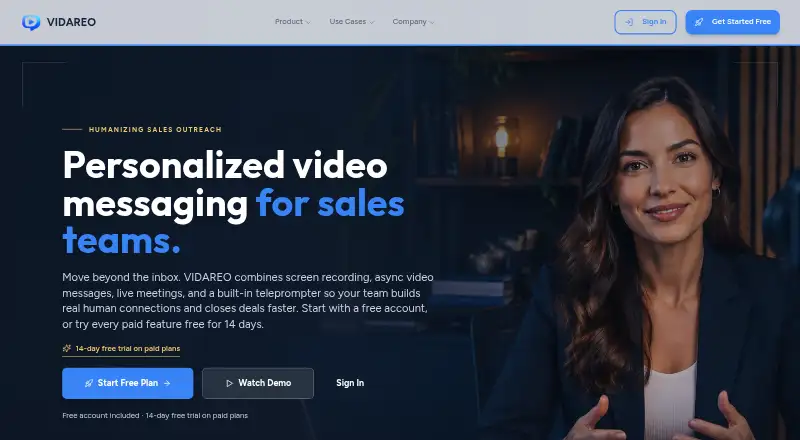
VIDAREO is a browser-based video messaging platform for sales teams, async teams, trainers, founders, and customer-facing professionals. Its presentation mode imports PDF or PowerPoint files, records slide narration with a presenter camera, and creates shareable videos. It also supports screen and camera recording, browser video calls, mobile apps, and a Chrome extension. The product is best suited to short presentations where viewer activity matters as much as the recording itself.
The Free plan includes 5 video recordings per month, a 2-minute maximum per video, 720p quality, screen and camera recording, and basic analytics. The Professional plan adds unlimited recordings, presentation mode, AI transcription, advanced analytics, and 1080p quality. Team plans add a team workspace, admin controls, team analytics, and priority support. A 14-day trial of paid features is available, and the free account does not require a credit card. This tier structure makes VIDAREO easy to evaluate for individual use while reserving collaboration and administration for teams.
Its strongest area is the combination of presentation capture and follow-up tools. Built-in teleprompter support includes AI script generation, while transcription, trimming, splitting, password-protected sharing, email delivery, contact management, and bulk video email extend the workflow beyond recording. Viewer and watch-time analytics help teams assess engagement, with integrations for email, LinkedIn, and YouTube. Choose VIDAREO for concise, trackable presentation videos across multiple devices. It is less suitable when recordings need to exceed the verified 10-minute maximum or when a team only needs basic screen capture without presentation and analytics features.
Your product? Our editors can test VIDAREO in depth and publish a review, labelled as paid · from $149/mo →
VIDAREO pricing
All 3 VIDAREO plans and prices →
VIDAREO fact sheet
| Free plan | Yes |
|---|---|
| Paid from | Not verified |
| Recording modes | Slides_screen_and_webcam |
| Maximum video quality | 1080p |
| Webcam recording | Yes |
| Transcript generation | Yes |
| Viewer analytics | Yes |
| Export formats | MP4, WebM, MOV |
| Maximum recording length | 10 minutes |
| Free trial | 14 days · card required |
| Deployment | Cloud, Mobile, Browser extension |
| Platforms | Web, iOS, Android, Chrome extension |
| Compliance & security | SOC 2, ISO 27001 |
| Support | |
| Built for | Solo, Small business, Mid-market (editorial estimate) |
| Integrations | 3 integrations: email, LinkedIn, YouTube |
| Pricing | Free plan · 14-day trial (source) |
| Website | vidareo.com |
| Facts checked | 20 Sep 2026 |
VIDAREO integrations
VIDAREO lists 3 integrations on its own site.
- YouTube
Alternatives to VIDAREO
- SlideatorA flexible presentation recorder with 4K video, AI tools, and a free starting point.9.4
- Flonnect Presentation RecorderA flexible presentation recorder with synchronized capture, annotations, and team workspaces.9.2
- Google VidsA strong Google Workspace option for recording, editing, and sharing presentations.9.1



See all VIDAREO alternatives →
VIDAREO vs the competition
- VIDAREO vs Slideator
- VIDAREO vs Flonnect Presentation Recorder
- VIDAREO vs Google Vids
- VIDAREO vs 30hands
- VIDAREO vs Knovio
- VIDAREO vs Panopto



Compare VIDAREO with any tool side by side →
Used VIDAREO? Be the first to review it
The editor score above is our own research. What this page doesn't have yet is a reader's view — what you used VIDAREO for, what worked and what didn't. No stars are seeded and no review is paid for; an editor reads every one before it appears.
Write a reviewTwo minutes · verified accounts only · read by an editor before it appears
Featured on iTechGuides

VIDAREO is listed in our Presentation Recording Software directory. Add the badge to your site — it links back to this page.
<a href="https://www.itechguides.com/products/vidareo/"><img src="https://www.itechguides.com/best/badge/vidareo.svg" alt="Featured on iTechGuides" width="230" height="46"></a>
Reviewed by iTechGuides Editors · Editorial team · Updated Oct 2026
Advertiser disclosure: iTechGuides is reader-supported. Vendors can pay for top positions in our rankings and for a place on other products' pages, and we may earn a commission when you click some links. Bought places stand at the number bought; this page and our disclosure say so. Paying vendors may get a fuller, more detailed review from our editors, and that review can change their score. How we rank.
Last updated · How we research and update