
Vectorizer
Vectorizer: A simple free option for batch raster-to-SVG conversion in the browser. Ranked #10 of 26 in Image Vectorization Software by our editors (8.0/10); pricing: Free plan; best for simple free browser-based batch conversion.
At a glance
- Editor score8.0 / 10
- PricingFree plan
- Best forSimple free browser-based batch conversion
- Free planYes
- Paid fromFree
- Batch conversionYes
- Facts checked20 Sep 2026
Where it wins
- Converts raster images into scalable SVG graphics
- Processes up to 20 files in one upload
- Offers individual downloads and ZIP archive downloads
Where it doesn't
- Runs only on the web
- SVG is the listed output format
- Uploaded and generated files are deleted after one hour
Our verdict on Vectorizer
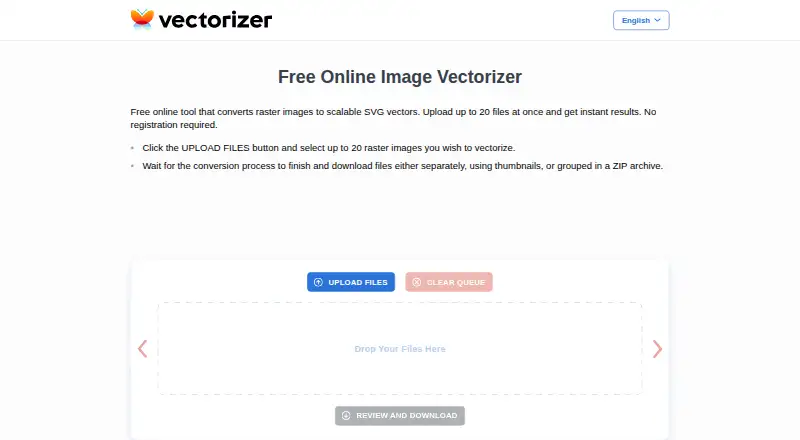
Vectorizer is a free browser-based tool for converting raster images into scalable SVG vector graphics. It is aimed at visual designers, artists, engineers, and people preparing graphics for plotters, machine tools, promotional items, or computer-aided design workflows. Because it requires no software installation and no registration, it suits occasional conversion work and users who want a straightforward way to process several images without creating an account.
Its main advantage is a focused batch workflow. Users can upload up to 20 raster files at once, wait for processing, and download results individually or as a ZIP archive. The published feature set centers on raster-to-SVG conversion rather than a broader image production environment, so Vectorizer fits tasks where scalable SVG output is the goal. Browser-based access also makes it easy to start from a supported web browser, while keeping the workflow lightweight for one-off or recurring conversions.
Vectorizer is a practical pick for users who prioritize free access, batch uploads, and uncomplicated SVG delivery. It is less suitable for teams seeking a wider platform ecosystem, multiple output formats, or advanced vectorization controls. The service is web-only, and both uploaded data and generated files are automatically deleted after a maximum of one hour, which makes it better suited to short-lived conversion workflows than long-term file storage. Choose it when the job is to turn raster images into SVG files quickly in a browser; choose an alternative when deeper feature coverage or broader integration requirements matter more than simplicity.
Your product? Our editors can test Vectorizer in depth and publish a review, labelled as paid · from $149/mo →
Vectorizer pricing
Vectorizer fact sheet
| Free plan | Yes |
|---|---|
| Paid from | Free |
| Batch conversion | Yes |
| Tracing modes | Not verified |
| Available platforms | Web |
| Vector output formats | SVG |
| Batch file limit | Not verified |
| Maximum color count | Not verified |
| Deployment | Cloud |
| Platforms | Web |
| Built for | Solo, Small business (editorial estimate) |
| Pricing | Free plan |
| Website | vectorizer.com |
| Facts checked | 20 Sep 2026 |
Alternatives to Vectorizer
- VectorItA free offline vectorizer with detailed tracing controls and broad desktop export options.9.4
- EdgeSVGA developer-focused engine for automated, measurable raster-to-SVG conversion.9.3
- Adobe CaptureA free mobile vectorization tool for Creative Cloud workflows, with broad Adobe integrations.9.2



See all Vectorizer alternatives →
Used Vectorizer? Be the first to review it
The editor score above is our own research. What this page doesn't have yet is a reader's view — what you used Vectorizer for, what worked and what didn't. No stars are seeded and no review is paid for; an editor reads every one before it appears.
Write a reviewTwo minutes · verified accounts only · read by an editor before it appears
Featured on iTechGuides

Vectorizer is listed in our Image Vectorization Software directory. Add the badge to your site — it links back to this page.
<a href="https://www.itechguides.com/products/vectorizer/"><img src="https://www.itechguides.com/best/badge/vectorizer.svg" alt="Featured on iTechGuides" width="230" height="46"></a>
Reviewed by iTechGuides Editors · Editorial team · Updated Oct 2026
Advertiser disclosure: iTechGuides is reader-supported. Vendors can pay for top positions in our rankings and for a place on other products' pages, and we may earn a commission when you click some links. Bought places stand at the number bought; this page and our disclosure say so. Paying vendors may get a fuller, more detailed review from our editors, and that review can change their score. How we rank.
Last updated · How we research and update