
EdgeSVG
EdgeSVG: A developer-focused engine for automated, measurable raster-to-SVG conversion. Ranked #2 of 26 in Image Vectorization Software by our editors (9.3/10); pricing: Free plan; best for developers and teams automating vectorization.
At a glance
- Editor score9.3 / 10
- PricingFree plan
- Best forDevelopers and teams automating vectorization
- Free planYes
- Paid fromFree
- Batch conversionYes
- Facts checked20 Sep 2026
Where it wins
- Automatic strategy selection adapts tracing to different image types.
- Quality metrics support evaluation and CI/CD quality gates.
- CLI, APIs, batch processing, and WebAssembly enable automation.
Where it doesn't
- Output is focused on SVG rather than multiple vector formats.
- No AI features are included.
- Its interfaces and automation focus may exceed simple one-off needs.
Our verdict on EdgeSVG
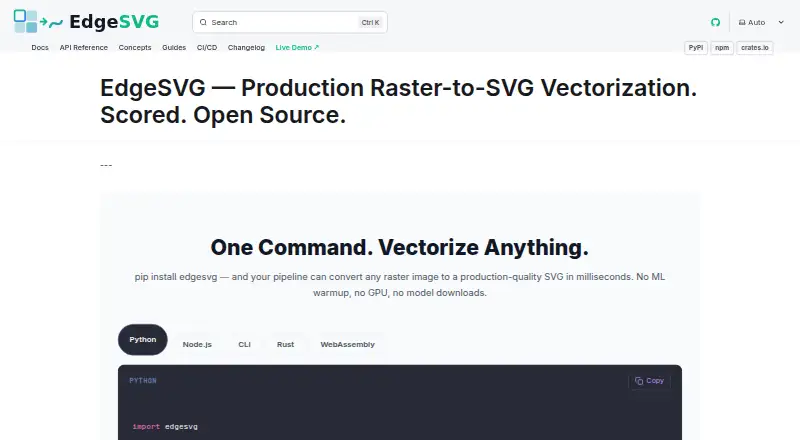
EdgeSVG is an open-source raster-to-SVG vectorization engine for developers and teams automating design exports, asset pipelines, and image ingestion. It analyzes images before tracing, selects strategies for different image types, and supports multiple tracing modes for logos, illustrations, and general images. The project is available for web and self-hosted use, with browser-local conversion through WebAssembly. It is a strong fit for teams that need repeatable conversion workflows rather than occasional manual tracing.
Automation is the product’s central strength. EdgeSVG provides CLI, Rust, Python, Node.js, and WebAssembly interfaces, along with batch conversion and concurrent processing. These options support local pipelines, service integrations, and browser-based workflows without requiring a single application environment. CI/CD quality gating adds a practical control for teams that need conversion results evaluated during asset processing. The scope is clearly oriented toward developers and technical teams building vectorization into broader systems.
Quality scoring gives EdgeSVG a more measurable workflow than a conversion tool that only produces an output file. Its metrics include SSIM, edge similarity, color, topology, file size, and path counts, allowing teams to assess results across different image types and use cases. The Apache-2.0 open-source model suits organizations that want to inspect, integrate, and automate the software. EdgeSVG should appeal to teams prioritizing programmable conversion, batch workflows, and quality checks. Users seeking broader output-format support, AI-assisted features, or a simpler one-off design application should consider a different type of tool.
Your product? Our editors can test EdgeSVG in depth and publish a review, labelled as paid · from $149/mo →
EdgeSVG pricing
EdgeSVG fact sheet
| Free plan | Yes |
|---|---|
| Paid from | Free |
| Batch conversion | Yes |
| Tracing modes | Full-color |
| Available platforms | Web+desktop |
| Vector output formats | SVG |
| Batch file limit | Not verified |
| Maximum color count | Not verified |
| Deployment | Self-hosted, Desktop |
| Platforms | Web |
| Support | Community, Docs |
| Built for | Small business, Mid-market, Enterprise (editorial estimate) |
| Pricing | Free plan |
| Website | raphaelmansuy.github.io |
| Facts checked | 20 Sep 2026 |
Alternatives to EdgeSVG
- VectorItA free offline vectorizer with detailed tracing controls and broad desktop export options.9.4
- Adobe CaptureA free mobile vectorization tool for Creative Cloud workflows, with broad Adobe integrations.9.2
- Vectorizer.AIA broad raster-to-vector toolkit for professional conversion and automated batch workflows.9.0



See all EdgeSVG alternatives →
EdgeSVG vs the competition
- EdgeSVG vs VectorIt
- EdgeSVG vs Adobe Capture
- EdgeSVG vs Vectorizer.AI
- EdgeSVG vs Vecto
- EdgeSVG vs AI Vectorizer
- EdgeSVG vs Vectorization.eu



Compare EdgeSVG with any tool side by side →
Used EdgeSVG? Be the first to review it
The editor score above is our own research. What this page doesn't have yet is a reader's view — what you used EdgeSVG for, what worked and what didn't. No stars are seeded and no review is paid for; an editor reads every one before it appears.
Write a reviewTwo minutes · verified accounts only · read by an editor before it appears
Featured on iTechGuides

EdgeSVG is listed in our Image Vectorization Software directory. Add the badge to your site — it links back to this page.
<a href="https://www.itechguides.com/products/edgesvg/"><img src="https://www.itechguides.com/best/badge/edgesvg.svg" alt="Featured on iTechGuides" width="230" height="46"></a>
Reviewed by iTechGuides Editors · Editorial team · Updated Oct 2026
Advertiser disclosure: iTechGuides is reader-supported. Vendors can pay for top positions in our rankings and for a place on other products' pages, and we may earn a commission when you click some links. Bought places stand at the number bought; this page and our disclosure say so. Paying vendors may get a fuller, more detailed review from our editors, and that review can change their score. How we rank.
Last updated · How we research and update