
Vector Magic
Vector Magic: A capable vectorization tool with broad output support and paid web or desktop options. Ranked #8 of 26 in Image Vectorization Software by our editors (8.4/10); pricing: Paid; best for established users needing web and desktop apps.
At a glance
- Editor score8.4 / 10
- PricingPaid
- Best forEstablished users needing web and desktop apps
- Free planNo
- Paid from$9.95/mo
- Founded2007 · Excelsior, Minnesota, United States
- Facts checked20 Sep 2026
Where it wins
- Automatic full-color vectorization with review and editing
- SVG, EPS, and PDF output in the browser edition
- Offline conversion, batch processing, AI, and DXF on desktop
Where it doesn't
- No free plan is available
- Online use starts at $9.95 per month
- Desktop Edition costs $295 as a one-time purchase
Our verdict on Vector Magic
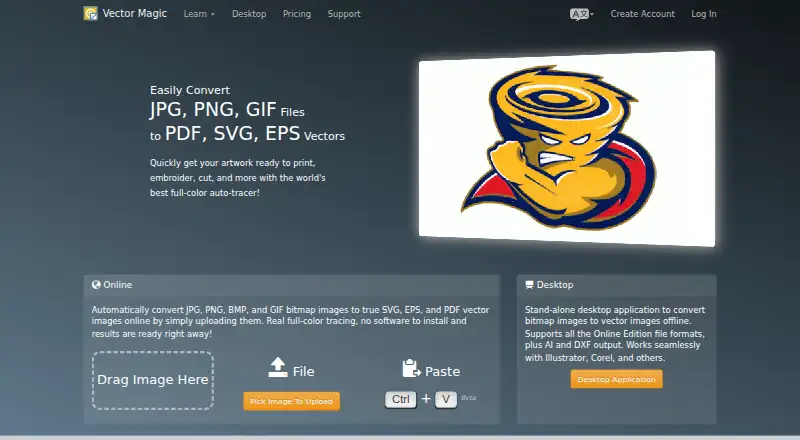
Vector Magic converts JPG, PNG, BMP, GIF, and TIFF images into editable vector artwork. It is aimed at graphic designers and users handling logo work, signage, print, embroidery, or other workflows that require raster images to become vector files. The product offers a browser-based application for tracing, previewing, reviewing, editing, and exporting results, alongside desktop applications for Windows and macOS.
Pricing is split between two plans. The Online Edition costs $9.95 per month and includes a browser-based application with unlimited use, automatic tracing, online result review and editing, and SVG, EPS, and PDF output. The Desktop Edition costs $295 as a one-time purchase and includes a standalone application, offline use, and unlimited use. It also adds AI and DXF output, batch processing, advanced vectorization controls, segmentation editing, and offline conversion. Subscription fees and activated desktop licenses are non-refundable.
Its main strength is the range of conversion workflows in one product: users can drag and drop or copy and paste images, inspect results in the browser, adjust segmentation, and work offline through the desktop edition. The desktop option is the stronger fit for repeated conversion, batch processing, or workflows that need AI and DXF output. Users who need occasional conversion or prefer a free starting point should look elsewhere, while established users who need both web access and desktop capabilities have a focused option with broad output support.
Your product? Our editors can test Vector Magic in depth and publish a review, labelled as paid · from $149/mo →
Vector Magic pricing
All 2 Vector Magic plans and prices →
Vector Magic fact sheet
| Free plan | No |
|---|---|
| Paid from | $9.95/mo |
| Batch conversion | Not verified |
| Tracing modes | Not verified |
| Available platforms | Not verified |
| Vector output formats | Not verified |
| Batch file limit | Not verified |
| Maximum color count | Not verified |
| Deployment | Cloud, Desktop |
| Platforms | Web, Windows, macOS |
| Support | Email, Phone |
| Built for | Solo, Small business, Mid-market (editorial estimate) |
| Pricing | Paid (source) |
| Website | vectormagic.com |
| Facts checked | 20 Sep 2026 |
Alternatives to Vector Magic
- VectorItA free offline vectorizer with detailed tracing controls and broad desktop export options.9.4
- EdgeSVGA developer-focused engine for automated, measurable raster-to-SVG conversion.9.3
- Adobe CaptureA free mobile vectorization tool for Creative Cloud workflows, with broad Adobe integrations.9.2



See all Vector Magic alternatives →
Vector Magic vs the competition
- Vector Magic vs VectorIt
- Vector Magic vs EdgeSVG
- Vector Magic vs Adobe Capture
- Vector Magic vs Vectorizer.AI
- Vector Magic vs Vecto
- Vector Magic vs AI Vectorizer



Compare Vector Magic with any tool side by side →
Also Ranked In
Vector Magic is ranked in 2 of our directories.
Used Vector Magic? Be the first to review it
The editor score above is our own research. What this page doesn't have yet is a reader's view — what you used Vector Magic for, what worked and what didn't. No stars are seeded and no review is paid for; an editor reads every one before it appears.
Write a reviewTwo minutes · verified accounts only · read by an editor before it appears
Featured on iTechGuides

Vector Magic is listed in our Image Vectorization Software directory. Add the badge to your site — it links back to this page.
<a href="https://www.itechguides.com/products/vector-magic/"><img src="https://www.itechguides.com/best/badge/vector-magic.svg" alt="Featured on iTechGuides" width="230" height="46"></a>
Reviewed by iTechGuides Editors · Editorial team · Updated Oct 2026
Advertiser disclosure: iTechGuides is reader-supported. Vendors can pay for top positions in our rankings and for a place on other products' pages, and we may earn a commission when you click some links. Bought places stand at the number bought; this page and our disclosure say so. Paying vendors may get a fuller, more detailed review from our editors, and that review can change their score. How we rank.
Last updated · How we research and update