Unmanic
Unmanic: A focused self-hosted transcoder for automating monitored media libraries. Ranked #32 of 74 in Video Converter Software by our editors (5.9/10); pricing: Free plan; best for self-hosters automating media-library transcoding.
At a glance
- Editor score5.9 / 10
- PricingFree plan
- Best forSelf-hosters automating media-library transcoding
- Free planYes
- Supported platformsCross-platform
- Facts checked24 Sep 2026
Where it wins
- Monitors libraries and queues concurrent transcoding workers
- Plugin workflows cover transcoding, metadata, streams, and file movement
- Hardware acceleration, REST API, Plex, and Jellyfin integrations
Where it doesn't
- Free plan caps usage at two libraries and three linked installations
- Output formats depend on installed plugins and FFmpeg backends
- Self-hosted deployment requires managing the runtime and storage
Our verdict on Unmanic
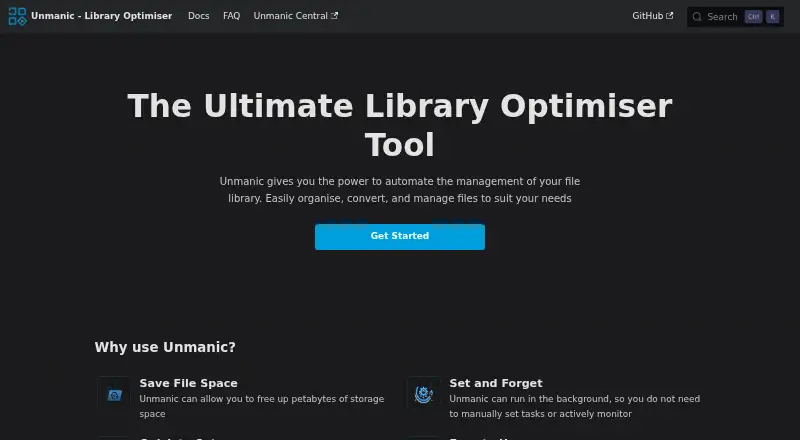
Unmanic is a self-hosted media-library optimisation tool for people who want directories monitored and files processed automatically. It scans libraries, tests files against configurable presets, queues tasks across multiple workers, and provides a web interface for configuring jobs and tracking results. The plugin system extends beyond video and audio transcoding to metadata and stream cleanup, file movement, notifications, and custom scripts. It runs on Windows, macOS, Linux, Docker, and Python-based environments, with API and self-hosted deployment options.
The Free plan includes core file automation, plugin installs and updates, hardware-accelerated processing, up to two libraries, and up to three linked installations. The Supporter plan is listed at $36 as a one-time payment and adds unlimited libraries, unlimited linked installations, advanced plugin options, Unmanic Central features, and permanent lifetime supporter status. That structure suits a solo operator who can start within the free limits, while larger or distributed libraries need the paid tier for capacity and additional controls.
Unmanic fits media ecosystems built around Plex or Jellyfin and can link installations for distributed processing. Hardware encoding is available through NVIDIA, VAAPI, and other supported FFmpeg backends, while the REST API can submit files and test tasks. Its focus is automated library workflows rather than broad, one-off conversion across every format, and results depend on plugin and FFmpeg configuration. Choose it when repeatable, monitored processing and self-hosting matter; choose another converter when you want a simpler desktop workflow without maintaining libraries, workers, plugins, and infrastructure.
Your product? Our editors can test Unmanic in depth and publish a review, labelled as paid · from $149/mo →
Unmanic pricing
All 2 Unmanic plans and prices →
Unmanic fact sheet
| Free plan | Yes |
|---|---|
| Paid from | Not verified |
| Supported platforms | Cross-platform |
| Output formats | Not verified |
| Batch conversion | Yes |
| Hardware acceleration | Yes |
| Maximum output resolution | Not verified |
| Audio extraction | Not verified |
| Deployment | Self-hosted, Desktop |
| Platforms | Web, Windows, macOS, Linux |
| Support | Community, Docs |
| Built for | Solo, Small business (editorial estimate) |
| Integrations | 2 integrations: Plex, Jellyfin |
| Pricing | Free plan (source) |
| Website | docs.unmanic.app |
| Facts checked | 24 Sep 2026 |
Unmanic integrations
Unmanic lists 2 integrations on its own site.
- Plex
- Jellyfin
Alternatives to Unmanic
- FFmpegA powerful open-source toolkit for technical media workflows across major desktop platforms.9.4
- HandBrakeA capable free converter for everyday desktop encoding, presets, queues, and disc sources.9.3
- Adobe Media EncoderA deep Adobe-centered encoder for teams managing complex media pipelines.9.2



See all Unmanic alternatives →
Used Unmanic? Be the first to review it
The editor score above is our own research. What this page doesn't have yet is a reader's view — what you used Unmanic for, what worked and what didn't. No stars are seeded and no review is paid for; an editor reads every one before it appears.
Write a reviewTwo minutes · verified accounts only · read by an editor before it appears
Featured on iTechGuides

Unmanic is listed in our Video Converter Software directory. Add the badge to your site — it links back to this page.
<a href="https://www.itechguides.com/products/unmanic/"><img src="https://www.itechguides.com/best/badge/unmanic.svg" alt="Featured on iTechGuides" width="230" height="46"></a>
Reviewed by iTechGuides Editors · Editorial team · Updated Oct 2026
Advertiser disclosure: iTechGuides is reader-supported. Vendors can pay for top positions in our rankings and for a place on other products' pages, and we may earn a commission when you click some links. Bought places stand at the number bought; this page and our disclosure say so. Paying vendors may get a fuller, more detailed review from our editors, and that review can change their score. How we rank.
Last updated · How we research and update