Universal Document Converter
Universal Document Converter: A focused Windows PDF creator with automation, deployment, and volume licensing. Ranked #41 of 46 in PDF Converter Software by our editors (4.9/10); pricing: Paid; best for businesses needing virtual-printer PDF output.
At a glance
- Editor score4.9 / 10
- PricingPaid
- Best forBusinesses needing virtual-printer PDF output
- Free planNo
- Paid from$20/user one-time
- Founded1998 · Riga, Latvia
- Facts checked21 Sep 2026
Where it wins
- Converts printable documents to PDF and eight image formats
- Supports searchable, PDF/A, password-protected, and multipage PDFs
- Adds API automation, network deployment, and Office integrations
Where it doesn't
- Windows desktop workflows limit cross-platform use
- No free plan; the demo adds a watermark
- Primarily focused on PDF creation rather than broad conversion
Our verdict on Universal Document Converter
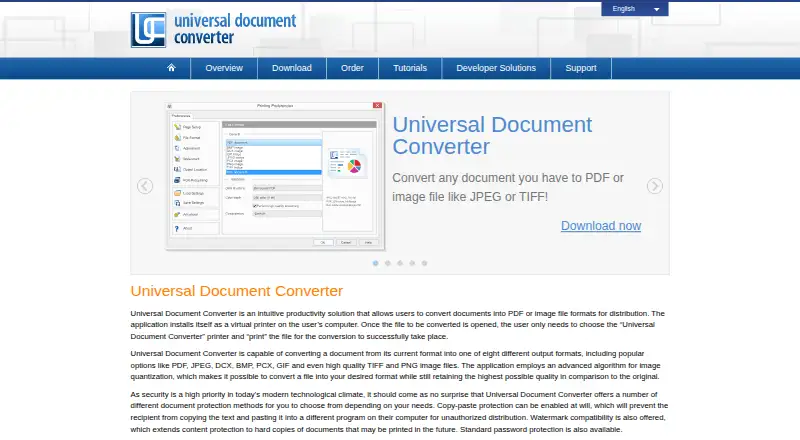
Universal Document Converter is a Windows virtual-printer application from fCoder SIA for businesses that need to turn printable documents into PDF or image files. It supports workflows involving Microsoft Word, Excel, PowerPoint, Outlook, AutoCAD, Visio, Adobe PDF, and other printable documents. Users select the virtual printer, choose an output profile, and save the result as PDF or an image. The software also supports eight image formats, including JPEG, TIFF, PNG, GIF, PCX, DCX, and BMP.
Its strongest fit is document-output control. Universal Document Converter can create regular, searchable, PDF/A, password-protected, and multipage PDFs, while also combining documents, adding text or image watermarks, cropping pages, and resizing output. Network and server deployment extend the workflow beyond a single workstation, and the public API supports automation with published examples. These capabilities make it a practical choice for businesses standardizing printable-document output, especially where Office or engineering-document workflows are central.
Pricing is a one-time purchase. The single-user Business License is $69 per user, while volume pricing is $39 per user for up to 5 users, $35 for up to 10, $30 for up to 20, $25 for up to 50, and $20 for up to 100 users. The Server License costs $999 one time, installs on one server, and connects up to 33 users. The Developer License costs $4,500 one time and allows distribution with an application for unlimited users accessing that application. A demo is available with a watermark, but businesses needing a free plan or broad cross-platform workflows should look elsewhere. Universal Document Converter is best suited to Windows-focused PDF creation, deployment, and automation rather than general-purpose conversion across operating systems.
Your product? Our editors can test Universal Document Converter in depth and publish a review, labelled as paid · from $149/mo →
Universal Document Converter pricing
All 8 Universal Document Converter plans and prices →
Universal Document Converter fact sheet
| Free plan | No |
|---|---|
| Paid from | $20/user one-time |
| Conversion targets | Microsoft Word, Microsoft PowerPoint, Adobe PDF, Autodesk AutoCAD, Microsoft Visio and other printable documents → PDF, JPEG, TIFF, PNG, GIF, PCX, DCX, BMP |
| OCR conversion | Not verified |
| Batch conversion | Not verified |
| Maximum file size | Not verified |
| Supported platforms | Windows desktop; public API |
| API access | Yes |
| Deployment | Desktop, Self-hosted |
| Platforms | Windows |
| Support | Tickets, Docs |
| Built for | Solo, Small business, Mid-market, Enterprise (editorial estimate) |
| Integrations | 6 integrations: Microsoft Word, Microsoft Excel, Microsoft PowerPoint, Microsoft Outlook, Autodesk AutoCAD, Microsoft Visio |
| Pricing | Paid (source) |
| Website | print-driver.com |
| Facts checked | 21 Sep 2026 |
Universal Document Converter integrations
Universal Document Converter lists 6 integrations on its own site.
- Microsoft Word
- Microsoft Excel
- Microsoft PowerPoint
- Microsoft Outlook
- Autodesk AutoCAD
- Microsoft Visio
Alternatives to Universal Document Converter
- Wondershare PDFelementA full PDF workbench with conversion, OCR, forms, security, signatures, and AI tools.9.3
- Adobe PDF Services APIA broad PDF automation API with a useful free tier and quote-based paid scaling.9.1
- ConvertioA broad cloud converter for documents, media, images, and automated workflows.9.0



See all Universal Document Converter alternatives →
Used Universal Document Converter? Be the first to review it
The editor score above is our own research. What this page doesn't have yet is a reader's view — what you used Universal Document Converter for, what worked and what didn't. No stars are seeded and no review is paid for; an editor reads every one before it appears.
Write a reviewTwo minutes · verified accounts only · read by an editor before it appears
Featured on iTechGuides

Universal Document Converter is listed in our PDF Converter Software directory. Add the badge to your site — it links back to this page.
<a href="https://www.itechguides.com/products/universal-document-converter/"><img src="https://www.itechguides.com/best/badge/universal-document-converter.svg" alt="Featured on iTechGuides" width="230" height="46"></a>
Reviewed by iTechGuides Editors · Editorial team · Updated Oct 2026
Advertiser disclosure: iTechGuides is reader-supported. Vendors can pay for top positions in our rankings and for a place on other products' pages, and we may earn a commission when you click some links. Bought places stand at the number bought; this page and our disclosure say so. Paying vendors may get a fuller, more detailed review from our editors, and that review can change their score. How we rank.
Last updated · How we research and update