
unifir
unifir: A focused R-to-Unity bridge for scripted, reproducible 3D scene generation. Ranked #50 of 52 in 3D Visualization Software by our editors (4.1/10); pricing: Free plan; best for R users generating Unity scenes programmatically.
At a glance
- Editor score4.1 / 10
- PricingFree plan
- Best forR users generating Unity scenes programmatically
- Free planYes
- Paid fromFree
- Primary platformDesktop
- Facts checked23 Sep 2026
Where it wins
- Reproducible R scripts generate Unity scenes and content
- Controls objects, transforms, materials, lighting and cameras
- Free, open-source deployment on desktop or self-hosted setups
Where it doesn't
- Focused on Unity scenes rather than broad visualization outputs
- Not a hosted visualization service or standalone visual editor
- Documentation is the listed support channel
Our verdict on unifir
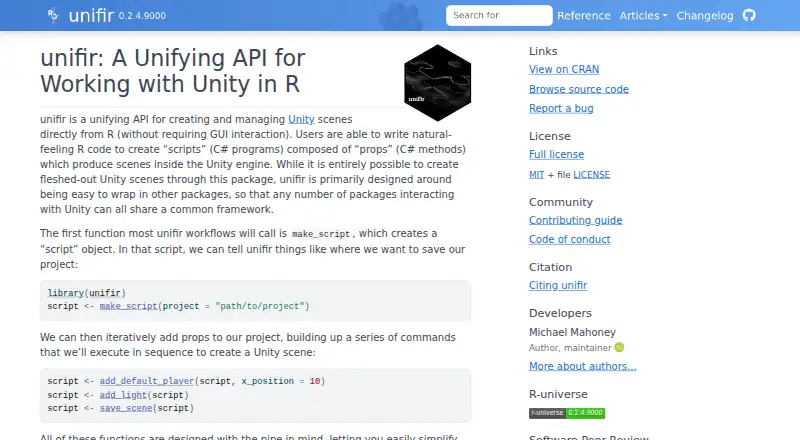
unifir is an open-source R package for creating and manipulating 3D scenes in the Unity game engine. It is designed for R users who want reproducible, scriptable visualization workflows, including programmatic control over scene objects, transforms, materials, lights and cameras. Projects can be opened or run in Unity after generation, making the package a developer-oriented bridge between R scripting and Unity scene construction rather than a visual editor or hosted service.
The published model is straightforward: unifir is free and open source. It supports Windows, macOS and Linux desktop environments, as well as self-hosted deployment. Its core ecosystem fit is intentionally narrow, centered on R and Unity. Scripts can create Unity projects, configure scene content and preserve a repeatable generation process, which suits users who want scene construction to live alongside analytical or other R-based workflows. Desktop and self-hosted options also keep deployment under the user's control.
The package's depth is in scripted scene generation: objects, properties, materials, lighting and cameras can all be configured through R interfaces. That focus is useful for repeatable Unity visualizations, but it also defines the boundary of the product. unifir is not positioned as a broad 3D visualization suite, hosted collaboration service or standalone editor, and its listed support channel is documentation. Choose it when R-driven automation and Unity output are central requirements; choose another tool when you need wider visualization formats, hosted delivery or a general-purpose authoring environment.
Your product? Our editors can test unifir in depth and publish a review, labelled as paid · from $149/mo →
unifir pricing
unifir fact sheet
| Free plan | Yes |
|---|---|
| Paid from | Free |
| Real-time scenes | Yes |
| 360° tours | Not verified |
| VR/AR support | Not verified |
| AI visualization tools | Not verified |
| Video export | Not verified |
| Primary platform | Desktop |
| Mobile viewing | Not verified |
| Deployment | Self-hosted, Desktop |
| Platforms | Windows, macOS, Linux |
| Support | Docs |
| Built for | Solo, Small business (editorial estimate) |
| Integrations | 2 integrations: Unity, R |
| Pricing | Free plan |
| Website | docs.ropensci.org |
| Facts checked | 23 Sep 2026 |
unifir integrations
unifir lists 2 integrations on its own site.
- Unity
- R
Alternatives to unifir
- Autodesk VREDA deep visualization suite for automotive and industrial virtual prototyping.9.4
- EnscapeLive CAD/BIM visualization with walkthroughs, VR, panoramas and video exports.9.3
- KeyShotA deep product-rendering toolkit for CAD workflows, interactive experiences, and automation.8.9

Used unifir? Be the first to review it
The editor score above is our own research. What this page doesn't have yet is a reader's view — what you used unifir for, what worked and what didn't. No stars are seeded and no review is paid for; an editor reads every one before it appears.
Write a reviewTwo minutes · verified accounts only · read by an editor before it appears
Featured on iTechGuides

unifir is listed in our 3D Visualization Software directory. Add the badge to your site — it links back to this page.
<a href="https://www.itechguides.com/products/unifir/"><img src="https://www.itechguides.com/best/badge/unifir.svg" alt="Featured on iTechGuides" width="230" height="46"></a>
Reviewed by iTechGuides Editors · Editorial team · Updated Oct 2026
Advertiser disclosure: iTechGuides is reader-supported. Vendors can pay for top positions in our rankings and for a place on other products' pages, and we may earn a commission when you click some links. Bought places stand at the number bought; this page and our disclosure say so. Paying vendors may get a fuller, more detailed review from our editors, and that review can change their score. How we rank.
Last updated · How we research and update