Enscape
Enscape: A focused real-time visualization tool for architects, designers, and AEC teams. Ranked #7 of 46 in 3D Rendering Software by our editors (8.7/10); pricing: 14-day trial; best for architects and AEC teams needing interactive visualization.
At a glance
- Editor score8.7 / 10
- Pricing14-day trial
- Best forArchitects and AEC teams needing interactive visualization
- Free planNo
- Facts checked23 Sep 2026
Where it wins
- Real-time walkthroughs, panoramas, videos, VR, and standalone exports
- Integrates with Revit, SketchUp, Rhino, Archicad, and Vectorworks
- Cloud collaboration, customizable assets, and AI-assisted visualization
Where it doesn't
- No free plan is available
- Runs on Windows and macOS workstations
- Asset libraries and advanced capabilities vary by plan
Our verdict on Enscape
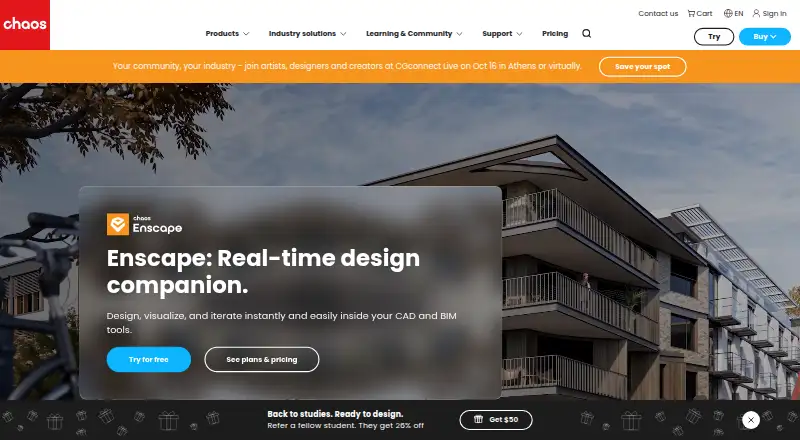
Enscape is a paid real-time rendering and visualization plugin for architects, designers, and AEC teams. It works within CAD and BIM workflows, allowing users to explore designs interactively while modeling. Its feature set covers rendered 3D walkthroughs, virtual reality for compatible headsets, 360° panoramas, video exports, web and executable standalone presentations, cloud collaboration, asset libraries, and AI-assisted visualization.
Its strongest fit is an established design workflow built around Revit, SketchUp, Rhino, Archicad, or Vectorworks. Enscape also connects with V-Ray, Chaos Cloud, and Chaos Cosmos, and supports V-Ray scene export through .vrscene files. The Windows and macOS workstation support gives teams a choice of desktop platforms, while cloud collaboration adds annotations and virtual tours for review and presentation work. This combination makes Enscape particularly relevant when visualization needs to stay close to the modeling environment rather than move into a separate rendering process.
The product offers three paid plans: Enscape Solo, Enscape Premium, and Enscape Collection. Solo includes the real-time rendering engine, cloud collaboration, up to 6,700 render-ready assets, and Veras AI. Premium increases the asset allowance to up to 10,000 and includes five times as many Chaos credits as Solo. Collection adds more than 18,500 render-ready assets, cinematic animation and scene assembly, and sustainability insights. A 14-day trial is available, but there is no free plan. Choose Enscape for interactive architectural visualization and presentation workflows; consider an alternative if your priority is a different rendering focus or a free product tier.
Your product? Our editors can test Enscape in depth and publish a review, labelled as paid · from $149/mo →
Enscape pricing
All 3 Enscape plans and prices →
Enscape fact sheet
| Free plan | No |
|---|---|
| Paid from | Not verified |
| Rendering mode | Not verified |
| GPU rendering | Not verified |
| Cloud rendering | Not verified |
| Animation rendering | Not verified |
| Denoising | Not verified |
| Supported platforms | Not verified |
| Free trial | 14 days |
| Money-back guarantee | 14 days |
| Deployment | Desktop, Cloud |
| Platforms | Windows, Web |
| Support | Community, Docs |
| Built for | Solo, Small business, Mid-market, Enterprise (editorial estimate) |
| Integrations | 9 integrations: Revit, SketchUp, Rhino, Archicad, Vectorworks, V-Ray … |
| Pricing | 14-day trial (source) |
| Website | chaos.com |
| Facts checked | 23 Sep 2026 |
Enscape integrations
Enscape lists 9 integrations on its own site.
- Revit
- SketchUp
- Rhino
- Archicad
- Vectorworks
- V-Ray
- 3ds Max
- Cinema 4D
- Chaos Cloud
Alternatives to Enscape
- RenderManA production-focused renderer with deep shading, compositing, and render-management tools.9.3
- ArnoldA mature renderer for production artists who need deep CPU and GPU capabilities.9.2
- RedshiftA GPU-focused renderer for production-quality images, animation, VFX, and design workflows.9.1



See all Enscape alternatives →
Enscape vs the competition
- Enscape vs RenderMan
- Enscape vs Arnold
- Enscape vs Redshift
- Enscape vs AMD Radeon ProRender
- Enscape vs NVIDIA Iray
- Enscape vs Autodesk VRED

Compare Enscape with any tool side by side →
Also Ranked In
Enscape is ranked in 3 of our directories.
Used Enscape? Be the first to review it
The editor score above is our own research. What this page doesn't have yet is a reader's view — what you used Enscape for, what worked and what didn't. No stars are seeded and no review is paid for; an editor reads every one before it appears.
Write a reviewTwo minutes · verified accounts only · read by an editor before it appears
Featured on iTechGuides

Enscape is listed in our 3D Rendering Software directory. Add the badge to your site — it links back to this page.
<a href="https://www.itechguides.com/products/enscape/"><img src="https://www.itechguides.com/best/badge/enscape.svg" alt="Featured on iTechGuides" width="230" height="46"></a>
Reviewed by iTechGuides Editors · Editorial team · Updated Oct 2026
Advertiser disclosure: iTechGuides is reader-supported. Vendors can pay for top positions in our rankings and for a place on other products' pages, and we may earn a commission when you click some links. Bought places stand at the number bought; this page and our disclosure say so. Paying vendors may get a fuller, more detailed review from our editors, and that review can change their score. How we rank.
Last updated · How we research and update