
UniFab Video Upscaler AI
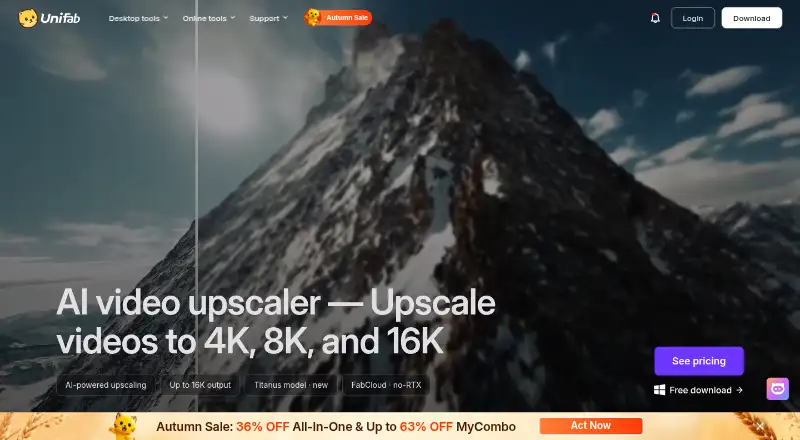
UniFab Video Upscaler AI: A flexible AI upscaler with four models, local, cloud, and browser workflows. Ranked #13 of 40 in Video Upscaling Software by our editors (7.6/10); pricing: 30-day trial; best for users needing specialized models and 16K capability.
At a glance
- Editor score7.6 / 10
- Pricing30-day trial
- Best forUsers needing specialized models and 16K capability
- Free planNo
- Paid from$129.99 one-time
- Max output resolution8k
- Founded2022
- Facts checked20 Sep 2026
Where it wins
- Four AI models target general, anime, texture-rich, and film footage
- Supports output resolutions including 4K, 8K, and 16K
- Offers local, FabCloud, and browser-based processing options
Where it doesn't
- The $129.99 one-time price is high for a paid-only product
- The listed plan covers local processing; FabCloud credits are separate
- Interpolation and batch processing are not established features
Our verdict on UniFab Video Upscaler AI
UniFab Video Upscaler AI increases video resolution and restores visual detail from SD, 720p, and 1080p sources. It is aimed at users who need more than a general-purpose enhancer, particularly when footage varies across anime, cartoons, texture-rich material, film, and television. Its model selection gives different content types a dedicated processing path, while stated output support reaches 4K, 8K, and 16K. Windows, macOS, and web access make it suitable for both desktop and browser-based workflows.
Pricing favors a one-time purchase rather than a recurring desktop subscription. The Video Upscaler AI Lifetime plan is listed at $129.99 and includes AI video upscaling, multiple AI models, output up to 16K, and local desktop processing. A 30-day trial is available, but there is no free plan. Local processing avoids upload-size limits and can suit users with appropriate desktop hardware. For users without a dedicated GPU, FabCloud provides cloud processing, while the browser workflow offers online video upscaling; the published product information treats FabCloud as a separate edition with recurring credit pricing.
The main strength is breadth within video enhancement: Equinox handles general footage, Kairo targets anime and cartoons, Vellum focuses on texture and fine detail, and Titanus is designed for film and television footage. That makes UniFab a better fit for varied media libraries than a tool centered on one visual style. The trade-off is cost and workflow complexity: users must choose between local hardware, cloud credits, or browser processing, and interpolation and batch processing are not established features. Pick UniFab for specialized AI models and high-resolution output; choose an alternative if low upfront cost or clearly defined interpolation and batch workflows matter more.
Your product? Our editors can test UniFab Video Upscaler AI in depth and publish a review, labelled as paid · from $149/mo →
UniFab Video Upscaler AI pricing
All 1 UniFab Video Upscaler AI plans and prices →
UniFab Video Upscaler AI fact sheet
| Free plan | No |
|---|---|
| Paid from | $129.99 one-time |
| Max output resolution | 8k |
| Max upscale factor | Not verified |
| AI enhancement | Yes |
| Frame interpolation | Not verified |
| Batch processing | Not verified |
| Processing mode | Both |
| Supported platforms | Windows, macOS, web |
| Free trial | 30 days |
| Money-back guarantee | 14 days |
| Deployment | Cloud, Desktop |
| Platforms | Web, Windows, macOS |
| Support | Community, Docs |
| Built for | Solo, Small business, Mid-market (editorial estimate) |
| Pricing | 30-day trial (source) |
| Website | unifab.ai |
| Facts checked | 20 Sep 2026 |
Alternatives to UniFab Video Upscaler AI
- Topaz VideoA broad AI toolkit for editors working with low-quality, legacy, or demanding video.8.9
- HitPaw VikPeaA broad AI video toolkit with 8K output and a free preview, but a high monthly entry price.8.8
- AVCLabs Video Enhancer AIA capable local video restoration suite for Windows and macOS, without a free plan.8.6


See all UniFab Video Upscaler AI alternatives →
Used UniFab Video Upscaler AI? Be the first to review it
The editor score above is our own research. What this page doesn't have yet is a reader's view — what you used UniFab Video Upscaler AI for, what worked and what didn't. No stars are seeded and no review is paid for; an editor reads every one before it appears.
Write a reviewTwo minutes · verified accounts only · read by an editor before it appears
Featured on iTechGuides

UniFab Video Upscaler AI is listed in our Video Upscaling Software directory. Add the badge to your site — it links back to this page.
<a href="https://www.itechguides.com/products/unifab-video-upscaler-ai/"><img src="https://www.itechguides.com/best/badge/unifab-video-upscaler-ai.svg" alt="Featured on iTechGuides" width="230" height="46"></a>
Guides on video upscaling software
Reviewed by iTechGuides Editors · Editorial team · Updated Oct 2026
Advertiser disclosure: iTechGuides is reader-supported. Vendors can pay for top positions in our rankings and for a place on other products' pages, and we may earn a commission when you click some links. Bought places stand at the number bought; this page and our disclosure say so. Paying vendors may get a fuller, more detailed review from our editors, and that review can change their score. How we rank.
Last updated · How we research and update