typing.io
typing.io: A focused browser tutor for code typing, symbol accuracy, and typo analysis. Ranked #21 of 36 in Typing Tutor Software by our editors (7.2/10); pricing: Free plan; best for programmers practicing code typing.
At a glance
- Editor score7.2 / 10
- PricingFree plan
- Best forProgrammers practicing code typing
- Free planYes
- Paid from$9.99/mo
- Facts checked20 Sep 2026
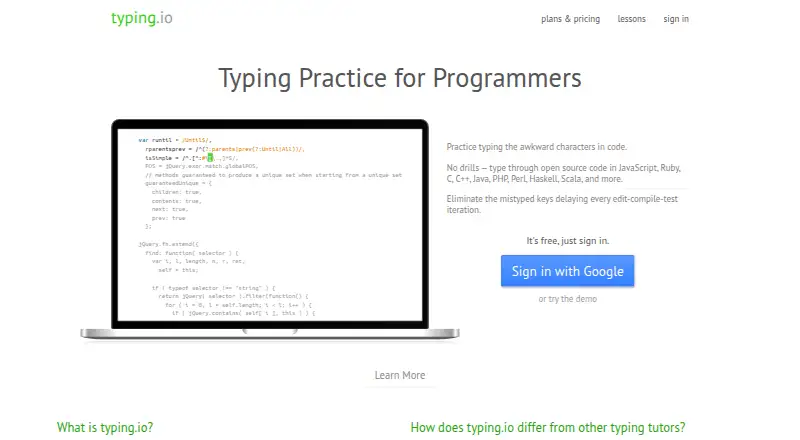
Where it wins
- Lessons use open-source code and programming symbols
- Typo heatmaps show key and finger error counts
- Custom code uploads support personalized practice
Where it doesn't
- Web-only access limits platform flexibility
- The feature set is focused on programming practice
- A 2022 copyright notice suggests dated product presentation
Our verdict on typing.io
typing.io is a browser-based typing tutor designed for programmers who want practice closer to everyday code entry than general text drills. Its lessons draw on open-source code across languages including JavaScript, Ruby, C, C++, Java, PHP, Perl, Haskell, and Scala. The product also covers programming symbols, backspace and delete keys, typo correction, typing speed, and accuracy, making it a specialized option for improving code-oriented typing habits.
The published plans show a freemium model with a free tier and a Mechanical Plan priced at $9.99 per month. The paid plan adds uploading and typing any code, typo heatmaps, touch-typing fingering guidance, progress tracking, and typo cost analysis, while also including lessons in 16 languages and a realistic key processing engine. The Scissor Switch Plan lists lessons in 16 languages, the realistic key processing engine, and typo cost analysis. Buyers choosing a paid tier should compare those feature groupings with the type of keyboard practice they want.
typing.io’s strongest distinction is its diagnostic focus: heatmaps report key and finger error counts, and realistic typo processing requires corrections instead of treating mistakes as incidental. Custom uploads make the practice more relevant for programmers working with particular code. The trade-off is a narrow scope and web-only delivery, so it is better suited to code typing than broad typing instruction across general workplace tasks. Programmers seeking symbol practice, guided fingering, and detailed typo feedback should consider it; users wanting a general-purpose tutor or a wider platform footprint may prefer an alternative.
Your product? Our editors can test typing.io in depth and publish a review, labelled as paid · from $149/mo →
typing.io pricing
All 2 typing.io plans and prices →
typing.io fact sheet
| Free plan | Yes |
|---|---|
| Paid from | $9.99/mo |
| Guided lessons | Yes |
| Adaptive practice | Not verified |
| Skill diagnostics | Yes |
| Personalized drills | Not verified |
| Offline mode | Not verified |
| Keyboard layouts | 3 |
| Deployment | Cloud |
| Platforms | Web |
| Support | |
| Built for | Solo, Small business (editorial estimate) |
| Pricing | Free plan (source) |
| Website | typing.io |
| Facts checked | 20 Sep 2026 |
Alternatives to typing.io
- Typing.comA broad, school-ready typing tutor with adaptive practice and a capable free edition.9.4
- TIPP10A capable typing tutor for individual learners and connected school programs.9.3
- Typing AgentA school-focused typing platform with diagnostics, adaptive practice, and accessibility options.9.2



See all typing.io alternatives →
Used typing.io? Be the first to review it
The editor score above is our own research. What this page doesn't have yet is a reader's view — what you used typing.io for, what worked and what didn't. No stars are seeded and no review is paid for; an editor reads every one before it appears.
Write a reviewTwo minutes · verified accounts only · read by an editor before it appears
Featured on iTechGuides

typing.io is listed in our Typing Tutor Software directory. Add the badge to your site — it links back to this page.
<a href="https://www.itechguides.com/products/typing-io/"><img src="https://www.itechguides.com/best/badge/typing-io.svg" alt="Featured on iTechGuides" width="230" height="46"></a>
Reviewed by iTechGuides Editors · Editorial team · Updated Oct 2026
Advertiser disclosure: iTechGuides is reader-supported. Vendors can pay for top positions in our rankings and for a place on other products' pages, and we may earn a commission when you click some links. Bought places stand at the number bought; this page and our disclosure say so. Paying vendors may get a fuller, more detailed review from our editors, and that review can change their score. How we rank.
Last updated · How we research and update