
Typing Bolt
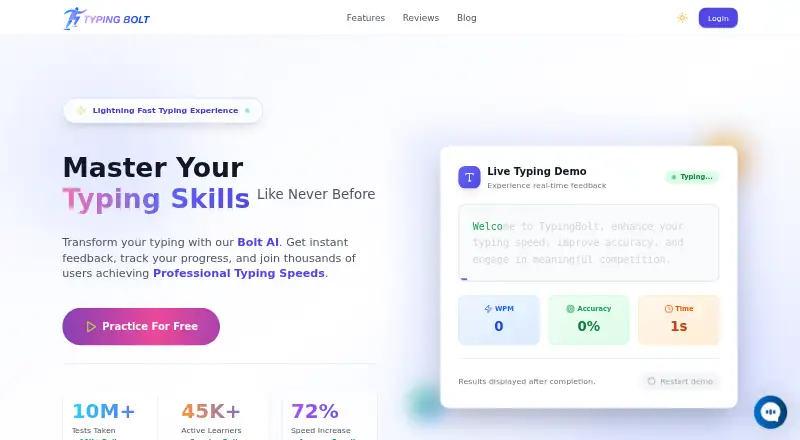
Typing Bolt: A free web tutor that combines personalized drills, diagnostics, and typing races. Ranked #13 of 36 in Typing Tutor Software by our editors (8.0/10); pricing: Free plan; best for free AI-assisted practice and racing.
At a glance
- Editor score8.0 / 10
- PricingFree plan
- Best forFree AI-assisted practice and racing
- Free planYes
- Paid fromFree
- Adaptive practiceYes
- Facts checked20 Sep 2026
Where it wins
- AI analyzes typing patterns and keystrokes to guide practice
- Adaptive drills focus on difficult keys and common mistakes
- Free multiplayer races, tournaments, synchronization, and certificates
Where it doesn't
- Available through the web rather than a listed desktop or mobile app
- Competitive features may distract learners seeking quiet practice
- Visual guidance and on-screen prompts may feel basic for advanced typists
Our verdict on Typing Bolt
Typing Bolt is a free, web-based typing tutor for students, professionals, and anyone working to improve speed and accuracy. Its lessons combine guided touch-typing instruction with finger guidance and an on-screen keyboard, making the product approachable for beginners. Learners can also take speed tests, review accuracy statistics, track common mistakes, and download achievement certificates. Progress synchronization across devices supports continued practice from different browsers or computers.
The strongest part of Typing Bolt is its practice loop. AI-based typing-pattern and keystroke analysis informs adaptive exercises that emphasize difficult keys, while personalized drills and diagnostics help learners focus on recurring errors. This gives the product more structure than a simple typing test, with feedback that connects performance data to the next practice activity. The combination of lessons, statistics, and progress tracking suits learners who want a guided path rather than isolated speed checks.
Typing Bolt also adds a competitive layer through multiplayer typing races, leaderboards, and tournaments. These features can make repeated practice more engaging for learners who respond to visible progress and competition, while synchronization keeps activity available across devices. The published offering is free, with no paid tier described, so it is a practical choice for accessible practice without a subscription decision. Choose Typing Bolt if you want AI-assisted drills, beginner guidance, diagnostics, and racing in a browser. Those seeking a native app or a quieter tutor centered only on individual exercises may prefer a more focused alternative.
Your product? Our editors can test Typing Bolt in depth and publish a review, labelled as paid · from $149/mo →
Typing Bolt pricing
Typing Bolt fact sheet
| Free plan | Yes |
|---|---|
| Paid from | Free |
| Guided lessons | Yes |
| Adaptive practice | Yes |
| Skill diagnostics | Yes |
| Personalized drills | Yes |
| Offline mode | Not verified |
| Keyboard layouts | Not verified |
| Deployment | Cloud |
| Platforms | Web |
| Built for | Solo, Small business (editorial estimate) |
| Pricing | Free plan |
| Website | typingbolt.com |
| Facts checked | 20 Sep 2026 |
Alternatives to Typing Bolt
- Typing.comA broad, school-ready typing tutor with adaptive practice and a capable free edition.9.4
- TIPP10A capable typing tutor for individual learners and connected school programs.9.3
- Typing AgentA school-focused typing platform with diagnostics, adaptive practice, and accessibility options.9.2



See all Typing Bolt alternatives →
Used Typing Bolt? Be the first to review it
The editor score above is our own research. What this page doesn't have yet is a reader's view — what you used Typing Bolt for, what worked and what didn't. No stars are seeded and no review is paid for; an editor reads every one before it appears.
Write a reviewTwo minutes · verified accounts only · read by an editor before it appears
Featured on iTechGuides

Typing Bolt is listed in our Typing Tutor Software directory. Add the badge to your site — it links back to this page.
<a href="https://www.itechguides.com/products/typing-bolt/"><img src="https://www.itechguides.com/best/badge/typing-bolt.svg" alt="Featured on iTechGuides" width="230" height="46"></a>
Reviewed by iTechGuides Editors · Editorial team · Updated Oct 2026
Advertiser disclosure: iTechGuides is reader-supported. Vendors can pay for top positions in our rankings and for a place on other products' pages, and we may earn a commission when you click some links. Bought places stand at the number bought; this page and our disclosure say so. Paying vendors may get a fuller, more detailed review from our editors, and that review can change their score. How we rank.
Last updated · How we research and update