Typeahead
Typeahead: A Mac-first writing assistant with free web paraphrasing and one-time pricing. Ranked #21 of 24 in AI Paraphrasing Tools by our editors (6.9/10); pricing: Free plan; best for mac users wanting offline cross-app assistance.
At a glance
- Editor score6.9 / 10
- PricingFree plan
- Best forMac users wanting offline cross-app assistance
- Free planYes
- Paid from$149 one-time
- Tone controlsYes
- Facts checked20 Sep 2026
Where it wins
- Paraphrases in fluent, formal, casual, and academic styles
- Local, offline autocomplete across Mac writing workflows
- One-time $149 price includes unlimited usage and lifetime updates
Where it doesn't
- The paid application is available for macOS, not other desktop platforms
- Paraphrasing runs are limited to about 1,500 characters
- The free web tool and paid Mac application are separate products
Our verdict on Typeahead
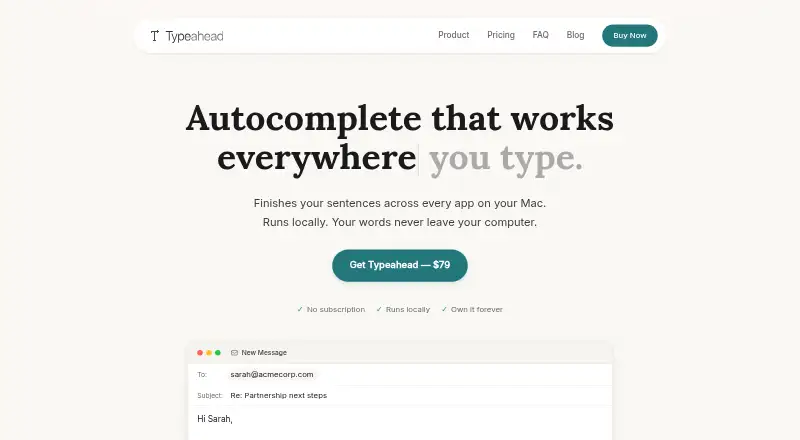
Typeahead combines a free browser-based paraphrasing tool with a separate paid Mac application for writing assistance. The web tool rewrites pasted sentences and paragraphs in fluent, formal, casual, or academic styles, while the Mac application provides inline AI autocomplete across writing workflows. It is aimed at Mac users who want local, offline assistance across email, documents, messaging, and other Mac apps, as well as people who need a no-sign-up paraphrasing utility for shorter passages.
The product has a clear split between free and paid functionality. The web paraphrasing tool is free, requires no sign-up, and handles up to about 1,500 characters per run. The Mac application costs $149 as a one-time purchase rather than a subscription. Its published plan includes smart autocomplete in every Mac app, unlimited usage, all language models, and free updates for life. That structure suits buyers who prefer upfront pricing and ongoing access, but the paid purchase is for the Mac autocomplete application rather than an expanded web paraphrasing plan.
Typeahead’s strongest distinction is its local AI processing and offline operation on Mac, paired with support for Slack, Apple Mail, Gmail, Outlook, Google Docs, and Notion. Sentence and paragraph rewriting preserves meaning, while autocomplete extends assistance beyond a standalone browser tool. The main trade-off is platform scope: the paid application is Mac-focused, and paraphrasing is capped at about 1,500 characters per run. Choose Typeahead for offline, cross-app Mac assistance and flexible tone controls; choose an alternative if you need a broader desktop platform or longer paraphrasing inputs.
Your product? Our editors can test Typeahead in depth and publish a review, labelled as paid · from $149/mo →
Typeahead pricing
All 1 Typeahead plans and prices →
Typeahead fact sheet
| Free plan | Yes |
|---|---|
| Paid from | $149 one-time |
| Word limit | Not verified |
| Supported languages | Not verified |
| Tone controls | Yes |
| Length controls | Not verified |
| Document upload | Not verified |
| API access | Not verified |
| Money-back guarantee | 30 days |
| Deployment | Cloud, Desktop |
| Platforms | Web, macOS |
| Built for | Solo, Small business, Mid-market (editorial estimate) |
| Integrations | 6 integrations: Slack, Apple Mail, Gmail, Outlook, Google Docs, Notion |
| Pricing | Free plan (source) |
| Website | typeahead.ai |
| Facts checked | 20 Sep 2026 |
Typeahead integrations
Typeahead lists 6 integrations on its own site.
- Slack
- Apple Mail
- Gmail
- Outlook
- Google Docs
- Notion
Alternatives to Typeahead
- QuillBotA broad AI writing suite with a useful free tier and wider paid capabilities.9.4
- WordtuneA flexible browser-based writing assistant with useful tone, length, and summarization controls.9.1
- Paraphraser.ioA broad paraphrasing toolkit with tone, length, file, audio, language, and API options.8.9

See all Typeahead alternatives →
Used Typeahead? Be the first to review it
The editor score above is our own research. What this page doesn't have yet is a reader's view — what you used Typeahead for, what worked and what didn't. No stars are seeded and no review is paid for; an editor reads every one before it appears.
Write a reviewTwo minutes · verified accounts only · read by an editor before it appears
Featured on iTechGuides

Typeahead is listed in our AI Paraphrasing Tools directory. Add the badge to your site — it links back to this page.
<a href="https://www.itechguides.com/products/typeahead/"><img src="https://www.itechguides.com/best/badge/typeahead.svg" alt="Featured on iTechGuides" width="230" height="46"></a>
Reviewed by iTechGuides Editors · Editorial team · Updated Oct 2026
Advertiser disclosure: iTechGuides is reader-supported. Vendors can pay for top positions in our rankings and for a place on other products' pages, and we may earn a commission when you click some links. Bought places stand at the number bought; this page and our disclosure say so. Paying vendors may get a fuller, more detailed review from our editors, and that review can change their score. How we rank.
Last updated · How we research and update