Tux Typing
Tux Typing: A free typing tutor with games, structured exercises, and basic speed and accuracy tracking. Ranked #24 of 36 in Typing Tutor Software by our editors (6.9/10); pricing: Free plan; best for open-source learners who prefer typing games.
At a glance
- Editor score6.9 / 10
- PricingFree plan
- Best forOpen-source learners who prefer typing games
- Free planYes
- Paid fromFree
- Facts checked20 Sep 2026
Where it wins
- Free, open-source distribution across Windows, macOS, and Linux
- Game-based practice through Fish Cascade and Comet Zap
- Custom word lists plus phrase speed and accuracy measurement
Where it doesn't
- Lessons are described as incomplete
- Diagnostics and adaptive features are limited
- Designed primarily for children and desktop use
Our verdict on Tux Typing
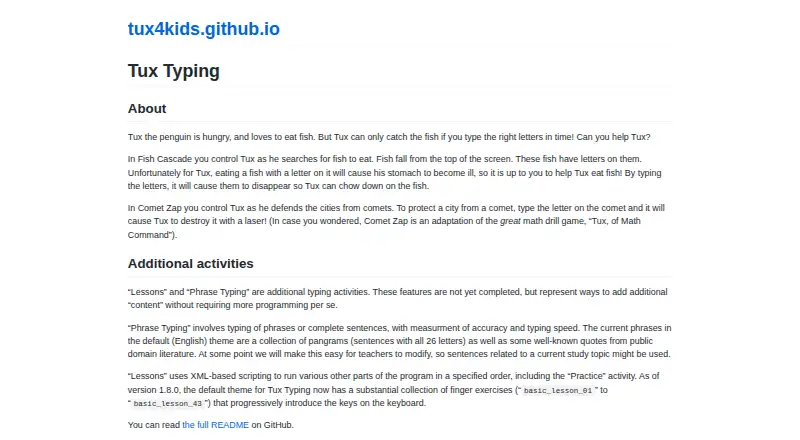
Tux Typing is a free, open-source desktop typing tutor for children, developed by the volunteer Tux4Kids project. It teaches keyboard skills through game-based activities, structured finger exercises, and phrase typing. Learners can practice with Fish Cascade, where they type letters to interact with falling fish, or Comet Zap, where typing is used to destroy comets. The software runs on Windows, macOS, and Linux/Unix, making it suitable for families, schools, and open-source learners who want a desktop tool without a subscription.
Its strongest feature is the combination of guided practice and game-based repetition. Structured finger exercises progressively introduce keyboard keys, and the published product details describe 43 progressive exercises. Phrase typing adds accuracy and speed measurement, giving learners two direct performance signals during practice. Custom word-list creation and editing also lets instructors or families tailor exercises to selected vocabulary. The GPL-licensed distribution and cross-platform support further suit users who value software that can be used and extended across different desktop systems.
Tux Typing is narrower than a typing platform built around detailed learner analytics or adaptive instruction. The lessons feature is described as incomplete, and verified diagnostics and adaptive features are limited. That makes it a good fit for learners who respond to games, finger exercises, and straightforward speed and accuracy measurement. Users seeking deeper diagnostics, more adaptive progression, or a more complete lesson system should consider an alternative typing tutor instead.
Your product? Our editors can test Tux Typing in depth and publish a review, labelled as paid · from $149/mo →
Tux Typing pricing
Tux Typing fact sheet
| Free plan | Yes |
|---|---|
| Paid from | Free |
| Guided lessons | Yes |
| Adaptive practice | Not verified |
| Skill diagnostics | Not verified |
| Personalized drills | Not verified |
| Offline mode | Not verified |
| Keyboard layouts | Not verified |
| Deployment | Desktop |
| Platforms | Windows, macOS, Linux |
| Support | Docs |
| Built for | Solo, Small business, Mid-market (editorial estimate) |
| Pricing | Free plan |
| Website | tux4kids.com |
| Facts checked | 20 Sep 2026 |
Alternatives to Tux Typing
- Typing.comA broad, school-ready typing tutor with adaptive practice and a capable free edition.9.4
- TIPP10A capable typing tutor for individual learners and connected school programs.9.3
- Typing AgentA school-focused typing platform with diagnostics, adaptive practice, and accessibility options.9.2



See all Tux Typing alternatives →
Used Tux Typing? Be the first to review it
The editor score above is our own research. What this page doesn't have yet is a reader's view — what you used Tux Typing for, what worked and what didn't. No stars are seeded and no review is paid for; an editor reads every one before it appears.
Write a reviewTwo minutes · verified accounts only · read by an editor before it appears
Featured on iTechGuides

Tux Typing is listed in our Typing Tutor Software directory. Add the badge to your site — it links back to this page.
<a href="https://www.itechguides.com/products/tux-typing/"><img src="https://www.itechguides.com/best/badge/tux-typing.svg" alt="Featured on iTechGuides" width="230" height="46"></a>
Reviewed by iTechGuides Editors · Editorial team · Updated Oct 2026
Advertiser disclosure: iTechGuides is reader-supported. Vendors can pay for top positions in our rankings and for a place on other products' pages, and we may earn a commission when you click some links. Bought places stand at the number bought; this page and our disclosure say so. Paying vendors may get a fuller, more detailed review from our editors, and that review can change their score. How we rank.
Last updated · How we research and update