Tux Paint
Tux Paint: A friendly, free painting tool for children and classrooms, not advanced digital artists. Ranked #43 of 46 in Digital Painting Software by our editors (6.0/10); pricing: Free plan; best for children and classroom painting.
At a glance
- Editor score6.0 / 10
- PricingFree plan
- Best forChildren and classroom painting
- Free planYes
- Paid fromFree
- Layer supportYes
- Facts checked21 Sep 2026
Where it wins
- Free, open-source software for home and school use
- More than 90 Magic special-effects tools plus approachable brushes
- Runs on Windows, macOS, Linux, and Android
Where it doesn't
- No pressure sensitivity for pressure-aware brush control
- Basic color management limits color-focused workflows
- Professional layer workflow is not its focus
Our verdict on Tux Paint
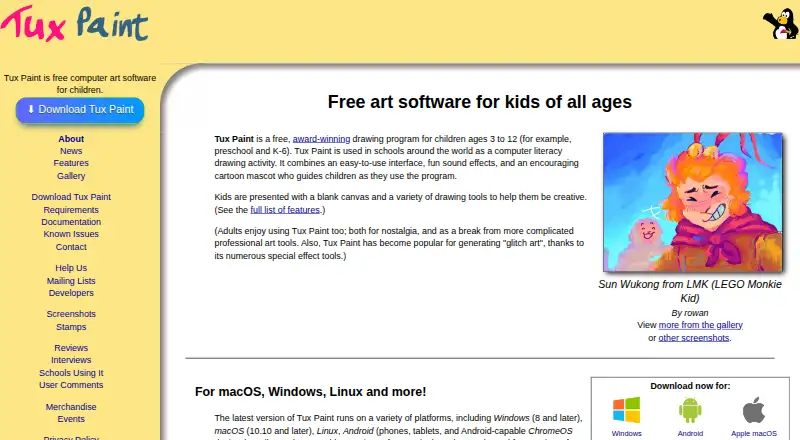
Tux Paint is free, open-source drawing software designed primarily for children ages 3 to 12, including preschool and K–6 users. It gives young artists a simple canvas with configurable brushes, stamps, shapes, text, labels, fills, color mixing, erasers, and multiple undo and redo levels. Homes and classrooms can also use templates, starter images, slideshows, printing, and accessibility, parental, teacher, and fullscreen controls.
Its feature set favors guided exploration over a professional painting workflow. Children can create custom brushes, stamps, starters, templates, and fonts, then resize, flip, mirror, or rotate rubber stamps. The software also includes more than 90 Magic special-effects tools, alongside picture saving, importing, exporting, and printing. Layer support is included, but the published positioning does not make advanced layer-based painting its focus. Tux Paint is a strong fit when variety, discoverability, and classroom controls matter more than specialized brush behavior or detailed color handling.
Tux Paint is available at no cost under an open-source model, with desktop and mobile support across Windows, macOS, Linux, and Android. Its local use and classroom-oriented controls suit families, teachers, and schools looking for an accessible painting activity without a paid tier. Choose it for early creative learning, simple projects, and playful effects. Choose another digital painting tool when pressure-sensitive input, professional layer workflows, or more advanced color management are central requirements.
Your product? Our editors can test Tux Paint in depth and publish a review, labelled as paid · from $149/mo →
Tux Paint pricing
Tux Paint fact sheet
| Free plan | Yes |
|---|---|
| Paid from | Free |
| Brush customization | Yes |
| Layer support | Yes |
| Pressure sensitivity | No |
| Supported platforms | Windows, macOS, Linux, Android |
| Color management | Basic |
| Stroke stabilization | Not verified |
| Deployment | Desktop, Mobile |
| Platforms | Windows, macOS, Linux, Android |
| Support | Email, Community, Docs |
| Built for | Solo, Small business (editorial estimate) |
| Pricing | Free plan |
| Website | tuxpaint.org |
| Facts checked | 21 Sep 2026 |
Alternatives to Tux Paint
- KritaA broad, professional-grade painting toolkit with no paid plan and wide platform coverage.9.4
- Clip Studio PaintA broad digital art workspace spanning illustration, comics, 3D, animation, and cloud tools.9.3
- ProcreateA polished iPad painting workflow with broad creative tools and limited platform coverage.9.1



See all Tux Paint alternatives →
Also Ranked In
Tux Paint is ranked in 2 of our directories.
Used Tux Paint? Be the first to review it
The editor score above is our own research. What this page doesn't have yet is a reader's view — what you used Tux Paint for, what worked and what didn't. No stars are seeded and no review is paid for; an editor reads every one before it appears.
Write a reviewTwo minutes · verified accounts only · read by an editor before it appears
Featured on iTechGuides

Tux Paint is listed in our Digital Painting Software directory. Add the badge to your site — it links back to this page.
<a href="https://www.itechguides.com/products/tux-paint/"><img src="https://www.itechguides.com/best/badge/tux-paint.svg" alt="Featured on iTechGuides" width="230" height="46"></a>
Reviewed by iTechGuides Editors · Editorial team · Updated Oct 2026
Advertiser disclosure: iTechGuides is reader-supported. Vendors can pay for top positions in our rankings and for a place on other products' pages, and we may earn a commission when you click some links. Bought places stand at the number bought; this page and our disclosure say so. Paying vendors may get a fuller, more detailed review from our editors, and that review can change their score. How we rank.
Last updated · How we research and update