Triagd
Triagd: Triagd pairs daily briefings and email triage with style-based drafts and tiered plans. Ranked #28 of 46 in AI Email Assistants by our editors (5.8/10); pricing: 7-day trial; best for users wanting priority tiers and daily email briefings.
At a glance
- Editor score5.8 / 10
- Pricing7-day trial
- Best forUsers wanting priority tiers and daily email briefings
- Free planNo
- Paid from$14/mo
- Inbox triageYes
- Facts checked24 Sep 2026
Where it wins
- Sorts messages into four priority tiers and applies labels.
- Combines daily briefings, action extraction, and thread summaries.
- Higher plans add style-matched drafts, team tools, and guarded auto-send.
Where it doesn't
- No free plan; the 7-day trial requires a card.
- Pro and Executive cost more than Starter at monthly billing.
- Executive features such as shared inboxes and guarded auto-send require the $99 plan.
Our verdict on Triagd
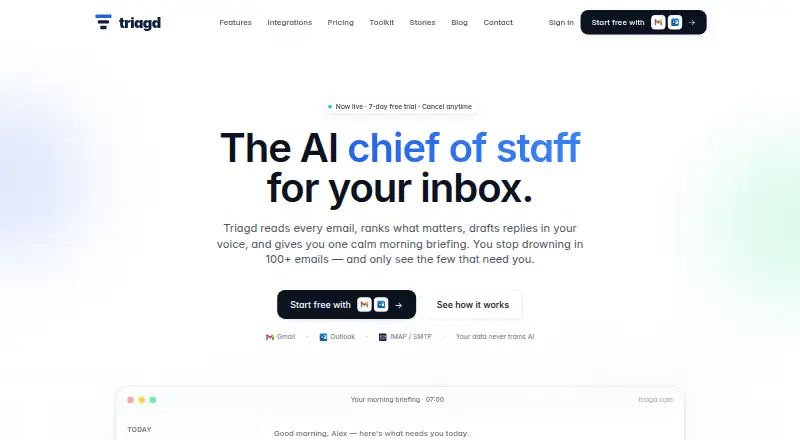
Triagd works alongside Gmail, Outlook, and IMAP/SMTP accounts to sort incoming email into Critical, Important, Skim, and Auto tiers, apply labels, extract action items, and send a daily morning briefing. It is aimed at solo operators, founders, executives, and teams who want assistance in their existing inbox rather than a change of email client. The web-based service also supports plain-English classification rules, summaries, and reply drafting based on sent email history.
According to the vendor's monthly pricing, Starter costs $14 per month and includes four-tier classification, labels, the daily briefing, action items and summaries, custom rules, and email support. Pro is $29 per month; it adds voice-matched draft replies, thread summaries and on-demand catch-up, smart unsubscribe, follow-up tracking, and priority support with a 1-business-day SLA. Executive is $99 per month, adding shared inboxes, team briefings, an admin dashboard and audit log, CRM and Slack thread context, Google Calendar features, guarded opt-in auto-send, and dedicated onboarding. A 7-day trial is available, but it requires a card; there is no free plan.
The clearest fit is someone who wants prioritization and a daily digest, with the option to pay for increasingly involved drafting and team workflows. Integrations listed include HubSpot, Salesforce, Slack, Google Calendar, and Twilio, alongside the supported email connections. Auto-send is limited to Executive and is opt-in with guardrails, so buyers seeking that capability should account for the $99 monthly tier. Triagd is a less natural choice for someone who needs a free starting point or only wants simple inbox categorization without paid plan progression.
Your product? Our editors can test Triagd in depth and publish a review, labelled as paid · from $149/mo →
Triagd pricing
All 3 Triagd plans and prices →
Triagd fact sheet
| Free plan | No |
|---|---|
| Paid from | $14/mo |
| Inbox triage | Yes |
| AI reply drafting | Yes |
| Automatic sending | Yes |
| Thread summaries | Yes |
| Follow-up actions | Yes |
| Email platforms | Not verified |
| Free trial | 7 days · card required |
| Deployment | Cloud |
| Platforms | Web |
| Compliance & security | GDPR |
| Support | |
| Built for | Solo, Small business, Mid-market (editorial estimate) |
| Integrations | 8 integrations: Gmail, Microsoft Outlook, IMAP/SMTP, HubSpot, Salesforce, Slack … See all → |
| Pricing | 7-day trial (source) |
| Website | triagd.com |
| Facts checked | 24 Sep 2026 |
Triagd integrations
Triagd lists 8 integrations on its own site.
- Gmail
- Microsoft Outlook
- IMAP/SMTP
- HubSpot
- Salesforce
- Slack
- Google Calendar
- Twilio
Alternatives to Triagd
- Spark +AIA broad AI email toolkit across four platforms, with paid AI features starting at $10 per user monthly.9.2
- Superhuman GoA cross-platform AI assistant with email help, connected apps, and custom automations.8.8
- Mailbutler Smart AssistantA broad email toolkit with AI assistance on Smart and Business plans.8.6



Used Triagd? Be the first to review it
The editor score above is our own research. What this page doesn't have yet is a reader's view — what you used Triagd for, what worked and what didn't. No stars are seeded and no review is paid for; an editor reads every one before it appears.
Write a reviewTwo minutes · verified accounts only · read by an editor before it appears
Featured on iTechGuides

Triagd is listed in our AI Email Assistants directory. Add the badge to your site — it links back to this page.
<a href="https://www.itechguides.com/products/triagd/"><img src="https://www.itechguides.com/best/badge/triagd.svg" alt="Featured on iTechGuides" width="230" height="46"></a>
Reviewed by iTechGuides Editors · Editorial team · Updated Oct 2026
Advertiser disclosure: iTechGuides is reader-supported. Vendors can pay for top positions in our rankings and for a place on other products' pages, and we may earn a commission when you click some links. Bought places stand at the number bought; this page and our disclosure say so. Paying vendors may get a fuller, more detailed review from our editors, and that review can change their score. How we rank.
Last updated · How we research and update