
TouchRetouch
TouchRetouch: A focused mobile editor for fast object removal and targeted image cleanup. Ranked #133 of 158 in Photo Editing Software by our editors (3.0/10); pricing: 3-day trial; best for removing unwanted objects on mobile.
At a glance
- Editor score3.0 / 10
- Pricing3-day trial
- Best forRemoving unwanted objects on mobile
- Free planNo
- PlatformMulti-platform
- Facts checked20 Sep 2026
Where it wins
- AI-assisted removal for objects, people, wires, lines, and meshes
- Face retouching, background editing, blur, and replacement tools
- Brush selection, Clone Stamp repair, and in-app tutorials
Where it doesn't
- Narrower than editors built around layer-based workflows
- Not suited to batch-oriented editing
- Not intended for RAW or cloud-sync workflows
Our verdict on TouchRetouch
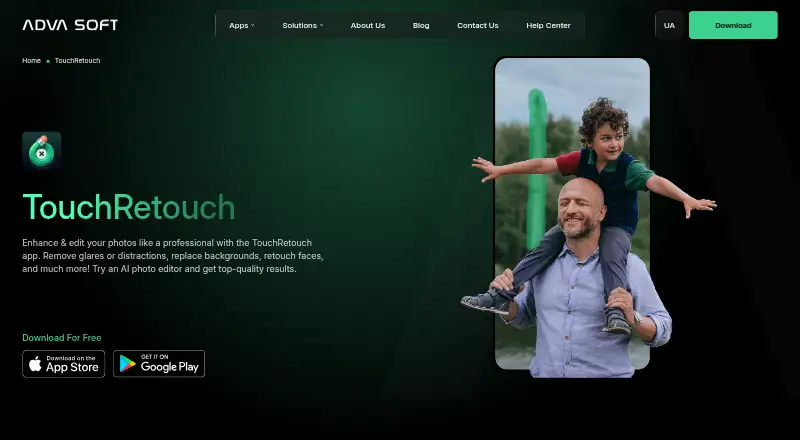
TouchRetouch is a focused photo editor for consumers and creators who need to remove distractions and retouch individual images. Its core tools target unwanted objects, people, wires, lines, fences, and meshes, while face retouching handles blemishes, wrinkles, and acne. Background removal and replacement, selective blur, Brush-based selection, and Clone Stamp repair extend the app beyond one-click cleanup without turning it into a full desktop image-editing workflow.
The product’s strongest fit is targeted correction rather than broad photo production. AI-assisted removal can address common cleanup tasks, while automatic mesh or fence removal and person removal focus the app on difficult visual distractions. Manual Brush selection and Clone Stamp repair provide additional control when an automated result needs refinement. In-app tutorials may help users understand the available tools, and the app supports iOS, Android, and compatible Apple Silicon Macs.
TouchRetouch follows a freemium model with a free plan and subscription options called Weekly Plan and Yearly Plan. The paid structure is straightforward, but the product remains narrower than an editor designed for layers, batch processing, RAW files, or cloud-based project synchronization. Choose it when the priority is removing unwanted elements and making localized retouches across supported devices. Choose a broader desktop-oriented editor when image compositing, large-scale workflows, or advanced file and project management matter more than focused cleanup.
Your product? Our editors can test TouchRetouch in depth and publish a review, labelled as paid · from $149/mo →
TouchRetouch pricing
All 4 TouchRetouch plans and prices →
TouchRetouch fact sheet
| Free plan | No |
|---|---|
| Paid from | Not verified |
| Platform | Multi-platform |
| RAW photo support | Not verified |
| Layer editing | Not verified |
| Masking tools | Not verified |
| Batch editing | Not verified |
| Cloud sync | Not verified |
| AI retouching | Yes |
| Free trial | 3 days |
| Deployment | Mobile |
| Platforms | iOS, Android, macOS |
| Support | |
| Built for | Solo, Small business (editorial estimate) |
| Pricing | 3-day trial (source) |
| Website | adva-soft.com |
| Facts checked | 20 Sep 2026 |
Alternatives to TouchRetouch
- Adobe PhotoshopA deep, multi-platform editor for compositing, retouching, RAW work, and AI-assisted edits.9.4
- Adobe LightroomA broad Lightroom workflow for RAW editing, masking, organization, and synchronized access.9.2
- Capture OneA deep choice for professional RAW and tethered workflows, without a free plan.9.0



See all TouchRetouch alternatives →
Also Ranked In
TouchRetouch is ranked in 2 of our directories.
Used TouchRetouch? Be the first to review it
The editor score above is our own research. What this page doesn't have yet is a reader's view — what you used TouchRetouch for, what worked and what didn't. No stars are seeded and no review is paid for; an editor reads every one before it appears.
Write a reviewTwo minutes · verified accounts only · read by an editor before it appears
Featured on iTechGuides

TouchRetouch is listed in our Photo Editing Software directory. Add the badge to your site — it links back to this page.
<a href="https://www.itechguides.com/products/touchretouch/"><img src="https://www.itechguides.com/best/badge/touchretouch.svg" alt="Featured on iTechGuides" width="230" height="46"></a>
Reviewed by iTechGuides Editors · Editorial team · Updated Oct 2026
Advertiser disclosure: iTechGuides is reader-supported. Vendors can pay for top positions in our rankings and for a place on other products' pages, and we may earn a commission when you click some links. Bought places stand at the number bought; this page and our disclosure say so. Paying vendors may get a fuller, more detailed review from our editors, and that review can change their score. How we rank.
Last updated · How we research and update