
Touch Typer
Touch Typer: A cross-platform typing tutor combining AI drills, diagnostics, analytics, and PvP races. Ranked #16 of 36 in Typing Tutor Software by our editors (7.7/10); pricing: Free plan · 7-day trial; best for gamified learners wanting AI coaching.
At a glance
- Editor score7.7 / 10
- PricingFree plan · 7-day trial
- Best forGamified learners wanting AI coaching
- Free planYes
- Paid from$2.39/mo
- Adaptive practiceYes
- Facts checked20 Sep 2026
Where it wins
- AI Coach creates targeted drills and provides AI insights.
- Per-key heatmaps and history show accuracy and performance patterns.
- Free plan includes typing tests, streaks, layouts, and real-time PvP.
Where it doesn't
- AI Coach, custom drills, and AI insights require Premium.
- The product is offered for desktop platforms rather than mobile.
- The lower annual rate requires yearly billing.
Our verdict on Touch Typer
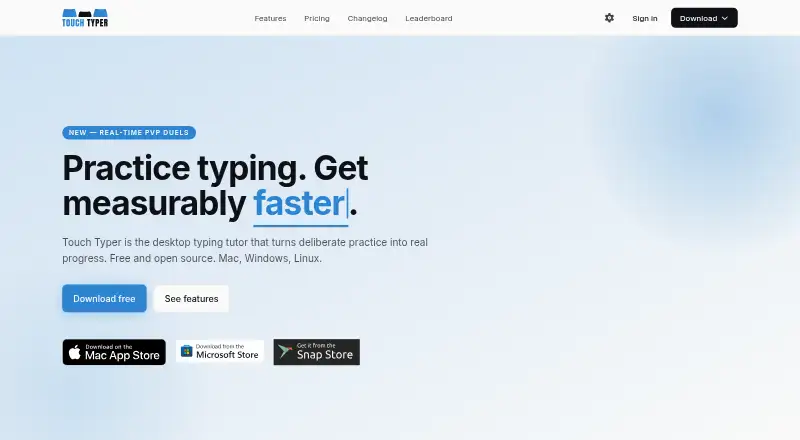
Touch Typer is a cross-platform desktop typing tutor for learners focused on improving typing speed and accuracy. It combines typing tests with real-time WPM and accuracy feedback, per-key heatmaps, historical performance statistics, daily streaks, multiple keyboard layouts, and real-time PvP races. Code mode supports 40+ languages, while leaderboards and match history add competitive tracking. The product is available for macOS, Windows, and Linux and is presented by its creator, Robert Koch, as free and open source.
The free plan covers core typing tests, stats and streaks, multi-layout support, and real-time PvP. Premium adds the AI Coach, custom drills, AI insights, and weekly streak freezes. The published monthly Premium price is $2.99 per month. The annual option is displayed at $2.39 per month billed yearly, with a 7-day free trial included in the yearly subscription. Stripe refund requests may be submitted within 14 days, and card requirements are not stated. This structure makes the free tier suitable for foundational practice, while Premium is aimed at learners who want personalized practice and additional streak protection.
Its strongest differentiator is the combination of diagnostics and competition: per-key heatmaps can identify problem areas, targeted drills address them, and PvP races, leaderboards, and match history add game-like motivation. Multiple layouts and code mode also broaden its use beyond general typing exercises. Choose Touch Typer if you want a desktop tutor with open-source positioning, AI-supported practice, performance history, and competitive features across macOS, Windows, or Linux. Choose another option if mobile access or a non-subscription approach to the AI features is a priority.
Your product? Our editors can test Touch Typer in depth and publish a review, labelled as paid · from $149/mo →
Touch Typer pricing
All 2 Touch Typer plans and prices →
Touch Typer fact sheet
| Free plan | Yes |
|---|---|
| Paid from | $2.39/mo |
| Guided lessons | Not verified |
| Adaptive practice | Yes |
| Skill diagnostics | Yes |
| Personalized drills | Yes |
| Offline mode | Not verified |
| Keyboard layouts | Not verified |
| Free trial | 7 days |
| Money-back guarantee | 14 days |
| Deployment | Desktop |
| Platforms | macOS, Windows, Linux |
| Compliance & security | GDPR |
| Support | |
| Built for | Solo, Small business (editorial estimate) |
| Pricing | Free plan · 7-day trial (source) |
| Website | touch-typer.kochie.io |
| Facts checked | 20 Sep 2026 |
Alternatives to Touch Typer
- Typing.comA broad, school-ready typing tutor with adaptive practice and a capable free edition.9.4
- TIPP10A capable typing tutor for individual learners and connected school programs.9.3
- Typing AgentA school-focused typing platform with diagnostics, adaptive practice, and accessibility options.9.2



See all Touch Typer alternatives →
Used Touch Typer? Be the first to review it
The editor score above is our own research. What this page doesn't have yet is a reader's view — what you used Touch Typer for, what worked and what didn't. No stars are seeded and no review is paid for; an editor reads every one before it appears.
Write a reviewTwo minutes · verified accounts only · read by an editor before it appears
Featured on iTechGuides

Touch Typer is listed in our Typing Tutor Software directory. Add the badge to your site — it links back to this page.
<a href="https://www.itechguides.com/products/touch-typer/"><img src="https://www.itechguides.com/best/badge/touch-typer.svg" alt="Featured on iTechGuides" width="230" height="46"></a>
Reviewed by iTechGuides Editors · Editorial team · Updated Oct 2026
Advertiser disclosure: iTechGuides is reader-supported. Vendors can pay for top positions in our rankings and for a place on other products' pages, and we may earn a commission when you click some links. Bought places stand at the number bought; this page and our disclosure say so. Paying vendors may get a fuller, more detailed review from our editors, and that review can change their score. How we rank.
Last updated · How we research and update