Tomatito
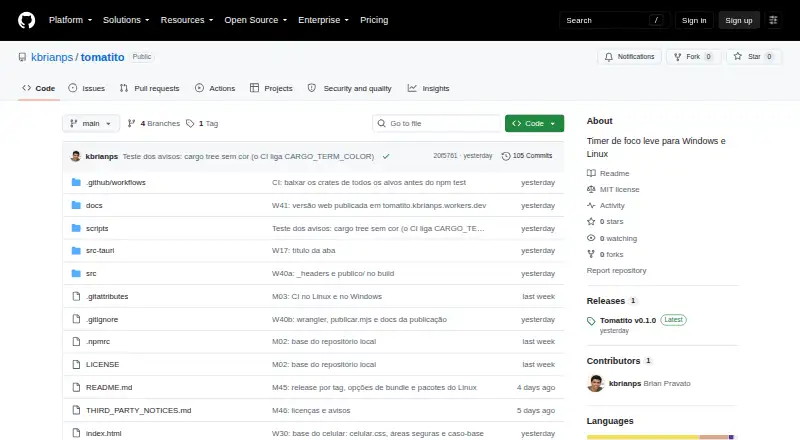
Tomatito: A focused timer with local stats and desktop controls, but no cross-device sync. Ranked #17 of 42 in Study Timer Apps by our editors (6.6/10); pricing: Free plan; best for open-source users wanting a simple multi-platform timer.
At a glance
- Editor score6.6 / 10
- PricingFree plan
- Best forOpen-source users wanting a simple multi-platform timer
- Free planYes
- Paid fromFree
- Facts checked24 Sep 2026
Where it wins
- Adjustable focus and break durations with sound cues and themes
- Local stats include daily, weekly, total, and time-of-day views
- Desktop compact mode and system tray controls
Where it doesn't
- Local-only data means no cross-device sync
- No distraction-blocking feature
- Web target is described as a browser preview
Our verdict on Tomatito
Tomatito is a free, open-source Pomodoro timer for people who want timed focus and break sessions across Linux, Windows, macOS, Android, and a browser. Its adjustable durations suit solo study routines, while the customizable timer dial, light, dark, and OLED black themes, and optional quiet focus tick let users tailor the timer without adding much complexity. It is a straightforward fit for people who prefer a simple timer over a broader study-planning tool.
Progress tracking gives the timer more value than a countdown alone. Tomatito records study-time statistics locally, with daily, weekly, and total metrics, a seven-day chart, and day-of-week and hour-of-day distributions. Streak tracking and achievements add another way to review consistency. Desktop builds include compact mode and system tray controls; Android supports a persistent timer notification. These features make it useful for individuals who want a view of their own study pattern, rather than shared or centrally managed progress.
The main trade-off is continuity across devices: data stays local, and there is no account or cross-device sync. That makes Tomatito less suitable for someone who switches between a phone and computer and expects a unified record. The project describes the web target as a browser preview, and its Android install instructions provide an APK build path while Google Play availability is described as forthcoming. Choose it if free, open-source software and platform flexibility matter more than synced data or distraction blocking; choose another timer if those capabilities are essential.
Your product? Our editors can test Tomatito in depth and publish a review, labelled as paid · from $149/mo →
Tomatito pricing
Tomatito fact sheet
| Free plan | Yes |
|---|---|
| Paid from | Free |
| Custom break settings | Yes |
| Study goals | Not verified |
| Progress statistics | Yes |
| Distraction blocking | No |
| Supported platforms | Linux, Windows, macOS, Android, web |
| Subject or task labels | Not verified |
| Calendar integration | Not verified |
| Deployment | Cloud, Desktop, Mobile |
| Platforms | Linux, Windows, macOS, Android, Web |
| Built for | Solo (editorial estimate) |
| Pricing | Free plan |
| Website | github.com |
| Facts checked | 24 Sep 2026 |
Alternatives to Tomatito
- ForestA motivating focus timer with distraction blocking, analytics, and cross-platform sync.8.9
- PomofocusA free, task-focused Pomodoro timer with reports, templates, and integrations.8.6
- Focus KeeperA flexible Pomodoro timer for users who want tasks, history, and cross-device access.7.9



See all Tomatito alternatives →
Used Tomatito? Be the first to review it
The editor score above is our own research. What this page doesn't have yet is a reader's view — what you used Tomatito for, what worked and what didn't. No stars are seeded and no review is paid for; an editor reads every one before it appears.
Write a reviewTwo minutes · verified accounts only · read by an editor before it appears
Featured on iTechGuides

Tomatito is listed in our Study Timer Apps directory. Add the badge to your site — it links back to this page.
<a href="https://www.itechguides.com/products/tomatito/"><img src="https://www.itechguides.com/best/badge/tomatito.svg" alt="Featured on iTechGuides" width="230" height="46"></a>
Reviewed by iTechGuides Editors · Editorial team · Updated Oct 2026
Advertiser disclosure: iTechGuides is reader-supported. Vendors can pay for top positions in our rankings and for a place on other products' pages, and we may earn a commission when you click some links. Bought places stand at the number bought; this page and our disclosure say so. Paying vendors may get a fuller, more detailed review from our editors, and that review can change their score. How we rank.
Last updated · How we research and update