Tiny Scanner
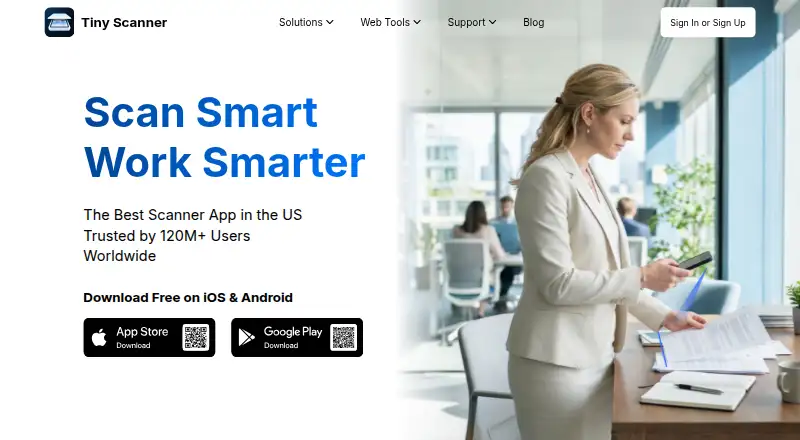
Tiny Scanner: A secure scanning app with OCR, document conversion, signing, and AI assistance. Ranked #19 of 75 in Mobile Scanning Apps by our editors (6.9/10); pricing: Free plan; best for secure scanning with AI document assistance.
At a glance
- Editor score6.9 / 10
- PricingFree plan
- Best forSecure scanning with AI document assistance
- Free planYes
- OCR includedYes
- Facts checked23 Sep 2026
Where it wins
- Automatic capture and batch scanning support multi-page documents
- OCR, PDF conversion, signing, merging, and splitting cover common workflows
- Encryption, app protection, synchronization, and AI document tools add depth
Where it doesn't
- Only Tiny Scanner Cloud is listed as an integration
- The free-plan structure is not clearly established
- Advanced PDF and AI tools may exceed basic scanning needs
Our verdict on Tiny Scanner
Tiny Scanner is a mobile document-scanning app for individuals, students, families, and businesses. It captures documents with automatic edge detection, converts scans to PDF, and supports batch scanning for multi-page documents. Its broader toolkit includes PDF editing, electronic signing, OCR text recognition, file conversion, sharing, cloud synchronization, and document-security controls. The app is available on iOS, Android, and macOS, with Premium Reward Monthly, Premium Monthly, and Premium Yearly plans.
Its main strength is the breadth of document handling in one app. Users can extract, copy, and share recognized text; convert PDFs to Word, JPG, and Excel; and merge or split PDF files. Editing tools support text, images, dates, highlights, watermarks, and footers. Electronic signing adds a practical workflow for completed documents, while encrypted PDFs, folders, and app protection address sensitive files. These capabilities make Tiny Scanner a fit for people who need more than camera capture and basic PDF export.
AI document summarization and information extraction extend the app beyond scanning, particularly for users reviewing longer or more complex documents. Cloud synchronization supports access across devices, although the listed integration is limited to Tiny Scanner Cloud. Choose Tiny Scanner if secure scanning, OCR, document conversion, signing, and AI assistance matter in the same mobile workflow. A simpler scanning app may be a better fit for users who only need quick captures and basic PDF creation.
Your product? Our editors can test Tiny Scanner in depth and publish a review, labelled as paid · from $149/mo →
Tiny Scanner pricing
Tiny Scanner fact sheet
| Free plan | Yes |
|---|---|
| Paid from | Not verified |
| iOS app | Yes |
| Android app | Yes |
| OCR included | Yes |
| Searchable PDF | Not verified |
| Auto capture | Yes |
| Multipage PDF | Yes |
| Scan limit | Not verified |
| Deployment | Mobile, Cloud |
| Platforms | iOS, Android, Web |
| Support | |
| Built for | Solo, Small business (editorial estimate) |
| Pricing | Free plan |
| Website | tinyscanner.app |
| Facts checked | 23 Sep 2026 |
Alternatives to Tiny Scanner
- Adobe ScanA capable free scanner with strong OCR and useful Adobe ecosystem connections.9.4
- Zoho ScannerA broad scanning app for Zoho users who need OCR, workflows, signing, and sync.9.2
- SmallpdfA broad PDF toolkit that adds OCR and scanning across web, desktop, and mobile.9.0



See all Tiny Scanner alternatives →
Used Tiny Scanner? Be the first to review it
The editor score above is our own research. What this page doesn't have yet is a reader's view — what you used Tiny Scanner for, what worked and what didn't. No stars are seeded and no review is paid for; an editor reads every one before it appears.
Write a reviewTwo minutes · verified accounts only · read by an editor before it appears
Featured on iTechGuides

Tiny Scanner is listed in our Mobile Scanning Apps directory. Add the badge to your site — it links back to this page.
<a href="https://www.itechguides.com/products/tiny-scanner/"><img src="https://www.itechguides.com/best/badge/tiny-scanner.svg" alt="Featured on iTechGuides" width="230" height="46"></a>
Reviewed by iTechGuides Editors · Editorial team · Updated Oct 2026
Advertiser disclosure: iTechGuides is reader-supported. Vendors can pay for top positions in our rankings and for a place on other products' pages, and we may earn a commission when you click some links. Bought places stand at the number bought; this page and our disclosure say so. Paying vendors may get a fuller, more detailed review from our editors, and that review can change their score. How we rank.
Last updated · How we research and update