
Adobe Scan
Adobe Scan: A capable free scanner with strong OCR and useful Adobe ecosystem connections. Ranked #1 of 75 in Mobile Scanning Apps by our editors (9.4/10); pricing: Free plan; best for free scanning with Adobe ecosystem integration.
At a glance
- Editor score9.4 / 10
- PricingFree plan
- Best forFree scanning with Adobe ecosystem integration
- Free planYes
- Paid fromFree
- OCR includedYes
- Founded1982 · San Jose, California, USA
- Facts checked23 Sep 2026
Where it wins
- Automatic capture, edge detection, cropping, and perspective correction
- OCR creates searchable and editable PDFs
- Book, ID-card, and multipage scanning modes
Where it doesn't
- Premium is required to combine files and export PDFs to other formats
- Premium is required for password protection and PDF compression
- Available on iOS and Android, without a listed desktop app
Our verdict on Adobe Scan
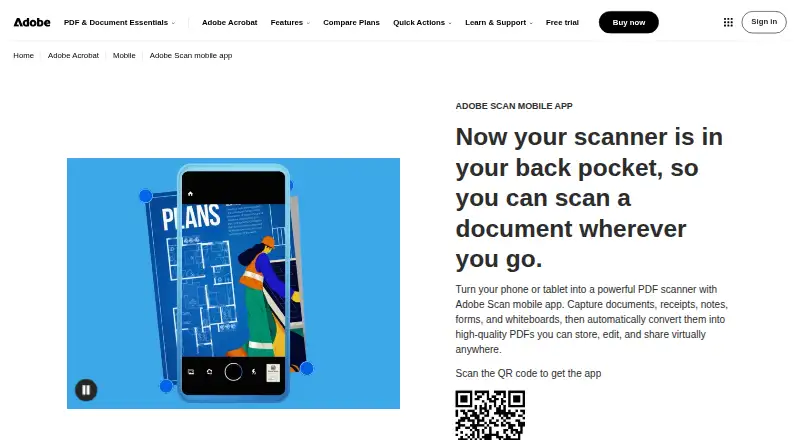
Adobe Scan turns a phone or tablet camera into a document scanner for individuals, students, professionals, and businesses. It handles receipts, forms, business cards, notes, whiteboards, and other paper documents, converting them into PDFs. Automatic document-edge detection and auto-capture reduce manual framing, while image cleanup, perspective correction, and auto-cropping improve captured pages. OCR produces searchable and editable PDFs, and multipage scanning includes page reordering. Book scanning with automatic page splitting and ID-card scanning extend its use beyond standard documents.
The free plan covers document scanning, PDF creation, OCR, searchable PDFs, and scan sharing. Premium adds file combining, PDF export to other formats, password protection, compression, and a higher OCR service limit. A seven-day free trial is available. This makes Adobe Scan a practical choice when the core need is free mobile scanning, while users who regularly prepare finished PDF files will need the paid tier for document assembly, format conversion, and additional controls.
Adobe Scan fits particularly well with Adobe Acrobat and Adobe cloud storage, and it also connects with Google Drive and Dropbox. Scans can be saved to Adobe cloud storage, exported as JPEG pages, or shared by link or email. The app supports iOS and Android, with automatic capture, OCR, searchable PDFs, and multipage PDF creation forming a strong core feature set. Choose it for accessible scanning and Adobe-centered document workflows. Consider another option if you need a dedicated desktop application or if advanced PDF functions are required without moving to Premium.
Your product? Our editors can test Adobe Scan in depth and publish a review, labelled as paid · from $149/mo →
Adobe Scan pricing
Adobe Scan fact sheet
| Free plan | Yes |
|---|---|
| Paid from | Free |
| iOS app | Yes |
| Android app | Yes |
| OCR included | Yes |
| Searchable PDF | Yes |
| Auto capture | Yes |
| Multipage PDF | Yes |
| Scan limit | Not verified |
| Deployment | Cloud, Mobile |
| Platforms | iOS, Android |
| Support | Community, Docs |
| Built for | Solo, Small business, Mid-market, Enterprise (editorial estimate) |
| Integrations | 4 integrations: Adobe Acrobat, Adobe cloud storage, Dropbox, Google Drive |
| Pricing | Free plan |
| Website | adobe.com |
| Facts checked | 23 Sep 2026 |
Adobe Scan integrations
Adobe Scan lists 4 integrations on its own site.
- Adobe Acrobat
- Adobe cloud storage
- Dropbox
- Google Drive
Alternatives to Adobe Scan
- Zoho ScannerA broad scanning app for Zoho users who need OCR, workflows, signing, and sync.9.2
- SmallpdfA broad PDF toolkit that adds OCR and scanning across web, desktop, and mobile.9.0
- ABBYY FineReader PDFA professional PDF and OCR suite with broad document controls but limited mobile focus.8.9



See all Adobe Scan alternatives →
Adobe Scan vs the competition
- Adobe Scan vs Zoho Scanner
- Adobe Scan vs Smallpdf
- Adobe Scan vs ABBYY FineReader PDF
- Adobe Scan vs Genius Scan
- Adobe Scan vs CamScanner
- Adobe Scan vs Scanner Pro



Compare Adobe Scan with any tool side by side →
Used Adobe Scan? Be the first to review it
The editor score above is our own research. What this page doesn't have yet is a reader's view — what you used Adobe Scan for, what worked and what didn't. No stars are seeded and no review is paid for; an editor reads every one before it appears.
Write a reviewTwo minutes · verified accounts only · read by an editor before it appears
Featured on iTechGuides

Adobe Scan is listed in our Mobile Scanning Apps directory. Add the badge to your site — it links back to this page.
<a href="https://www.itechguides.com/products/adobe-scan/"><img src="https://www.itechguides.com/best/badge/adobe-scan.svg" alt="Featured on iTechGuides" width="230" height="46"></a>
Reviewed by iTechGuides Editors · Editorial team · Updated Oct 2026
Advertiser disclosure: iTechGuides is reader-supported. Vendors can pay for top positions in our rankings and for a place on other products' pages, and we may earn a commission when you click some links. Bought places stand at the number bought; this page and our disclosure say so. Paying vendors may get a fuller, more detailed review from our editors, and that review can change their score. How we rank.
Last updated · How we research and update