TimeTabler
TimeTabler: A capable Windows scheduler for schools managing complex timetables and MIS exports. Ranked #16 of 29 in School Scheduling Software by our editors (7.9/10); pricing: Paid; best for schools using established MIS integrations.
At a glance
- Editor score7.9 / 10
- PricingPaid
- Best forSchools using established MIS integrations
- Free planNo
- Timetable automationAutomatic
- Facts checked20 Sep 2026
Where it wins
- Automatic, semi-automatic and interactive scheduling modes
- Handles clashes, sets, option patterns and split-site schools
- Exports to major MIS, Excel and web-page formats
Where it doesn't
- Windows-only desktop delivery
- Paid licence with no free plan
- Requires annual licensing for upgrades and support
Our verdict on TimeTabler
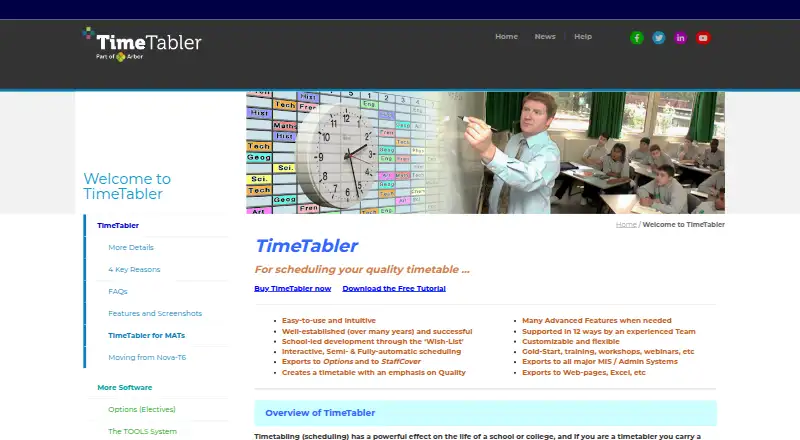
TimeTabler is desktop timetable scheduling software for schools and colleges. It is designed for teams managing complex curricula, shared teaching, part-time teachers, maths sets, option patterns and split-site arrangements. Scheduling can be interactive, semi-automatic or fully automatic, while teacher and room clash checking helps identify conflicts during timetable construction. Views for classes, staff and rooms support different planning and review needs.
Its strongest practical advantage is the combination of scheduling depth and school-specific constraints. The FIT command is intended to help resolve lessons that do not initially fit, and the software supports student groups, rooms, teachers, consortium days and shared teaching. That makes TimeTabler a closer fit for schools with timetable rules that exceed simple calendar booking. The annual licence includes use on any number of machines at school and at home for school or college purposes, access to HelpLine Support and upgrades to the latest version.
Integration is another important part of the product. TimeTabler supports exports to major MIS and administration systems, including SIMS.net, Arbor, iSAMS, SEEMiS, WCBS/3sys, Bromcom, Progresso, RM Integris G2/S2, SchoolBase and DoubleFirst Engage. It also exports timetables to web pages, Excel and other formats. Schools already working within these systems should find the export focus relevant. The trade-offs are clear: delivery is limited to Windows, the product is paid rather than free, and it is more specialized than a general scheduling tool. Choose TimeTabler for complex school timetable planning and established MIS workflows; consider an alternative if browser access or a free plan is essential.
Your product? Our editors can test TimeTabler in depth and publish a review, labelled as paid · from $149/mo →
TimeTabler pricing
All 1 TimeTabler plans and prices →
TimeTabler fact sheet
| Free plan | No |
|---|---|
| Paid from | Not verified |
| Timetable automation | Automatic |
| Conflict detection | Yes |
| Teacher constraints | Yes |
| Room constraints | Yes |
| Student group scheduling | Yes |
| Multi-campus support | Yes |
| Deployment | Desktop |
| Platforms | Windows |
| Support | Email, Tickets, Docs · 24/7 |
| Built for | Small business, Mid-market, Enterprise (editorial estimate) |
| Integrations | 10 integrations: SIMS.net, Arbor, iSAMS, SEEMiS, WCBS/3sys, Bromcom … |
| Pricing | Paid (source) |
| Website | timetabler.com |
| Facts checked | 20 Sep 2026 |
TimeTabler integrations
TimeTabler lists 10 integrations on its own site.
- SIMS.net
- Arbor
- iSAMS
- SEEMiS
- WCBS/3sys
- Bromcom
- Progresso
- RM Integris G2/S2
- SchoolBase
- DoubleFirst Engage
Alternatives to TimeTabler
- TimeEdit ScheduleA deep scheduling system for complex, multi-campus academic timetables.9.4
- UniTimeA free, open-source scheduler covering courses, exams, students, instructors, rooms, and events.9.3
- TimetableMasterA broad school scheduler with free access, AI generation, and advanced tiers for larger operations.9.2



See all TimeTabler alternatives →
Also Ranked In
TimeTabler is ranked in 2 of our directories.
Used TimeTabler? Be the first to review it
The editor score above is our own research. What this page doesn't have yet is a reader's view — what you used TimeTabler for, what worked and what didn't. No stars are seeded and no review is paid for; an editor reads every one before it appears.
Write a reviewTwo minutes · verified accounts only · read by an editor before it appears
Featured on iTechGuides

TimeTabler is listed in our School Scheduling Software directory. Add the badge to your site — it links back to this page.
<a href="https://www.itechguides.com/products/timetabler/"><img src="https://www.itechguides.com/best/badge/timetabler.svg" alt="Featured on iTechGuides" width="230" height="46"></a>
Reviewed by iTechGuides Editors · Editorial team · Updated Oct 2026
Advertiser disclosure: iTechGuides is reader-supported. Vendors can pay for top positions in our rankings and for a place on other products' pages, and we may earn a commission when you click some links. Bought places stand at the number bought; this page and our disclosure say so. Paying vendors may get a fuller, more detailed review from our editors, and that review can change their score. How we rank.
Last updated · How we research and update