
Timepage
Timepage: A focused Apple calendar with time blocking, travel tools, and two-way sync. Ranked #67 of 193 in Calendar Apps by our editors (3.0/10); pricing: 7-day trial; best for apple users wanting visual time planning.
At a glance
- Editor score3.0 / 10
- Pricing7-day trial
- Best forApple users wanting visual time planning
- Free planNo
- Facts checked21 Sep 2026
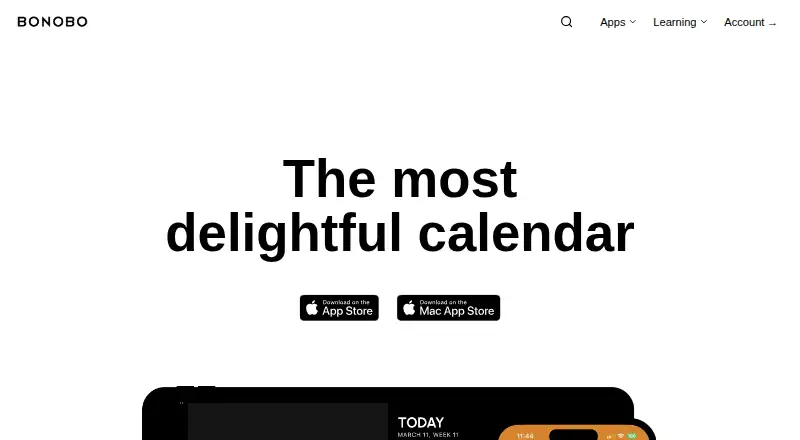
Where it wins
- Two-way sync with iCloud, Google, Outlook, Exchange, and CalDAV
- Timeline planning, time blocking, heat maps, and multiple calendar views
- Travel estimates, smart alerts, reminders, and video-meeting access
Where it doesn't
- Available on macOS and iOS rather than a broad range of platforms
- Paid product with no free plan after the seven-day trial
- Some bundle plans include Actions and Flow, which may not suit every buyer
Our verdict on Timepage
Timepage is a calendar and planning app for iPhone, iPad, Mac, and Apple Watch, designed for people who want a more visual way to organize events and daily commitments. Its timeline, day, week, and month views sit alongside a month heat map for spotting busy periods. The app also combines calendar events with weather forecasts, travel-time estimates, reminders, daily briefings, and time-to-leave notifications. It is best suited to Apple users who want calendar planning and time blocking in one focused interface.
Timepage is a paid product with a seven-day trial, and no credit card is required for the trial. The Monthly Membership provides full access for one month, while the Annual Membership provides full access for one year. The Bonobo Bundle Annual and Bonobo Bundle Lifetime plans include Timepage, Actions, and Flow; the Bonobo Bundle Annual Family plan adds Family Sharing for up to six people. The listed starting price is 3.99, with US App Store pricing subject to regional purchasing-power parity. Buyers should choose a standalone membership if they only need Timepage, or a bundle if the included Bonobo apps fit their workflow.
Its ecosystem coverage is broad within the calendar category: Timepage connects with iCloud, Google Calendar, Microsoft Exchange, Outlook, CalDAV, Office 365, Todoist, and Yahoo. It supports two-way synchronization through the device calendar system and can share calendars through iCloud, Google, and Outlook/Exchange. Meeting access covers FaceTime, Zoom, Microsoft Teams, and Skype, while Apple Maps supports travel planning. The main boundary is platform availability on macOS and iOS, so people needing a wider device ecosystem should choose another calendar app. Apple users who value visual planning, alerts, and connected calendars are the clearest fit.
Questions about Timepage
Is there a free trial of Timepage? Yes: a 7-day free trial; no card is needed.
What does Timepage run on? macOS and iOS. It runs in the cloud, as a desktop app and as a mobile app.
What does Timepage integrate with? 14 integrations, including iCloud, Google Calendar, Microsoft Exchange, Outlook and CalDAV.
Who is Timepage built for? Solo users and small businesses (our editorial estimate).
Your product? Our editors can test Timepage in depth and publish a review, labelled as paid · from $149/mo →
Timepage pricing
All 5 Timepage plans and prices →
Timepage fact sheet
| Free plan | No |
|---|---|
| Paid from | Not verified |
| Shared calendars | Yes |
| Time blocking | Yes |
| Scheduling links | Not verified |
| Calendar sync | Two_way |
| Mobile apps | Ios |
| Video meeting support | Yes |
| Free trial | 7 days · no card needed |
| Deployment | Cloud, Desktop, Mobile |
| Platforms | macOS, iOS |
| Support | Email, Community, Docs |
| Built for | Solo, Small business (editorial estimate) |
| Integrations | 14 integrations: iCloud, Google Calendar, Microsoft Exchange, Outlook, CalDAV, Office 365 … |
| Pricing | 7-day trial (source) |
| Website | bonobolabs.com |
| Facts checked | 21 Sep 2026 |
Timepage integrations
Timepage lists 14 integrations on its own site.
- iCloud
- Google Calendar
- Microsoft Exchange
- Outlook
- CalDAV
- Office 365
- Todoist
- Yahoo
- Apple Maps
- FaceTime
- Zoom
- Microsoft Teams
- Skype
- Bonobo Actions
Alternatives to Timepage
- Google CalendarA versatile calendar for personal schedules and Google Workspace collaboration.9.4
- Microsoft OutlookA flexible calendar choice for people and teams already working in Microsoft’s ecosystem.9.2
- Zoho CalendarA low-cost calendar with booking, sync, room reservations, and broad integrations.9.1


See all Timepage alternatives →
Used Timepage? Be the first to review it
The editor score above is our own research. What this page doesn't have yet is a reader's view — what you used Timepage for, what worked and what didn't. No stars are seeded and no review is paid for; an editor reads every one before it appears.
Write a reviewTwo minutes · verified accounts only · read by an editor before it appears
Featured on iTechGuides

Timepage is listed in our Calendar Apps directory. Add the badge to your site — it links back to this page.
<a href="https://www.itechguides.com/products/timepage/"><img src="https://www.itechguides.com/best/badge/timepage.svg" alt="Featured on iTechGuides" width="230" height="46"></a>
Reviewed by iTechGuides Editors · Editorial team · Updated Nov 2026
Advertiser disclosure: iTechGuides is reader-supported. Vendors can pay for top positions in our rankings and for a place on other products' pages, and we may earn a commission when you click some links. Bought places stand at the number bought; this page and our disclosure say so. Paying vendors may get a fuller, more detailed review from our editors, and that review can change their score. How we rank.
Last updated · How we research and update