
TimeIvy
TimeIvy: A capable Mac study timer with useful tracking, but its one-time Pro price limits value. Ranked #31 of 42 in Study Timer Apps by our editors (5.2/10); pricing: Free plan · 7-day trial; best for mac users wanting automatic productivity tracking.
At a glance
- Editor score5.2 / 10
- PricingFree plan · 7-day trial
- Best forMac users wanting automatic productivity tracking
- Free planYes
- Paid from$69 one-time
- Study goalsYes
- Facts checked21 Sep 2026
Where it wins
- Automatic tracking covers apps, websites, and interruptors
- Recurring sessions, goals, tags, and reports support structured study
- Free plan includes unlimited focus sessions and Pomodoro mode
Where it doesn't
- Available app coverage is limited to macOS
- Pro costs $69 as a one-time purchase
- It nudges distractions but does not block them
Our verdict on TimeIvy
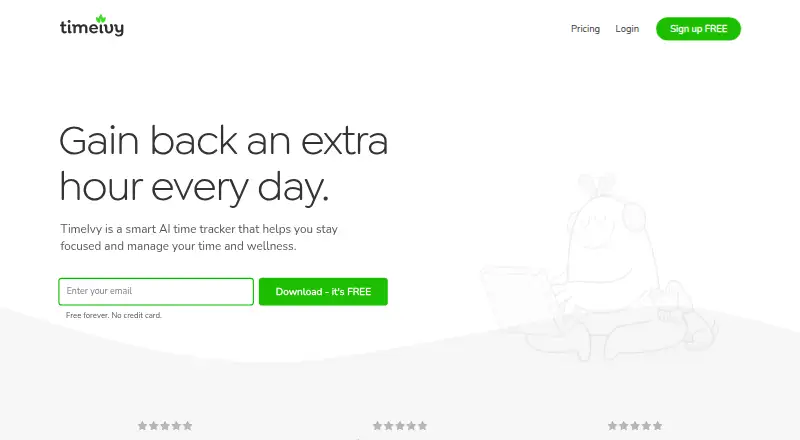
TimeIvy is a Mac desktop focus timer and time-tracking app for students and individual users. It combines focus sessions, Pomodoro mode, recurring schedules, configurable break reminders, daily focus goals, project and task tags, and motivation features built around plants and points. Its local monitoring of active apps and websites is designed to help users review their time without screenshots or keystroke tracking.
The free plan provides unlimited focus sessions, Pomodoro mode, daily focus goals, idle time detection, distraction nudges, and three free plants. The Pro plan costs $69 USD as a one-time purchase and adds automatic time tracking, scheduled focus sessions, insights on apps, websites, and interruptors, daily allowances, and unlimited plants. A seven-day trial is also available. For users who mainly want a timer and basic goals, Free covers the core study workflow; Pro is aimed at people who want automatic activity analysis and deeper reporting.
TimeIvy’s main strength is the breadth of its personal productivity toolkit: it connects timed sessions with app and website tracking, reports, nudges, allowances, tags, and motivational progress. That makes it a better fit for Mac users who want to understand where study time goes, rather than only run a countdown. It is less suitable for people who need distraction blocking, Windows support, or a multi-platform setup. Mac users seeking automatic tracking and structured focus should consider TimeIvy, while users prioritizing broader platform coverage or active blocking should choose an alternative.
Your product? Our editors can test TimeIvy in depth and publish a review, labelled as paid · from $149/mo →
TimeIvy pricing
All 2 TimeIvy plans and prices →
TimeIvy fact sheet
| Free plan | Yes |
|---|---|
| Paid from | $69 one-time |
| Custom break settings | Yes |
| Study goals | Yes |
| Progress statistics | Yes |
| Distraction blocking | No |
| Supported platforms | macos |
| Subject or task labels | Yes |
| Calendar integration | Not verified |
| Free trial | 7 days |
| Deployment | Desktop |
| Platforms | macOS |
| Support | |
| Built for | Solo, Small business (editorial estimate) |
| Pricing | Free plan · 7-day trial (source) |
| Website | timeivy.com |
| Facts checked | 21 Sep 2026 |
Alternatives to TimeIvy
- ForestA motivating focus timer with distraction blocking, analytics, and cross-platform sync.8.9
- PomofocusA free, task-focused Pomodoro timer with reports, templates, and integrations.8.6
- Focus KeeperA flexible Pomodoro timer for users who want tasks, history, and cross-device access.7.9



See all TimeIvy alternatives →
Used TimeIvy? Be the first to review it
The editor score above is our own research. What this page doesn't have yet is a reader's view — what you used TimeIvy for, what worked and what didn't. No stars are seeded and no review is paid for; an editor reads every one before it appears.
Write a reviewTwo minutes · verified accounts only · read by an editor before it appears
Featured on iTechGuides

TimeIvy is listed in our Study Timer Apps directory. Add the badge to your site — it links back to this page.
<a href="https://www.itechguides.com/products/timeivy/"><img src="https://www.itechguides.com/best/badge/timeivy.svg" alt="Featured on iTechGuides" width="230" height="46"></a>
Reviewed by iTechGuides Editors · Editorial team · Updated Oct 2026
Advertiser disclosure: iTechGuides is reader-supported. Vendors can pay for top positions in our rankings and for a place on other products' pages, and we may earn a commission when you click some links. Bought places stand at the number bought; this page and our disclosure say so. Paying vendors may get a fuller, more detailed review from our editors, and that review can change their score. How we rank.
Last updated · How we research and update