
The Events Calendar
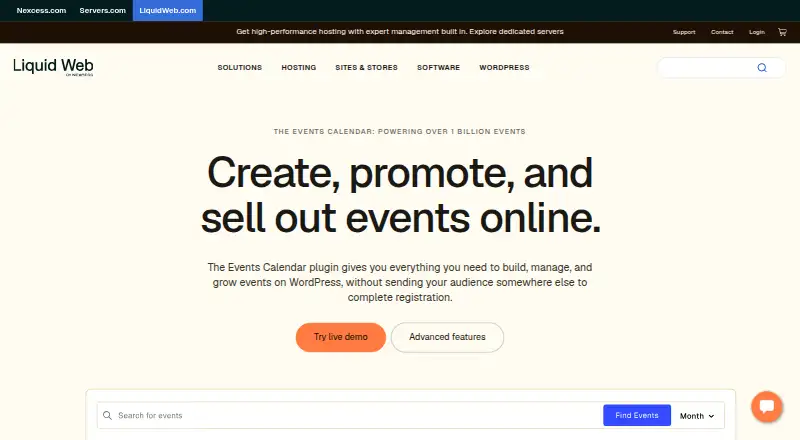
The Events Calendar: A capable WordPress event toolkit with ticketing, check-in, hybrid support, and seating. Ranked #36 of 181 in Event Management Software by our editors (5.0/10); pricing: Free plan; best for wordPress calendars and ticketed events.
At a glance
- Editor score5.0 / 10
- PricingFree plan
- Best forWordPress calendars and ticketed events
- Free planYes
- Paid from$259/yr
- Founded2009
- Facts checked20 Sep 2026
Where it wins
- Seven calendar views, recurring events, filters, and hybrid event support
- Ticket sales, RSVPs, registration forms, reports, and QR-code check-in
- Stripe, PayPal, Square, WooCommerce, video, and automation integrations
Where it doesn't
- No attendee-app capabilities
- No exhibitor capabilities
- Advanced features require annual paid plans
Our verdict on The Events Calendar
The Events Calendar is a WordPress event management plugin for businesses, venues, agencies, universities, nonprofits, and independent organizers. It combines calendars, recurring events, event filters, ticket sales, RSVPs, attendee management, community submissions, and support for in-person, virtual, and hybrid events. Its free plugin covers core calendar functionality, while paid plans extend the product into registration, ticketing, check-in, communications, and seating.
Pricing follows three annual plans. Essentials costs $259 per year and adds unlimited events, tickets, and RSVPs; seven calendar views; event filters; ticket sales through Stripe, PayPal, and Square; virtual and hybrid events; and attendee management with reports. Pro costs $399 per year and adds no ticket commission fees, WooCommerce ticket sales, custom registration forms, QR codes, a check-in app, and event importing. Elite costs $599 per year and adds a custom seating map builder, assigned seating, seat selection, email promotion campaigns, scheduled and triggered emails, and audience segmentation. The free plan makes the core calendar accessible, while paid tiers suit organizers that need transactions, attendee workflows, or event communications.
Its integration range supports common event workflows across payments, commerce, video, calendars, and automation, including Zoom, Microsoft Teams, Google Meet, Webex, YouTube Live, Facebook Live, Zapier, Eventbrite, Meetup, Google Calendar, and iCal. The product is a strong fit for WordPress organizations that need a calendar-led event operation with ticketing and onsite check-in. It is less suitable for teams seeking attendee-app or exhibitor capabilities, or a broader event-management system centered beyond the WordPress ecosystem.
Your product? Our editors can test The Events Calendar in depth and publish a review, labelled as paid · from $149/mo →
The Events Calendar pricing
All 3 The Events Calendar plans and prices →
The Events Calendar fact sheet
| Free plan | Yes |
|---|---|
| Paid from | $259/yr |
| Event formats | Not verified |
| Registration forms | Yes |
| Ticketing | Yes |
| Onsite check-in | Yes |
| Attendee app | Not verified |
| Attendee email | Yes |
| Exhibitor tools | Not verified |
| Deployment | Self-hosted, Cloud |
| Platforms | Web |
| Support | Email, Tickets, Community, Docs |
| Built for | Solo, Small business, Mid-market, Enterprise (editorial estimate) |
| Integrations | 84+ integrations: Stripe, PayPal, Square, WooCommerce, Zapier, Zoom … See all → |
| Pricing | Free plan (source) |
| Website | liquidweb.com |
| Facts checked | 20 Sep 2026 |
The Events Calendar integrations
The Events Calendar lists 84+ integrations on its own site — the 20 named here are the ones its pages call out.
- Stripe
- PayPal
- Square
- WooCommerce
- Zapier
- Zoom
- Microsoft Teams
- Google Meet
- Webex
- YouTube Live
- Facebook Live
- Eventbrite
- Meetup
- Google Calendar
- iCal
- CSV
- Elementor
- Divi
- Beaver Builder
- Oxygen Builder
See all The Events Calendar integrations →
Alternatives to The Events Calendar
- CventA broad event platform for enterprise teams managing complex, integrated event programs.9.4
- EventsAirA broad event platform for teams running complex programs across multiple formats.8.6
- EventbriteA practical choice for public ticketed events and straightforward registration.7.9



See all The Events Calendar alternatives →
Used The Events Calendar? Be the first to review it
The editor score above is our own research. What this page doesn't have yet is a reader's view — what you used The Events Calendar for, what worked and what didn't. No stars are seeded and no review is paid for; an editor reads every one before it appears.
Write a reviewTwo minutes · verified accounts only · read by an editor before it appears
Featured on iTechGuides

The Events Calendar is listed in our Event Management Software directory. Add the badge to your site — it links back to this page.
<a href="https://www.itechguides.com/products/the-events-calendar/"><img src="https://www.itechguides.com/best/badge/the-events-calendar.svg" alt="Featured on iTechGuides" width="230" height="46"></a>
Reviewed by iTechGuides Editors · Editorial team · Updated Oct 2026
Advertiser disclosure: iTechGuides is reader-supported. Vendors can pay for top positions in our rankings and for a place on other products' pages, and we may earn a commission when you click some links. Bought places stand at the number bought; this page and our disclosure say so. Paying vendors may get a fuller, more detailed review from our editors, and that review can change their score. How we rank.
Last updated · How we research and update