
Telestream CaptionMaker
Telestream CaptionMaker: A broadcast-oriented caption editor with live workflows, broad format support, and a high one-time cost. Ranked #10 of 99 in AI Video Caption Generators by our editors (7.2/10); pricing: Paid; best for broadcast teams needing caption authoring and live workflows.
At a glance
- Editor score7.2 / 10
- PricingPaid
- Best forBroadcast teams needing caption authoring and live workflows
- Free planNo
- Paid from$2,043 one-time
- Caption stylingYes
- Founded1998 · Nevada City, California, United States
- Facts checked22 Sep 2026
Where it wins
- Authors, times, and formats captions, with Auto Time Stamp for synchronization.
- Supports broadcast embedding, extraction, burn-in subtitles, and live captioning.
- Pro and Enterprise add broadcast workflows, batch conversion, and command-line control.
Where it doesn't
- Desktop software runs on Windows only.
- The Desktop Edition costs $2,043 as a one-time purchase.
- AI transcription is an optional cloud service rather than a listed built-in feature.
Our verdict on Telestream CaptionMaker
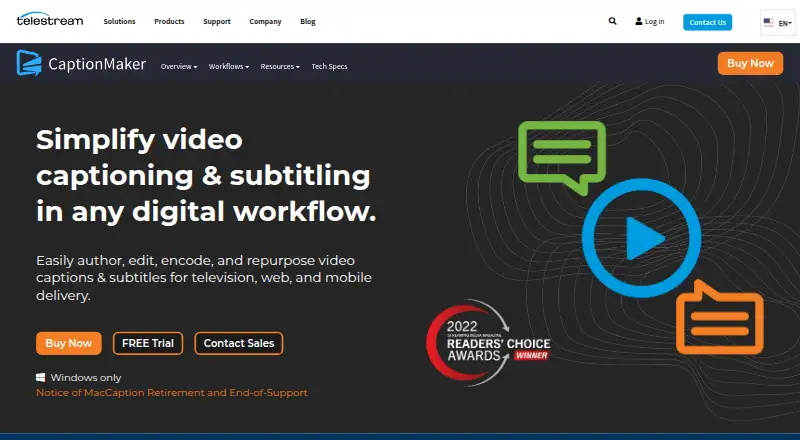
CaptionMaker is Windows desktop software for creating, editing, timing, formatting, and encoding captions and subtitles. Its capabilities span broadcast, web, mobile, DVD, Blu-ray, and live-captioning workflows, making it a fit for broadcast teams, caption service providers, and media organizations that need production-oriented tools. It is less suited to creators seeking a low-cost, broadly platform-compatible captioning app: the entry price is a $2,043 one-time purchase, and the software is Windows-only.
The three editions add capabilities in defined steps. Desktop Edition costs $2,043 one time and includes caption authoring and editing, Auto Time Stamp, support for SCC, MCC, Timed Text, WebVTT, DVD captions, and burn-in subtitles. Optional cloud AI transcription is available through Timed Text Speech. Pro Edition costs $7,403 one time and adds broadcast caption embedding and extraction, professional caption interchange formats, subtitle overlays, and live captioning. Enterprise Edition costs $16,520 one time and adds batch conversion, external scripting, and command-line control to Pro features. CaptionMaker pricing includes first-year Silver Support; annual renewal pricing is separate.
The product’s strongest fit is an established video or broadcast workflow: it integrates with Adobe Premiere Pro, Avid Media Composer, Telestream Vantage, and Telestream Cloud Timed Text Speech. Export options include SCC, MCC, WebVTT, SRT, and TTML/DFXP, while embedding, extraction, overlays, and live captioning reach beyond basic subtitle authoring. The trade-off is the substantial purchase commitment, especially for teams that only need routine captions, alongside a Windows-only desktop deployment. Teams needing live broadcast workflows, format handling, or automation may find the higher editions relevant; individual creators or teams seeking a lower-cost or non-Windows option should look elsewhere.
Your product? Our editors can test Telestream CaptionMaker in depth and publish a review, labelled as paid · from $149/mo →
Telestream CaptionMaker pricing
All 3 Telestream CaptionMaker plans and prices →
Telestream CaptionMaker fact sheet
| Free plan | No |
|---|---|
| Paid from | $2,043 one-time |
| Max video length | Not verified |
| Caption languages | Not verified |
| Caption styling | Yes |
| Subtitle export | Other formats |
| Burn-in captions | Yes |
| Speaker identification | Not verified |
| Brand caption presets | Not verified |
| Deployment | Desktop |
| Platforms | Windows |
| Support | Email, Phone, Docs |
| Built for | Small business, Mid-market, Enterprise (editorial estimate) |
| Integrations | 4 integrations: Adobe Premiere Pro, Avid Media Composer, Telestream Vantage, Telestream Cloud Timed Text Speech |
| Pricing | Paid (source) |
| Website | telestream.net |
| Facts checked | 22 Sep 2026 |
Telestream CaptionMaker integrations
Telestream CaptionMaker lists 4 integrations on its own site.
- Adobe Premiere Pro
- Avid Media Composer
- Telestream Vantage
- Telestream Cloud Timed Text Speech
Alternatives to Telestream CaptionMaker
- WhisperA flexible local transcription engine, but not a complete caption-editing product.9.2
- CaptionHubA workflow-rich caption and localization platform for enterprise video teams.8.8
- SubmagicAn all-in-one caption editor with styling, text editing, B-roll, and publishing tools.8.7


See all Telestream CaptionMaker alternatives →
Used Telestream CaptionMaker? Be the first to review it
The editor score above is our own research. What this page doesn't have yet is a reader's view — what you used Telestream CaptionMaker for, what worked and what didn't. No stars are seeded and no review is paid for; an editor reads every one before it appears.
Write a reviewTwo minutes · verified accounts only · read by an editor before it appears
Featured on iTechGuides

Telestream CaptionMaker is listed in our AI Video Caption Generators directory. Add the badge to your site — it links back to this page.
<a href="https://www.itechguides.com/products/telestream-captionmaker/"><img src="https://www.itechguides.com/best/badge/telestream-captionmaker.svg" alt="Featured on iTechGuides" width="230" height="46"></a>
Reviewed by iTechGuides Editors · Editorial team · Updated Oct 2026
Advertiser disclosure: iTechGuides is reader-supported. Vendors can pay for top positions in our rankings and for a place on other products' pages, and we may earn a commission when you click some links. Bought places stand at the number bought; this page and our disclosure say so. Paying vendors may get a fuller, more detailed review from our editors, and that review can change their score. How we rank.
Last updated · How we research and update