
Telepromptr
Telepromptr: A capable free iOS teleprompter with hardware output and flexible remote control. Ranked #24 of 32 in Teleprompter Software by our editors (6.7/10); pricing: Free plan; best for free iOS prompting with hardware output.
At a glance
- Editor score6.7 / 10
- PricingFree plan
- Best forFree iOS prompting with hardware output
- Free planYes
- Facts checked20 Sep 2026
Where it wins
- Supports unlimited script length and multiple document import formats
- Offers AirPlay, HDMI, mirroring and compatible-controller remote control
- Includes recording, eyeline mode, countdowns and custom display styles
Where it doesn't
- Available only for iPhone and iPad
- Voice tracking is not a listed capability
- Advanced features may require the optional Pro upgrade
Our verdict on Telepromptr
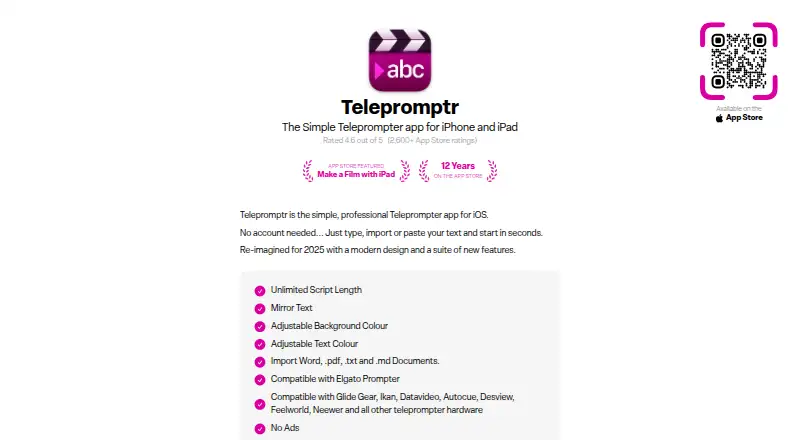
Telepromptr is an iPhone and iPad teleprompter for video creators, presenters, speakers, meeting participants and performers. It lets users create, paste or import scripts in Word, PDF, TXT and Markdown formats, then display them with adjustable fonts, colors, spacing and mirrored text. Portrait and landscape orientations, unlimited script length, a countdown timer and eyeline mode support a range of prompting setups. Video recording is included, so the app can combine script display and camera capture on the same iOS device.
Its strongest distinction is the connection between an iOS prompting app and external production hardware. Telepromptr supports AirPlay and HDMI output, while its listed integrations include Elgato Prompter, Glide Gear, Ikan, Datavideo, Autocue, Desview, Feelworld and Neewer. Keyboard and compatible-controller remote control also give users alternatives to tapping the screen. That combination suits people who need to move scripts from an iPhone or iPad to a larger or dedicated prompting display. Buyers with an existing compatible hardware setup should find the ecosystem fit more relevant than a standalone scrolling app.
Telepromptr is available as a free app with optional Pro in-app purchases, including an option described as available forever. The product’s focus is practical prompting rather than broader cross-platform workflow support: its platform coverage is limited to iOS, and voice tracking is not among the listed capabilities. Choose it if iPhone or iPad support, recording, remote control and AirPlay or HDMI output are central requirements. Choose an alternative if Android, desktop access or voice-led scrolling is essential, or if the prompting workflow must operate independently of Apple devices.
Your product? Our editors can test Telepromptr in depth and publish a review, labelled as paid · from $149/mo →
Telepromptr pricing
All 1 Telepromptr plans and prices →
Telepromptr fact sheet
| Free plan | Yes |
|---|---|
| Paid from | Not verified |
| Supported platforms | ios |
| Voice tracking | Not verified |
| Remote control | Yes |
| Video recording | Yes |
| Script length limit | Not verified |
| Display modes | Both |
| Team script sharing | Not verified |
| Deployment | Mobile |
| Platforms | iOS |
| Built for | Solo, Small business (editorial estimate) |
| Integrations | 10 integrations: Elgato Prompter, Glide Gear, Ikan, Datavideo, Autocue, Desview … |
| Pricing | Free plan (source) |
| Website | telepromptr.com |
| Facts checked | 20 Sep 2026 |
Telepromptr integrations
Telepromptr lists 10 integrations on its own site.
- Elgato Prompter
- Glide Gear
- Ikan
- Datavideo
- Autocue
- Desview
- Feelworld
- Neewer
- AirPlay
- HDMI
Alternatives to Telepromptr
- EasyPrompterA flexible teleprompter for solo presenters, live operators, and multi-display productions.9.4
- Teleprompter.comA broad creator video toolkit with voice scrolling, recording, editing, and team workspaces.9.2
- SpeakflowA flexible teleprompter for voice-led recording, remote control, and team collaboration.9.0



See all Telepromptr alternatives →
Used Telepromptr? Be the first to review it
The editor score above is our own research. What this page doesn't have yet is a reader's view — what you used Telepromptr for, what worked and what didn't. No stars are seeded and no review is paid for; an editor reads every one before it appears.
Write a reviewTwo minutes · verified accounts only · read by an editor before it appears
Featured on iTechGuides

Telepromptr is listed in our Teleprompter Software directory. Add the badge to your site — it links back to this page.
<a href="https://www.itechguides.com/products/telepromptr/"><img src="https://www.itechguides.com/best/badge/telepromptr.svg" alt="Featured on iTechGuides" width="230" height="46"></a>
Reviewed by iTechGuides Editors · Editorial team · Updated Oct 2026
Advertiser disclosure: iTechGuides is reader-supported. Vendors can pay for top positions in our rankings and for a place on other products' pages, and we may earn a commission when you click some links. Bought places stand at the number bought; this page and our disclosure say so. Paying vendors may get a fuller, more detailed review from our editors, and that review can change their score. How we rank.
Last updated · How we research and update