
Speakflow
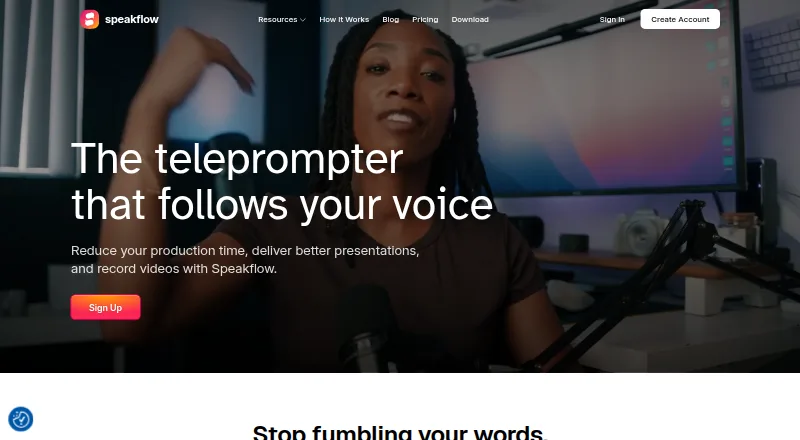
Speakflow: A flexible teleprompter for voice-led recording, remote control, and team collaboration. Ranked #3 of 32 in Teleprompter Software by our editors (9.0/10); pricing: Free plan; best for voice-led recording and collaboration.
At a glance
- Editor score9.0 / 10
- PricingFree plan
- Best forVoice-led recording and collaboration
- Free planYes
- Paid from$15/mo
- Voice trackingYes
- Founded2019
- Facts checked20 Sep 2026
Where it wins
- Voice-activated scrolling follows speaking pace
- Works across web, Windows, macOS, iOS, and Android
- Paid plans add recording, syncing, collaboration, and AI tools
Where it doesn't
- Free voice-activated scrolling is limited
- Plus recording storage is limited to 1 hour
- Studio is capped at 25 members and 10 client workspaces
Our verdict on Speakflow
Speakflow is a browser-based teleprompter for creators, presenters, educators, marketers, and teams. It supports voice-activated scrolling that follows speaking pace, along with automatic and manual scrolling modes. Users can create, edit, organize, and share scripts, record video while reading, control the session remotely, synchronize multiple devices, and use a virtual teleprompter overlay on desktop. Web, Windows, macOS, iOS, and Android coverage makes it suitable for voice-led recording workflows that move between devices.
The Free plan includes the teleprompter, auto scrolling, limited voice-activated scrolling, script creation and organization, and 7-day script history. Plus costs $19 per month with monthly billing or $15 per month as an annual monthly-equivalent price billed once yearly. It adds unlimited voice-activated scrolling, 1 hour of video storage, a virtual overlay, multi-device syncing, AI writing tools, and real-time script collaboration. Studio costs $129 per month monthly or $99 per month as an annual monthly-equivalent price billed once yearly, adding up to 10 client workspaces, up to 25 members, 10 hours of video storage, and Premium Support.
Speakflow’s strongest fit is a workflow that combines reading, recording, and collaboration rather than simple script display. Voice tracking, remote control, synchronization, folders, workspaces, team sharing, virtual overlays, and paid-plan API access give it broader production coverage than a basic scrolling tool. The Free plan suits occasional prompting, while Plus is aimed at individual creators and small collaborative workflows. Teams needing more than 25 members or more than 10 client workspaces should look beyond Studio’s stated limits, and users who only need straightforward teleprompting may not need its recording, AI, and collaboration features.
Your product? Our editors can test Speakflow in depth and publish a review, labelled as paid · from $149/mo →
Speakflow pricing
All 3 Speakflow plans and prices →
Speakflow fact sheet
| Free plan | Yes |
|---|---|
| Paid from | $15/mo |
| Supported platforms | web, windows, macos, ios, android |
| Voice tracking | Yes |
| Remote control | Yes |
| Video recording | Yes |
| Script length limit | Not verified |
| Display modes | Both |
| Team script sharing | Yes |
| Money-back guarantee | 7 days |
| Deployment | Cloud, Desktop, Mobile |
| Platforms | Web, Windows, macOS, iOS, Android |
| Support | Email, Docs |
| Built for | Solo, Small business, Mid-market, Enterprise (editorial estimate) |
| Pricing | Free plan (source) |
| Website | speakflow.com |
| Facts checked | 20 Sep 2026 |
Alternatives to Speakflow
- EasyPrompterA flexible teleprompter for solo presenters, live operators, and multi-display productions.9.4
- Teleprompter.comA broad creator video toolkit with voice scrolling, recording, editing, and team workspaces.9.2
- PromptSmartA flexible teleprompter suite for speakers, creators, educators, and teams.8.8

See all Speakflow alternatives →
Speakflow vs the competition
- Speakflow vs EasyPrompter
- Speakflow vs Teleprompter.com
- Speakflow vs PromptSmart
- Speakflow vs VoicePrompter
- Speakflow vs Pavonine Teleprompter
- Speakflow vs Prompt+



Compare Speakflow with any tool side by side →
Used Speakflow? Be the first to review it
The editor score above is our own research. What this page doesn't have yet is a reader's view — what you used Speakflow for, what worked and what didn't. No stars are seeded and no review is paid for; an editor reads every one before it appears.
Write a reviewTwo minutes · verified accounts only · read by an editor before it appears
Featured on iTechGuides

Speakflow is listed in our Teleprompter Software directory. Add the badge to your site — it links back to this page.
<a href="https://www.itechguides.com/products/speakflow/"><img src="https://www.itechguides.com/best/badge/speakflow.svg" alt="Featured on iTechGuides" width="230" height="46"></a>
Reviewed by iTechGuides Editors · Editorial team · Updated Oct 2026
Advertiser disclosure: iTechGuides is reader-supported. Vendors can pay for top positions in our rankings and for a place on other products' pages, and we may earn a commission when you click some links. Bought places stand at the number bought; this page and our disclosure say so. Paying vendors may get a fuller, more detailed review from our editors, and that review can change their score. How we rank.
Last updated · How we research and update