
Tayasui Sketches
Tayasui Sketches: A natural-media drawing app with strong brush tools, layers, and PSD export. Ranked #24 of 46 in Digital Painting Software by our editors (7.0/10); pricing: Free plan; best for natural-media sketching on Apple and Android devices.
At a glance
- Editor score7.0 / 10
- PricingFree plan
- Best forNatural-media sketching on Apple and Android devices
- Free planYes
- Layer supportYes
- Founded2008
- Facts checked20 Sep 2026
Where it wins
- Realistic tools spanning pencil, watercolor, ink, acrylic, and smudge
- Layer controls include opacity, blending, reordering, and transformations
- Supports PSD export, stylus pressure, patterns, and iCloud synchronization
Where it doesn't
- Separate Android, iOS, and Mac apps require separate purchases
- Premium features are split across subscriptions and a Pro Version
- iCloud is the listed integration, limiting broader ecosystem connections
Our verdict on Tayasui Sketches
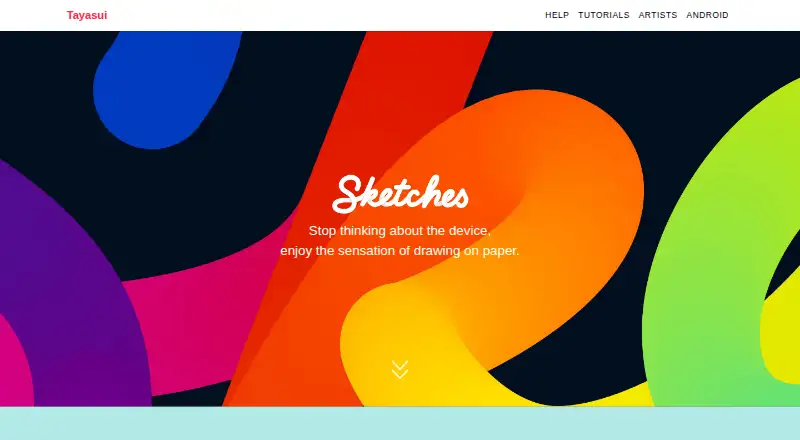
Tayasui Sketches is a digital drawing and painting application for casual and professional artists who want natural-media tools on iOS, macOS, and Android. Its toolkit covers realistic pencils, pens, pastels, acrylics, watercolors, airbrushes, ink, and smudge effects, with additional support for color mixing, gradients, palettes, patterns, rulers, symmetry, and straight-line drawing. Stylus and pressure-sensitive brush input make it a fit for users who prefer pen-based sketching on supported devices.
The product’s main strength is the depth of its drawing toolkit. A brush editor provides adjustable brush settings, while wet watercolor supports flowing and blended colors. Layered artwork can include opacity, blending, reordering, and transformations. Users can import photos and export layered PSD files, which supports workflows that move between Tayasui Sketches and other graphics applications. Pattern editing, eyedropper controls, and color tools add flexibility beyond a basic sketchpad, while iCloud drawing synchronization connects supported Apple workflows.
Tayasui Sketches uses a freemium model. The Free plan is a free app with optional in-app purchases; Weekly premium, Monthly premium, and Yearly premium provide premium features; and the Pro Version provides a Pro feature bundle. The published starting price is 2.99, with pricing varying by country, platform, taxes, or subscription offer. Android, iOS, and Mac versions are separate apps and require separate purchases. Choose it for realistic-media sketching, pressure-sensitive input, layered work, and PSD export across Apple and Android devices. Artists needing one purchase across platforms or broader integrations should consider alternatives.
Your product? Our editors can test Tayasui Sketches in depth and publish a review, labelled as paid · from $149/mo →
Tayasui Sketches pricing
All 5 Tayasui Sketches plans and prices →
Tayasui Sketches fact sheet
| Free plan | Yes |
|---|---|
| Paid from | Not verified |
| Brush customization | Yes |
| Layer support | Yes |
| Pressure sensitivity | Yes |
| Supported platforms | ios, macos, android |
| Color management | Not verified |
| Stroke stabilization | Not verified |
| Deployment | Mobile, Desktop |
| Platforms | iOS, macOS, Android |
| Integrations | 1 integrations: iCloud |
| Pricing | Free plan (source) |
| Website | tayasui.com |
| Facts checked | 20 Sep 2026 |
Tayasui Sketches integrations
Tayasui Sketches lists 1 integrations on its own site.
- iCloud
Alternatives to Tayasui Sketches
- KritaA broad, professional-grade painting toolkit with no paid plan and wide platform coverage.9.4
- Clip Studio PaintA broad digital art workspace spanning illustration, comics, 3D, animation, and cloud tools.9.3
- ProcreateA polished iPad painting workflow with broad creative tools and limited platform coverage.9.1



See all Tayasui Sketches alternatives →
Also Ranked In
Tayasui Sketches is ranked in 5 of our directories.
Used Tayasui Sketches? Be the first to review it
The editor score above is our own research. What this page doesn't have yet is a reader's view — what you used Tayasui Sketches for, what worked and what didn't. No stars are seeded and no review is paid for; an editor reads every one before it appears.
Write a reviewTwo minutes · verified accounts only · read by an editor before it appears
Featured on iTechGuides

Tayasui Sketches is listed in our Digital Painting Software directory. Add the badge to your site — it links back to this page.
<a href="https://www.itechguides.com/products/tayasui-sketches/"><img src="https://www.itechguides.com/best/badge/tayasui-sketches.svg" alt="Featured on iTechGuides" width="230" height="46"></a>
Reviewed by iTechGuides Editors · Editorial team · Updated Oct 2026
Advertiser disclosure: iTechGuides is reader-supported. Vendors can pay for top positions in our rankings and for a place on other products' pages, and we may earn a commission when you click some links. Bought places stand at the number bought; this page and our disclosure say so. Paying vendors may get a fuller, more detailed review from our editors, and that review can change their score. How we rank.
Last updated · How we research and update