Tanuki3DS
Tanuki3DS: A straightforward desktop 3DS emulator with flexible input and display controls. Ranked #7 of 14 in Nintendo 3DS Emulators by our editors (8.0/10); pricing: Free plan; best for desktop users wanting a simple 3DS interface.
At a glance
- Editor score8.0 / 10
- PricingFree plan
- Best forDesktop users wanting a simple 3DS interface
- Free planYes
- Paid fromFree
- System software supportYes
- Facts checked20 Sep 2026
Where it wins
- Free and open source on Windows, macOS, and Linux
- Supports keyboard remapping, controllers, and mouse touch input
- Offers screen layouts, fullscreen mode, fast-forward, and free-camera controls
Where it doesn't
- Compatibility is still developing across games
- Some games may show graphical issues or crash
- Requires decrypted 3DS software and supported resource files
Our verdict on Tanuki3DS
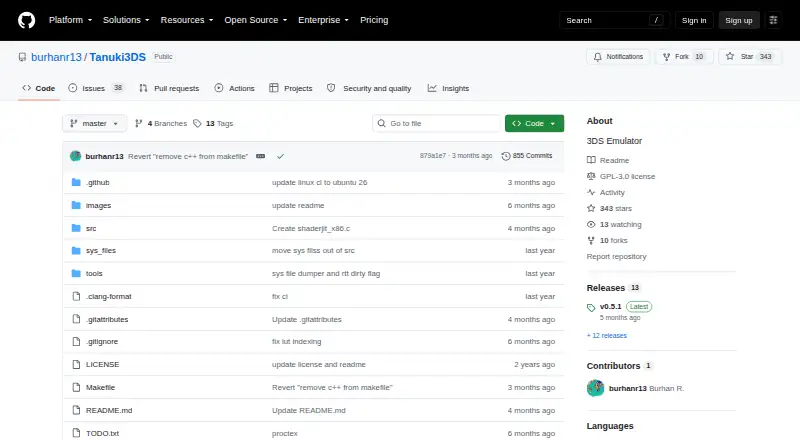
Tanuki3DS is an open-source Nintendo 3DS emulator written in C for Windows, macOS, and Linux. It is aimed at desktop users who want a graphical interface for opening decrypted 3DS software and managing emulator settings. Supported formats include .cci/.3ds, .cxi/.app, .elf/.axf, and .3dsx files. The interface also covers keyboard input remapping, controller input, mouse-based touch-screen interaction, screen layouts, fullscreen mode, fast-forward, and free-camera controls.
The pricing model is straightforward: Tanuki3DS is free and open source. Its platform coverage spans Windows, macOS, and Linux, giving desktop users a consistent starting point across those operating systems. Save data can be stored in the operating system application-data path or through portable mode. The emulator can also load original shared-font and Mii resource files dumped from a 3DS, which adds flexibility for users managing the required system resources alongside their games.
The main trade-off is compatibility. The project describes compatibility as incomplete, and some games may encounter graphical bugs or crashes. That makes Tanuki3DS a reasonable choice for users who prioritize a simple interface, configurable controls, and broad desktop operating-system support over a fully mature compatibility profile. Users who need dependable operation across a wider range of games should consider an emulator with stronger compatibility for their specific software instead.
Your product? Our editors can test Tanuki3DS in depth and publish a review, labelled as paid · from $149/mo →
Tanuki3DS pricing
Tanuki3DS fact sheet
| Free plan | Yes |
|---|---|
| Paid from | Free |
| Supported platforms | macOS, Linux, Windows |
| System software support | Yes |
| Save states | Not verified |
| Graphics upscaling | Not verified |
| Cheat support | Not verified |
| Online multiplayer | Not verified |
| Deployment | Desktop |
| Platforms | Windows, macOS, Linux |
| Support | Community |
| Built for | Solo, Small business (editorial estimate) |
| Pricing | Free plan |
| Website | github.com |
| Facts checked | 20 Sep 2026 |
Alternatives to Tanuki3DS
- AzaharA broad free emulator with high-resolution graphics, save states, multiplayer rooms, and RetroArch support.9.4
- Citra Libretro CoreA feature-rich free core for scaling, cheats, save states, and flexible screen layouts.9.1
- AzaharPlusA feature-rich 3DS emulator fork for users who want customization and compatibility.8.9
See all Tanuki3DS alternatives →
Tanuki3DS vs the competition
- Tanuki3DS vs Azahar
- Tanuki3DS vs Citra Libretro Core
- Tanuki3DS vs AzaharPlus
- Tanuki3DS vs Mandarine-Neo
- Tanuki3DS vs Panda3DS
- Tanuki3DS vs 3Beans

Compare Tanuki3DS with any tool side by side →
Used Tanuki3DS? Be the first to review it
The editor score above is our own research. What this page doesn't have yet is a reader's view — what you used Tanuki3DS for, what worked and what didn't. No stars are seeded and no review is paid for; an editor reads every one before it appears.
Write a reviewTwo minutes · verified accounts only · read by an editor before it appears
Featured on iTechGuides

Tanuki3DS is listed in our Nintendo 3DS Emulators directory. Add the badge to your site — it links back to this page.
<a href="https://www.itechguides.com/products/tanuki3ds/"><img src="https://www.itechguides.com/best/badge/tanuki3ds.svg" alt="Featured on iTechGuides" width="230" height="46"></a>
Reviewed by iTechGuides Editors · Editorial team · Updated Oct 2026
Advertiser disclosure: iTechGuides is reader-supported. Vendors can pay for top positions in our rankings and for a place on other products' pages, and we may earn a commission when you click some links. Bought places stand at the number bought; this page and our disclosure say so. Paying vendors may get a fuller, more detailed review from our editors, and that review can change their score. How we rank.
Last updated · How we research and update