
TAD Designer
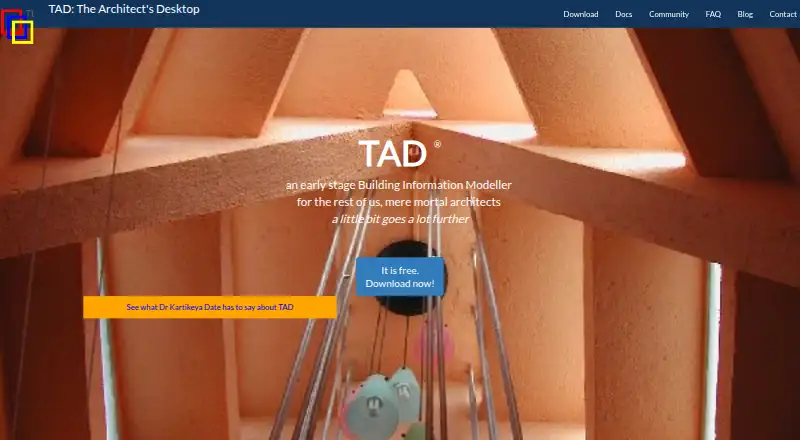
TAD Designer: Free, space-based architectural modeling with queryable data and asynchronous collaboration. Ranked #36 of 36 in Architecture Software by our editors (5.4/10); pricing: Free plan; best for experimental users exploring space-based modeling.
At a glance
- Editor score5.4 / 10
- PricingFree plan
- Best forExperimental users exploring space-based modeling
- Free planYes
- Paid fromFree
- BIM workflowsYes
- Founded1989 · Navi Mumbai, Maharashtra, India
- Facts checked23 Sep 2026
Where it wins
- Start with spaces, then model built matter and inspect areas or distances.
- ARDELA scripting, probes and add-ons support model analysis.
- Share project branches asynchronously over LAN or the internet.
Where it doesn't
- It is not a drafting application; drafting work is exported to CAD software.
- Construction documents are not supported.
- Mac and Linux use requires the WINE subsystem.
Our verdict on TAD Designer
TAD Designer, also called TAD Designer Lite, is a Windows desktop component of The Architect’s Desktop for architectural design and modeling. Its space-based approach starts with spaces and lets designers add built matter, making it suited to experimental users exploring early planning through more detailed models. Model queries can inspect areas, distances and other information while designing. This is a specialist fit for people interested in modeling around spaces and their properties, rather than a general drafting environment.
The product’s analysis and modeling structure are notable strengths. ARDELA scripting, probes and add-ons support model analysis, while an object and class hierarchy allows properties to be inherited or overridden. A built-in 3D draft view previews the model. Exports include objects to 2D formats and models to VRML 2, Virtualight and RenderMan. TAD Designer is not itself a drafting application: the vendor describes exporting work to CAD software for drafting, so teams whose workflow centers on producing construction documents should look elsewhere.
Collaboration is asynchronous: project branches can be shared over LAN or internet workflows, rather than edited simultaneously in real time. Telegram is the listed integration. TAD Designer is free, and the product is described as closed-source freeware in version 6.x; the vendor documentation also describes later 7.x versions as free and open-source, while the homepage identifies 6.x as available. Windows is the supported platform, with Mac and Linux use requiring WINE. Community, documentation and email are listed support channels. Choose TAD Designer if its space-based model, query tools and branch workflow match your experiments; skip it if you need built-in drafting, construction documents or live co-editing.
Your product? Our editors can test TAD Designer in depth and publish a review, labelled as paid · from $149/mo →
TAD Designer pricing
TAD Designer fact sheet
| Free plan | Yes |
|---|---|
| Paid from | Free |
| BIM workflows | Yes |
| Construction documents | No |
| Rendering tools | Yes |
| Supported file formats | VRML 2, Virtualight, RenderMan; 2D export formats not specified on the opened page |
| Team collaboration | Yes |
| Supported platforms | Windows; Mac and Linux via WINE |
| Deployment | Desktop |
| Platforms | Windows |
| Support | Community, Docs, Email |
| Built for | Solo, Small business, Mid-market (editorial estimate) |
| Integrations | 1 integrations: Telegram |
| Pricing | Free plan |
| Website | teamtad.com |
| Facts checked | 23 Sep 2026 |
TAD Designer integrations
TAD Designer lists 1 integrations on its own site.
- Telegram
Alternatives to TAD Designer
- Autodesk RevitA Windows BIM tool for multidisciplinary modeling, documentation, and model coordination.9.4
- ArchicadA full architectural BIM workflow with openBIM and cloud teamwork, at a substantial annual cost.9.2
- AllplanA multidisciplinary BIM suite with coordination, detailing and cost workflows at annual per-user prices.9.1



See all TAD Designer alternatives →
Used TAD Designer? Be the first to review it
The editor score above is our own research. What this page doesn't have yet is a reader's view — what you used TAD Designer for, what worked and what didn't. No stars are seeded and no review is paid for; an editor reads every one before it appears.
Write a reviewTwo minutes · verified accounts only · read by an editor before it appears
Featured on iTechGuides

TAD Designer is listed in our Architecture Software directory. Add the badge to your site — it links back to this page.
<a href="https://www.itechguides.com/products/tad-designer/"><img src="https://www.itechguides.com/best/badge/tad-designer.svg" alt="Featured on iTechGuides" width="230" height="46"></a>
Reviewed by iTechGuides Editors · Editorial team · Updated Oct 2026
Advertiser disclosure: iTechGuides is reader-supported. Vendors can pay for top positions in our rankings and for a place on other products' pages, and we may earn a commission when you click some links. Bought places stand at the number bought; this page and our disclosure say so. Paying vendors may get a fuller, more detailed review from our editors, and that review can change their score. How we rank.
Last updated · How we research and update