
SyncSketch
SyncSketch: A focused review workspace for animation, 3D, games, and visual-effects teams. Ranked #14 of 36 in Video Review Software by our editors (6.6/10); pricing: Free plan · 14-day trial; best for animation and 3D review teams.
At a glance
- Editor score6.6 / 10
- PricingFree plan · 14-day trial
- Best forAnimation and 3D review teams
- Free planYes
- Approval workflowsYes
- Facts checked20 Sep 2026
Where it wins
- Frame-linked comments, approvals, annotations, and version comparisons
- Supports 3D model and animation review alongside video and images
- Connects with Flow Production Tracking, Jira, Maya, Unity, and Python
Where it doesn't
- Light is limited to non-commercial use
- Light includes only 1 GB storage and 2 GB monthly uploads
- API access is limited to Enterprise and Education Plus accounts
Our verdict on SyncSketch
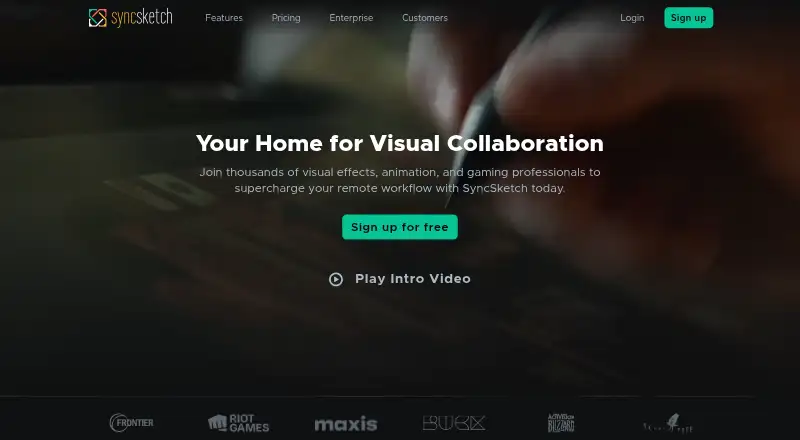
SyncSketch is a browser-based visual collaboration platform for artists, animators, visual-effects professionals, game teams, students, and educators. It brings video, images, 360-degree content, and 3D models into review workflows with frame- and timecode-linked comments, timeline markers, drawing tools, review statuses, and shareable links. Its strongest fit is for teams that need structured visual feedback rather than a general-purpose file-sharing workspace.
The pricing structure starts with the free, non-commercial Light plan, which includes 1 GB of storage, 2 GB of uploads per calendar month, a maximum of five seats, and up to two projects. The 14-day free trial provides another way to evaluate the service. The Indie plan expands capacity to 15 seats, 50 GB of storage, unlimited projects, and 100 GB of uploads per calendar month. Team and enterprise-oriented options extend the product beyond these published plan limits, with enterprise features including SSO, enhanced security controls, custom storage, and API access. Buyer priorities should determine the tier: Light suits limited non-commercial work, while larger or commercial workflows need a paid option.
SyncSketch’s main differentiator is the depth of its review workflow. Synchronized real-time sessions, approval assignments, A/B and side-by-side comparisons, presentation mode, and deep links to specific frames or comments support collaborative review across production stages. Integrations with Autodesk Flow Production Tracking, Atlassian Jira, Autodesk Maya, Unity, and the Python API help it fit animation, visual-effects, and game pipelines. Teams needing 3D review and production-tool connections should consider SyncSketch; those seeking a simpler video-only review tool may not need its broader workflow features.
Your product? Our editors can test SyncSketch in depth and publish a review, labelled as paid · from $149/mo →
SyncSketch pricing
All 2 SyncSketch plans and prices →
SyncSketch fact sheet
| Free plan | Yes |
|---|---|
| Paid from | Not verified |
| Time-coded comments | Yes |
| Approval workflows | Yes |
| Version comparison | Yes |
| Guest reviewers | Not verified |
| Reviewer roles | Custom |
| NLE integrations | Yes |
| Free trial | 14 days |
| Deployment | Cloud, Browser extension |
| Platforms | Web |
| Compliance & security | SOC 2, SSO/SAML, 2FA |
| Support | Email, Tickets, Docs |
| Built for | Solo, Small business, Mid-market, Enterprise (editorial estimate) |
| Integrations | 5 integrations: Autodesk Flow Production Tracking, Atlassian Jira, Autodesk Maya, Unity, Python API See all → |
| Pricing | Free plan · 14-day trial (source) |
| Website | syncsketch.com |
| Facts checked | 20 Sep 2026 |
SyncSketch integrations
SyncSketch lists 5 integrations on its own site.
- Autodesk Flow Production Tracking
- Atlassian Jira
- Autodesk Maya
- Unity
- Python API
See all SyncSketch integrations →
Alternatives to SyncSketch
- Dropbox ReplayA broad review workspace with a free plan, detailed feedback, and editing-app integrations.9.2
- Frame.ioA strong fit for professional video teams that need precise reviews across major NLEs.8.8
- MediaSiloA secure media review hub with strong workflow, integration, and automation coverage.8.6



See all SyncSketch alternatives →
Also Ranked In
SyncSketch is ranked in 2 of our directories.
Used SyncSketch? Be the first to review it
The editor score above is our own research. What this page doesn't have yet is a reader's view — what you used SyncSketch for, what worked and what didn't. No stars are seeded and no review is paid for; an editor reads every one before it appears.
Write a reviewTwo minutes · verified accounts only · read by an editor before it appears
Featured on iTechGuides

SyncSketch is listed in our Video Review Software directory. Add the badge to your site — it links back to this page.
<a href="https://www.itechguides.com/products/syncsketch/"><img src="https://www.itechguides.com/best/badge/syncsketch.svg" alt="Featured on iTechGuides" width="230" height="46"></a>
Reviewed by iTechGuides Editors · Editorial team · Updated Oct 2026
Advertiser disclosure: iTechGuides is reader-supported. Vendors can pay for top positions in our rankings and for a place on other products' pages, and we may earn a commission when you click some links. Bought places stand at the number bought; this page and our disclosure say so. Paying vendors may get a fuller, more detailed review from our editors, and that review can change their score. How we rank.
Last updated · How we research and update