
Dropbox Replay
Dropbox Replay: A broad review workspace with a free plan, detailed feedback, and editing-app integrations. Ranked #1 of 36 in Video Review Software by our editors (9.2/10); pricing: Free plan; best for teams wanting broad review at a low price.
At a glance
- Editor score9.2 / 10
- PricingFree plan
- Best forTeams wanting broad review at a low price
- Free planYes
- Approval workflowsYes
- Founded2007 · San Francisco, California, United States
- Facts checked20 Sep 2026
Where it wins
- Free plan with time-coded comments and approval workflows
- Side-by-side version comparison and synchronized live review
- Integrates with six professional editing applications
Where it doesn't
- Paid Add-On requires a Plus or higher Dropbox plan
- Feature availability varies by plan
- Reviewer roles are basic
Our verdict on Dropbox Replay
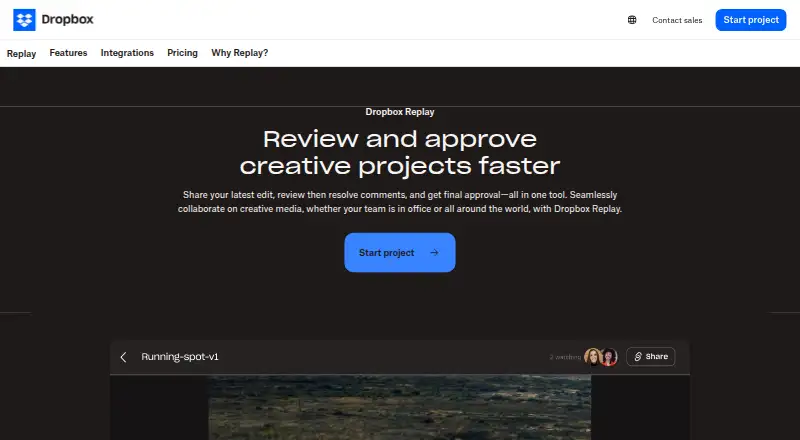
Dropbox Replay is a browser-based review and approval tool for video, audio, image, and PDF projects. It is designed for creative teams that need structured feedback without requiring reviewers to install special software or maintain a Dropbox account. Core review tools include time-coded and time-range comments, frame-by-frame feedback, on-screen markups, comment resolution, version tracking, approval statuses, and approved-file downloads. Replay is available on the web, Windows, and macOS.
Pricing is built around a free plan with limited features for Dropbox users, plus a Replay Add-On for Dropbox Plus or higher plans. According to the published plans, the Add-On costs $10 per user per month when billed annually, or $12 per user per month when billed monthly. Both paid options list premium Dropbox Replay features. Feature availability varies by plan, so teams should match their required review, approval, and export functions to the selected Dropbox subscription before choosing a paid tier.
Replay’s strongest fit is a production workflow that needs precise feedback and a clear record of revisions. It supports synchronized live review sessions, side-by-side video version comparison, previous-version comments, pinned and labeled comments, reactions, and resolution. Comment exports are available in XML, FCP XML, JSON, CSV, plain text, and Avid formats. Integrations cover Adobe After Effects, Adobe Premiere Pro, Avid Pro Tools, DaVinci Resolve, Apple Final Cut Pro, and LumaFusion. Teams working across these applications should find the workflow alignment useful; teams needing more advanced reviewer roles or functionality outside Dropbox’s plan structure should consider alternatives.
Your product? Our editors can test Dropbox Replay in depth and publish a review, labelled as paid · from $149/mo →
Dropbox Replay pricing
All 1 Dropbox Replay plans and prices →
Dropbox Replay fact sheet
| Free plan | Yes |
|---|---|
| Paid from | Not verified |
| Time-coded comments | Yes |
| Approval workflows | Yes |
| Version comparison | Yes |
| Guest reviewers | Yes |
| Reviewer roles | Basic |
| NLE integrations | Yes |
| Deployment | Cloud, Desktop, Mobile |
| Platforms | Web, Windows, macOS |
| Compliance & security | SOC 2, ISO 27001, GDPR, HIPAA |
| Support | Tickets, Community, Docs |
| Built for | Solo, Small business, Mid-market, Enterprise (editorial estimate) |
| Integrations | 6 integrations: Adobe After Effects, Adobe Premiere Pro, Avid Pro Tools, DaVinci Resolve, Apple Final Cut Pro, LumaFusion See all → |
| Pricing | Free plan (source) |
| Website | dropbox.com |
| Facts checked | 20 Sep 2026 |
Dropbox Replay integrations
Dropbox Replay lists 6 integrations on its own site.
- Adobe After Effects
- Adobe Premiere Pro
- Avid Pro Tools
- DaVinci Resolve
- Apple Final Cut Pro
- LumaFusion
See all Dropbox Replay integrations →
Alternatives to Dropbox Replay
- Frame.ioA strong fit for professional video teams that need precise reviews across major NLEs.8.8
- MediaSiloA secure media review hub with strong workflow, integration, and automation coverage.8.6
- WipsterAffordable review workflows with timecoded feedback, approvals, and task tracking.8.5



See all Dropbox Replay alternatives →
Dropbox Replay vs the competition
- Dropbox Replay vs Frame.io
- Dropbox Replay vs MediaSilo
- Dropbox Replay vs Wipster
- Dropbox Replay vs Krock.io
- Dropbox Replay vs ftrack Review
- Dropbox Replay vs ReviewStudio



Compare Dropbox Replay with any tool side by side →
Also Ranked In
Dropbox Replay is ranked in 3 of our directories.
Used Dropbox Replay? Be the first to review it
The editor score above is our own research. What this page doesn't have yet is a reader's view — what you used Dropbox Replay for, what worked and what didn't. No stars are seeded and no review is paid for; an editor reads every one before it appears.
Write a reviewTwo minutes · verified accounts only · read by an editor before it appears
Featured on iTechGuides

Dropbox Replay is listed in our Video Review Software directory. Add the badge to your site — it links back to this page.
<a href="https://www.itechguides.com/products/dropbox-replay/"><img src="https://www.itechguides.com/best/badge/dropbox-replay.svg" alt="Featured on iTechGuides" width="230" height="46"></a>
Reviewed by iTechGuides Editors · Editorial team · Updated Oct 2026
Advertiser disclosure: iTechGuides is reader-supported. Vendors can pay for top positions in our rankings and for a place on other products' pages, and we may earn a commission when you click some links. Bought places stand at the number bought; this page and our disclosure say so. Paying vendors may get a fuller, more detailed review from our editors, and that review can change their score. How we rank.
Last updated · How we research and update