
SurfaBeam Pro
SurfaBeam Pro: A flexible, mobile-friendly mapper for casual live visuals, with limits for professional installations. Ranked #18 of 24 in Projection Mapping Software by our editors (7.5/10); pricing: Free plan; best for mobile-friendly casual projection mapping.
At a glance
- Editor score7.5 / 10
- PricingFree plan
- Best forMobile-friendly casual projection mapping
- Free planYes
- 3D mappingYes
- Facts checked20 Sep 2026
Where it wins
- Runs across Windows, macOS, iOS, and Android
- Supports multi-surface mapping with independent media and masks
- Includes tracking, calibration, timelines, and export tools
Where it doesn't
- No edge blending for multi-projector installations
- No control protocols for broader show-system integration
- Free use includes watermarks and restricts saving and export
Our verdict on SurfaBeam Pro
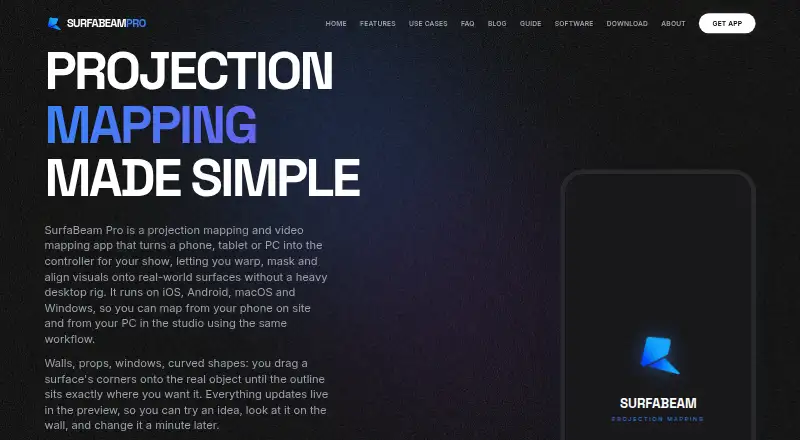
SurfaBeam Pro is projection-mapping software for digital artists, creators, DJs, event professionals, installers, and hobbyists. It combines computer and mobile support with tools for defining projection surfaces, warping content around curved or irregular objects, applying masks, importing media, and controlling playback in real time. Its cross-platform coverage makes it a practical fit for casual live visual setups where portability matters.
The freemium structure gives users access to mapping features without an upfront payment. The free tier includes watermarking and restrictions on project saving and export. Pro Lifetime removes the watermark and entry gate, and unlocks project save and load plus export. The product also offers Monthly, Quarterly, and Yearly Pro options. This makes the free tier suitable for exploring the workflow, while paid access is more appropriate for projects that need reusable files or clean output.
SurfaBeam Pro covers a broad set of creative functions: corner-pin and Bezier warping, multi-surface media, custom polygon and image-based masks, camera calibration, live hand, body, and object tracking, a 12-mode music visualizer, timeline editing, and still or Pro video/project export. AirPlay, Chromecast, USB-C to HDMI, and Lightning to HDMI support extend its playback options. However, one projection output, no edge blending, and no control protocols limit its fit for larger professional installations. It supports a 3D sphere surface, but not true 3D-model projection from a virtual camera. Choose it for mobile-friendly mapping and compact live visuals; choose an alternative when installation depth, multi-projector blending, or show-control integration is central.
Questions about SurfaBeam Pro
What does SurfaBeam Pro run on? Windows, macOS, iOS and Android. It runs as a desktop app and as a mobile app.
What does SurfaBeam Pro integrate with? 4 integrations: AirPlay, Chromecast, USB-C to HDMI and Lightning to HDMI.
Who is SurfaBeam Pro built for? Solo users, small businesses and mid-market companies (our editorial estimate).
Your product? Our editors can test SurfaBeam Pro in depth and publish a review, labelled as paid · from $149/mo →
SurfaBeam Pro pricing
All 1 SurfaBeam Pro plans and prices →
SurfaBeam Pro fact sheet
| Free plan | Yes |
|---|---|
| Paid from | Not verified |
| Workflow | Hybrid |
| Projection outputs | 1 outputs |
| Edge blending | No |
| Live video input | Yes |
| 3D mapping | Yes |
| Control protocols | None |
| Deployment | Desktop, Mobile |
| Platforms | Windows, macOS, iOS, Android |
| Support | Email, Docs |
| Built for | Solo, Small business, Mid-market (editorial estimate) |
| Integrations | 4 integrations: AirPlay, Chromecast, USB-C to HDMI, Lightning to HDMI |
| Pricing | Free plan (source) |
| Website | surfabeam.com |
| Facts checked | 20 Sep 2026 |
SurfaBeam Pro integrations
SurfaBeam Pro lists 4 integrations on its own site.
- AirPlay
- Chromecast
- USB-C to HDMI
- Lightning to HDMI
Alternatives to SurfaBeam Pro
- VIOSOA broad professional toolkit for planning, aligning, controlling, and playing projection shows.9.4
- Christie MystiqueA focused choice for automating alignment and projection mapping across Christie systems.9.3
- ScreenberryA broad, control-focused choice for projection mapping and live visual shows.9.1



See all SurfaBeam Pro alternatives →
Used SurfaBeam Pro? Be the first to review it
The editor score above is our own research. What this page doesn't have yet is a reader's view — what you used SurfaBeam Pro for, what worked and what didn't. No stars are seeded and no review is paid for; an editor reads every one before it appears.
Write a reviewTwo minutes · verified accounts only · read by an editor before it appears
Featured on iTechGuides

SurfaBeam Pro is listed in our Projection Mapping Software directory. Add the badge to your site — it links back to this page.
<a href="https://www.itechguides.com/products/surfabeam-pro/"><img src="https://www.itechguides.com/best/badge/surfabeam-pro.svg" alt="Featured on iTechGuides" width="230" height="46"></a>
Reviewed by iTechGuides Editors · Editorial team · Updated Nov 2026
Advertiser disclosure: iTechGuides is reader-supported. Vendors can pay for top positions in our rankings and for a place on other products' pages, and we may earn a commission when you click some links. Bought places stand at the number bought; this page and our disclosure say so. Paying vendors may get a fuller, more detailed review from our editors, and that review can change their score. How we rank.
Last updated · How we research and update