
Subtitle AI
Subtitle AI: A professional subtitle workspace with 120-language translation and extensive production controls. Ranked #22 of 99 in AI Video Caption Generators by our editors (5.8/10); pricing: Free plan; best for professional subtitle production teams.
At a glance
- Editor score5.8 / 10
- PricingFree plan
- Best forProfessional subtitle production teams
- Free planYes
- Paid from$15/mo
- Caption stylingYes
- Facts checked19 Sep 2026
Where it wins
- Transcribes and translates subtitles into 120 languages
- Detailed timing, styling, positioning, and formatting controls
- Exports professional formats or burns subtitles into video
Where it doesn't
- Free and Creator plans limit files to one translation
- Free files are limited to 30 minutes
- Team collaboration starts at the $49 monthly Team plan
Our verdict on Subtitle AI
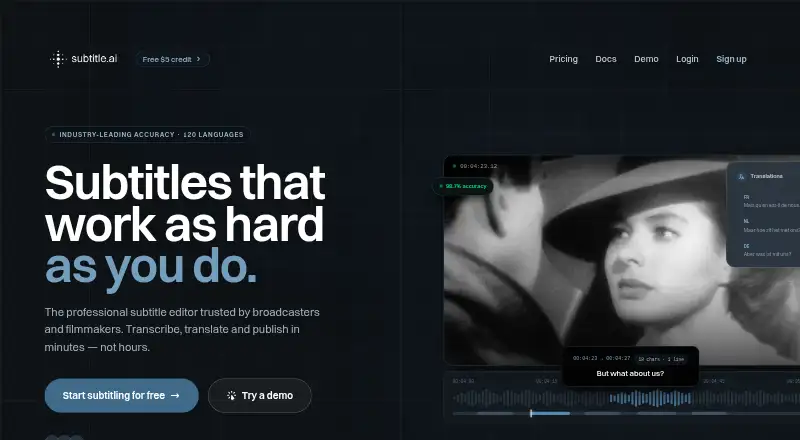
Subtitle AI is a web-based subtitle editor for broadcasters, filmmakers, and content teams. It combines AI transcription for audio and video with timecoded subtitle generation, translation into 120 languages, professional formatting, and editing controls for splitting, merging, timing, positioning, and styling. Users can export SRT, VTT, EBU-STL, STL, WebVTT, DOCX, TXT, CSV, JSON, and XML files, or render subtitles directly into video.
The plan structure covers solo work through larger production operations. Free includes 30-minute files, one translation per file, AI-assisted transcription and translation, and SRT, VTT, and video export. Creator costs $15 per month and raises the maximum file duration to 60 minutes. Team costs $49 per month, supports up to 5 team members, allows 3-hour files, adds unlimited translations, custom vocabularies and styles, live subtitling, and revision control. Pro costs $99 per month, supports up to 10 team members, adds API access, permits 5-hour files, and includes a training opt-out. Enterprise costs $199 per month and adds unlimited team members, custom vocabularies and styles, and a dedicated account manager and SLA.
Its strongest fit is professional subtitle production that needs more than basic caption generation. Keyboard shortcut editing, bulk operations, auto-chaptering, highlight extraction, revision control, burn-in rendering, and broad export support address recurring editorial and delivery work. The web and API platforms also suit teams that need browser-based editing or Pro-level integration access. Solo creators can start at no cost, but the one-translation rule and file-duration limits may matter for multilingual or long-form work. Choose Subtitle AI when detailed subtitle control and production workflow support are priorities; choose another option when basic captions are sufficient and these controls are unnecessary.
Your product? Our editors can test Subtitle AI in depth and publish a review, labelled as paid · from $149/mo →
Subtitle AI pricing
All 5 Subtitle AI plans and prices →
Subtitle AI fact sheet
| Free plan | Yes |
|---|---|
| Paid from | $15/mo |
| Max video length | 60 minutes |
| Caption languages | 120 languages |
| Caption styling | Yes |
| Subtitle export | Srt and vtt |
| Burn-in captions | Yes |
| Speaker identification | Yes |
| Brand caption presets | Not verified |
| Deployment | Cloud |
| Platforms | Web |
| Pricing | Free plan (source) |
| Website | subtitle.ai |
| Facts checked | 19 Sep 2026 |
Alternatives to Subtitle AI
- WhisperA flexible local transcription engine, but not a complete caption-editing product.9.2
- CaptionHubA workflow-rich caption and localization platform for enterprise video teams.8.8
- SubmagicAn all-in-one caption editor with styling, text editing, B-roll, and publishing tools.8.7


See all Subtitle AI alternatives →
Used Subtitle AI? Be the first to review it
The editor score above is our own research. What this page doesn't have yet is a reader's view — what you used Subtitle AI for, what worked and what didn't. No stars are seeded and no review is paid for; an editor reads every one before it appears.
Write a reviewTwo minutes · verified accounts only · read by an editor before it appears
Featured on iTechGuides

Subtitle AI is listed in our AI Video Caption Generators directory. Add the badge to your site — it links back to this page.
<a href="https://www.itechguides.com/products/subtitle-ai/"><img src="https://www.itechguides.com/best/badge/subtitle-ai.svg" alt="Featured on iTechGuides" width="230" height="46"></a>
Reviewed by iTechGuides Editors · Editorial team · Updated Oct 2026
Advertiser disclosure: iTechGuides is reader-supported. Vendors can pay for top positions in our rankings and for a place on other products' pages, and we may earn a commission when you click some links. Bought places stand at the number bought; this page and our disclosure say so. Paying vendors may get a fuller, more detailed review from our editors, and that review can change their score. How we rank.
Last updated · How we research and update