
SubFlow AI
SubFlow AI: A low-cost captioning tool with 99+ language translation and Pro voiceover dubbing. Ranked #34 of 99 in AI Video Caption Generators by our editors (4.3/10); pricing: Free plan; best for creators needing affordable multilingual captions.
At a glance
- Editor score4.3 / 10
- PricingFree plan
- Best forCreators needing affordable multilingual captions
- Free planYes
- Paid from$2.99/mo
- Caption stylingYes
- Facts checked22 Sep 2026
Where it wins
- Transcribes speech into timed captions and translates into 99+ languages
- Bilingual editor supports caption text and timing changes
- Exports SRT, VTT, or video with burned-in captions
Where it doesn't
- Free video exports include a watermark
- AI voiceover dubbing is limited to the Pro plan
- Available on web and Android, not a broad desktop app range
Our verdict on SubFlow AI
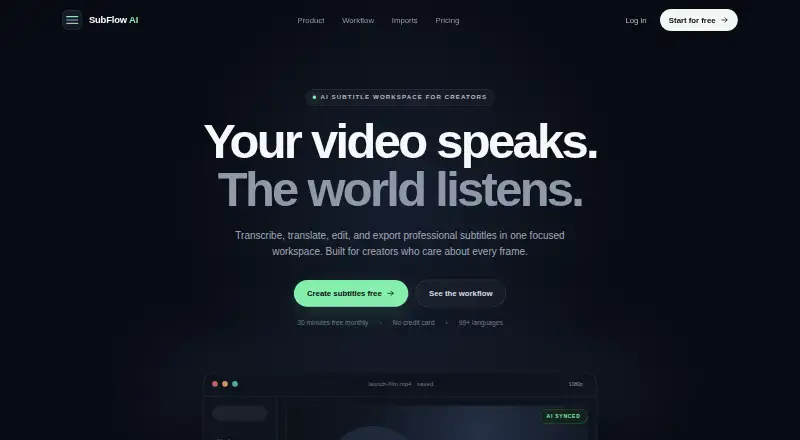
SubFlow AI is a web and Android video-subtitling tool for creators who need to turn speech into timed captions, translate subtitles, and export finished files or captioned video. Its bilingual editor brings translated and original subtitles together, while styling controls cover colors, size, position, outline, and canvas presets. It fits solo creators and small teams looking for an affordable captioning workflow, particularly when multilingual output matters more than a large editing suite.
The published plans show a free tier with 99+ languages, SRT export, and watermarked video export. Basic costs $2.99 per month and removes the export watermark while adding Full HD video export. Pro costs $9.99 per month and adds AI voiceover dubbing, priority processing, and H.265 export. All prices are monthly USD; the vendor says regional prices may vary and Google Play displays purchase pricing. This tier structure makes it possible to start without paying, though creators who need clean video exports must move to Basic, and those seeking dubbed audio need Pro.
SubFlow accepts video and audio uploads and supports workflows for content from Google Drive, Dropbox, TikTok, and Instagram. Caption timing and text can be edited, and subtitles can be exported as SRT or VTT or burned into the video image. Those options make it suitable for creators repurposing content across languages and social channels. The listed maximum video length is 60, so it may not suit workflows requiring longer source videos. Choose it for economical subtitle translation and direct captioned exports; consider another tool if you need a wider platform range or a workflow centered on longer videos.
Your product? Our editors can test SubFlow AI in depth and publish a review, labelled as paid · from $149/mo →
SubFlow AI pricing
All 3 SubFlow AI plans and prices →
SubFlow AI fact sheet
| Free plan | Yes |
|---|---|
| Paid from | $2.99/mo |
| Max video length | 60 minutes |
| Caption languages | Not verified |
| Caption styling | Yes |
| Subtitle export | Other formats |
| Burn-in captions | Yes |
| Speaker identification | Not verified |
| Brand caption presets | Not verified |
| Deployment | Cloud, Mobile |
| Platforms | Web, Android |
| Support | Email, Docs |
| Built for | Solo, Small business (editorial estimate) |
| Integrations | 4 integrations: Google Drive, Dropbox, TikTok, Instagram |
| Pricing | Free plan (source) |
| Website | speaksubtitle.com |
| Facts checked | 22 Sep 2026 |
SubFlow AI integrations
SubFlow AI lists 4 integrations on its own site.
- Google Drive
- Dropbox
- TikTok
Alternatives to SubFlow AI
- WhisperA flexible local transcription engine, but not a complete caption-editing product.9.2
- CaptionHubA workflow-rich caption and localization platform for enterprise video teams.8.8
- SubmagicAn all-in-one caption editor with styling, text editing, B-roll, and publishing tools.8.7


See all SubFlow AI alternatives →
Used SubFlow AI? Be the first to review it
The editor score above is our own research. What this page doesn't have yet is a reader's view — what you used SubFlow AI for, what worked and what didn't. No stars are seeded and no review is paid for; an editor reads every one before it appears.
Write a reviewTwo minutes · verified accounts only · read by an editor before it appears
Featured on iTechGuides

SubFlow AI is listed in our AI Video Caption Generators directory. Add the badge to your site — it links back to this page.
<a href="https://www.itechguides.com/products/subflow-ai/"><img src="https://www.itechguides.com/best/badge/subflow-ai.svg" alt="Featured on iTechGuides" width="230" height="46"></a>
Reviewed by iTechGuides Editors · Editorial team · Updated Oct 2026
Advertiser disclosure: iTechGuides is reader-supported. Vendors can pay for top positions in our rankings and for a place on other products' pages, and we may earn a commission when you click some links. Bought places stand at the number bought; this page and our disclosure say so. Paying vendors may get a fuller, more detailed review from our editors, and that review can change their score. How we rank.
Last updated · How we research and update