
StreamStudio.ai
StreamStudio.ai: A low-cost browser studio combining multitrack recording, video, clips, and livestreaming. Ranked #8 of 22 in Podcast Recording Software by our editors (8.6/10); pricing: Free plan; best for low-cost video podcasters and livestreamers.
At a glance
- Editor score8.6 / 10
- PricingFree plan
- Best forLow-cost video podcasters and livestreamers
- Free planYes
- Paid from$9/mo
- Separate participant tracksYes
- Facts checked21 Sep 2026
Where it wins
- Separate audio tracks for multi-guest recordings
- 4K video, captions, transcripts, and AI clip finding
- Livestreams to YouTube, Twitch, Facebook Live, and RTMP
Where it doesn't
- Free plan is limited to 5 recordings and 30 minutes
- Recording limits and export options vary by plan
- Browser-only workflow may not suit desktop-first teams
Our verdict on StreamStudio.ai
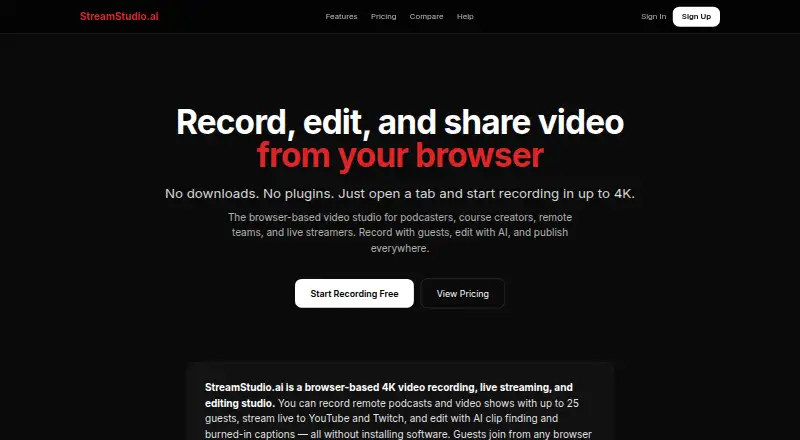
StreamStudio.ai is a browser-based recording and streaming studio for podcasters, course creators, remote teams, and livestreamers. It supports multi-guest sessions with separate participant audio tracks, video recording up to 4K, browser-based guest access, editing, captions, transcripts with speaker labels, and exports in vertical and square formats. Guests can join through a browser link without downloading software or creating an account, making it suited to remote interviews and creator-led production.
The freemium pricing structure gives buyers a clear entry point. The Free plan costs $0 per month and includes 5 recordings, 720p video, and a 30-minute limit. Creator costs $9 per month and adds 1080p, 20 recordings, and vertical export. Pro costs $19 per month with unlimited recordings, 1080p video, a 2-hour limit, AI clips, and team workspaces. Studio costs $29 per month and adds 4K recording, a 4-hour limit, live streaming, analytics, and a watermark. The plan progression fits users who want to start free and add capacity or production features as their workflow grows.
Its broader appeal comes from combining recording, post-production, and distribution in one browser workflow. Built-in trimming, cutting, noise reduction, caption burning, silence removal, video-region blur, and transcript exports support repurposing episodes into shorter content. Live streaming connects with YouTube, Twitch, Facebook Live, and custom RTMP destinations. StreamStudio.ai is a strong fit for creators who value guest access without downloads, separate tracks, and video-first publishing at a low monthly price. Buyers seeking a desktop application or a workflow centered on platforms beyond its listed integrations should consider a different tool.
Your product? Our editors can test StreamStudio.ai in depth and publish a review, labelled as paid · from $149/mo →
StreamStudio.ai pricing
All 4 StreamStudio.ai plans and prices →
StreamStudio.ai fact sheet
| Free plan | Yes |
|---|---|
| Paid from | $9/mo |
| Separate participant tracks | Yes |
| Local recording | Not verified |
| Maximum participants | Not verified |
| Audio export format | Not verified |
| Video recording | Yes |
| Automatic transcription | Yes |
| Recording platform | Browser |
| Deployment | Cloud |
| Platforms | Web |
| Support | Email, Docs |
| Built for | Solo, Small business, Mid-market (editorial estimate) |
| Integrations | 4 integrations: YouTube, Twitch, Facebook Live, RTMP |
| Pricing | Free plan (source) |
| Website | streamstudio.ai |
| Facts checked | 21 Sep 2026 |
StreamStudio.ai integrations
StreamStudio.ai lists 4 integrations on its own site.
- YouTube
- Twitch
- Facebook Live
- RTMP
Alternatives to StreamStudio.ai
- RiversideA full recording-to-publishing workspace for creators who want polished remote production.9.4
- Adobe PodcastA capable browser studio for remote recording and AI-assisted podcast editing.9.2
- AsyncA full podcast workflow with a free plan and scalable recording, editing, and AI tools.9.1



See all StreamStudio.ai alternatives →
StreamStudio.ai vs the competition
- StreamStudio.ai vs Riverside
- StreamStudio.ai vs Adobe Podcast
- StreamStudio.ai vs Zencastr
- StreamStudio.ai vs Boomcaster
- StreamStudio.ai vs Alitu
- StreamStudio.ai vs Hilite




Compare StreamStudio.ai with any tool side by side →
Also Ranked In
StreamStudio.ai is ranked in 4 of our directories.
Used StreamStudio.ai? Be the first to review it
The editor score above is our own research. What this page doesn't have yet is a reader's view — what you used StreamStudio.ai for, what worked and what didn't. No stars are seeded and no review is paid for; an editor reads every one before it appears.
Write a reviewTwo minutes · verified accounts only · read by an editor before it appears
Featured on iTechGuides

StreamStudio.ai is listed in our Podcast Recording Software directory. Add the badge to your site — it links back to this page.
<a href="https://www.itechguides.com/products/streamstudio-ai/"><img src="https://www.itechguides.com/best/badge/streamstudio-ai.svg" alt="Featured on iTechGuides" width="230" height="46"></a>
Reviewed by iTechGuides Editors · Editorial team · Updated Oct 2026
Advertiser disclosure: iTechGuides is reader-supported. Vendors can pay for top positions in our rankings and for a place on other products' pages, and we may earn a commission when you click some links. Bought places stand at the number bought; this page and our disclosure say so. Paying vendors may get a fuller, more detailed review from our editors, and that review can change their score. How we rank.
Last updated · How we research and update