SSuite WordGraph
SSuite WordGraph: A capable free option for Windows documents, with focused cloud access and export tools. Ranked #39 of 45 in Word Processing Software by our editors (5.4/10); pricing: Free plan; best for free Windows document creation with cloud access.
At a glance
- Editor score5.4 / 10
- PricingFree plan
- Best forFree Windows document creation with cloud access
- Free planYes
- Paid fromFree
- Desktop appsYes
- Facts checked21 Sep 2026
Where it wins
- Creates structured documents with tables, charts, indexes, and bibliographies
- Exports documents to PDF and multiple image formats
- Portable Windows edition avoids installation requirements
Where it doesn't
- Windows desktop coverage limits its primary desktop reach
- Dropbox and OneDrive are the listed integrations
- Collaboration and review capabilities are limited
Our verdict on SSuite WordGraph
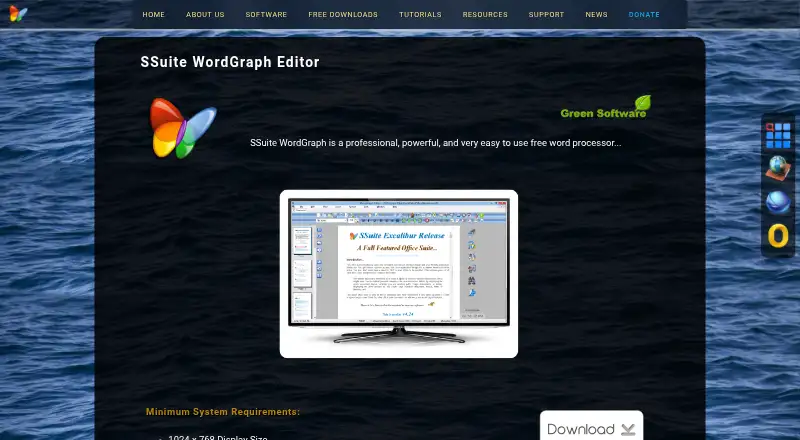
SSuite WordGraph is a free word-processing application for creating, editing, viewing, and formatting documents. It is aimed at Windows users producing correspondence, reports, books, and other structured documents without a paid plan. Its feature set includes graphics, tables, charts, indexes, bibliographies, embedded spreadsheets, tabbed document interfaces, thumbnail previews, WordArt, and mathematical equations. Spell checking includes seven language dictionaries, while a portable edition provides a way to work without installation. An online edition is also available alongside the Windows application.
The Free plan covers word processing, PDF export, and the Windows desktop application. Document export extends beyond PDF to PNG, GIF, JPG, BMP, EMF, and TIFF, which suits workflows that need shareable documents or image-based outputs. Direct access to Dropbox and OneDrive adds a practical cloud-storage connection, but the integration scope is narrow. Users who primarily need document creation, formatting, and file export will find the plan aligned with those tasks; teams seeking a broader connected workspace should look elsewhere.
WordGraph’s strongest distinction is its breadth of document-production tools within a free application. Structured content such as indexes and bibliographies makes it more suitable for longer or formal documents than a basic text editor, while the portable edition can simplify use across Windows environments. The main trade-off is its Windows-centered desktop coverage and limited collaboration and review positioning. Choose it for no-cost document authoring with cloud access and multiple export formats. Choose an alternative if real-time teamwork, extensive integrations, or a wider desktop platform range is central to the workflow.
Your product? Our editors can test SSuite WordGraph in depth and publish a review, labelled as paid · from $149/mo →
SSuite WordGraph pricing
All 1 SSuite WordGraph plans and prices →
SSuite WordGraph fact sheet
| Free plan | Yes |
|---|---|
| Paid from | Free |
| Desktop apps | Yes |
| Offline editing | Not verified |
| Real-time collaboration | Not verified |
| Track changes | Not verified |
| Desktop platforms | Windows |
| Maximum document size | Not verified |
| Deployment | Desktop |
| Platforms | Web, Windows |
| Support | Docs |
| Built for | Solo, Small business (editorial estimate) |
| Integrations | 2 integrations: Dropbox, OneDrive |
| Pricing | Free plan (source) |
| Website | ssuiteoffice.com |
| Facts checked | 21 Sep 2026 |
SSuite WordGraph integrations
SSuite WordGraph lists 2 integrations on its own site.
- Dropbox
- OneDrive
Alternatives to SSuite WordGraph
- Microsoft WordA complete word processor with strong collaboration, review, accessibility, and Microsoft ecosystem support.9.4
- Google DocsA strong browser-first word processor for teams that edit documents together.9.2
- Zoho WriterA broad free word processor for teams needing cross-platform editing and workflow features.9.0


See all SSuite WordGraph alternatives →
Used SSuite WordGraph? Be the first to review it
The editor score above is our own research. What this page doesn't have yet is a reader's view — what you used SSuite WordGraph for, what worked and what didn't. No stars are seeded and no review is paid for; an editor reads every one before it appears.
Write a reviewTwo minutes · verified accounts only · read by an editor before it appears
Featured on iTechGuides

SSuite WordGraph is listed in our Word Processing Software directory. Add the badge to your site — it links back to this page.
<a href="https://www.itechguides.com/products/ssuite-wordgraph/"><img src="https://www.itechguides.com/best/badge/ssuite-wordgraph.svg" alt="Featured on iTechGuides" width="230" height="46"></a>
Reviewed by iTechGuides Editors · Editorial team · Updated Oct 2026
Advertiser disclosure: iTechGuides is reader-supported. Vendors can pay for top positions in our rankings and for a place on other products' pages, and we may earn a commission when you click some links. Bought places stand at the number bought; this page and our disclosure say so. Paying vendors may get a fuller, more detailed review from our editors, and that review can change their score. How we rank.
Last updated · How we research and update