Splittable
Splittable: A focused iOS tool for splitting receipts, group costs, and shared balances. Ranked #175 of 181 in Personal Finance Software by our editors (3.0/10); pricing: Free plan; best for groups splitting shared bills.
At a glance
- Editor score3.0 / 10
- PricingFree plan
- Best forGroups splitting shared bills
- Free planYes
- Facts checked22 Sep 2026
Where it wins
- AI receipt scanning with item-level assignment
- Handles tips, service charges, tax, currencies, and exchange rates
- Tracks individual balances, payments, and amounts owed
Where it doesn't
- Focused on bill splitting rather than full personal finance
- Available on iOS
- Premium is required for ad removal and unlimited AI scans
Our verdict on Splittable
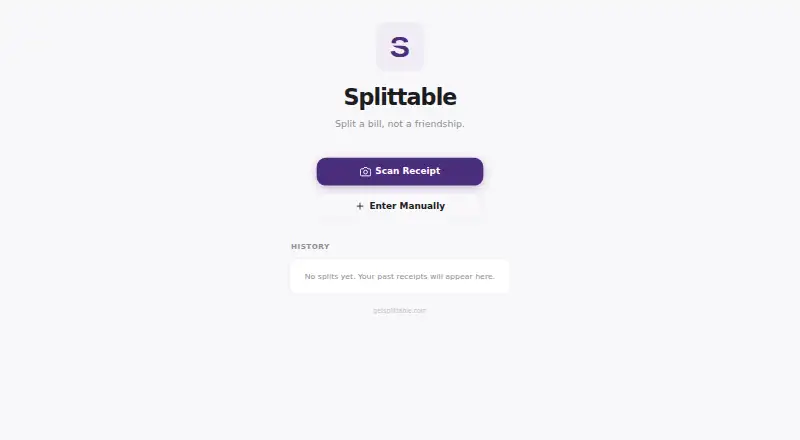
Splittable is a mobile bill-splitting app for friends, couples, flatmates, colleagues, and travel groups. It is designed for shared meals, drinks, takeaways, and other group expenses. The free app supports receipt and group bill splitting, with options to divide costs evenly or assign individual items to specific people. It also calculates individual balances and tracks who paid and who owes, making it suited to small groups that need a clear record after shared spending.
Its standout feature is the combination of AI receipt scanning and detailed cost allocation. Users can account for tips, service charges, and tax, then assign items to people instead of dividing the whole receipt equally. Multiple currencies and live exchange rates extend the workflow to travel groups and other expenses involving different currencies. Expense groups provide a way to organize shared spending across recurring or ongoing activities.
The published plans show a free tier and Splittable Premium. Premium removes ads and adds unlimited AI-powered receipt scans, while receipt and group bill splitting are available in the free app. Splittable is a narrow utility rather than a comprehensive personal-finance product: its focus is recording and settling shared expenses, not broader budgeting or net-worth management. Choose it for straightforward group bill coordination on iOS; choose another type of personal-finance app if you need wider financial planning features.
Questions about Splittable
Does Splittable have a free plan? Yes, there is a free plan.
What does Splittable run on? iOS. It runs as a mobile app.
Who is Splittable built for? Solo users and small businesses (our editorial estimate).
Your product? Our editors can test Splittable in depth and publish a review, labelled as paid · from $149/mo →
Splittable pricing
All 2 Splittable plans and prices →
Splittable fact sheet
| Free plan | Yes |
|---|---|
| Paid from | Not verified |
| Budgeting tools | Not verified |
| Bill tracking | Not verified |
| Net-worth tracking | Not verified |
| Account sync | Not verified |
| Report export | Not verified |
| Mobile apps | Ios |
| Deployment | Mobile |
| Platforms | iOS |
| Support | |
| Built for | Solo, Small business (editorial estimate) |
| Pricing | Free plan (source) |
| Website | getsplittable.com |
| Facts checked | 22 Sep 2026 |
Alternatives to Splittable
- QuickenA mature all-around finance suite with broad tracking, reporting, and account-update tools.9.3
- SoFiA broad free toolkit for budgeting, account tracking, credit monitoring, and financial guidance.9.2
- GnuCashA capable free desktop ledger for detailed accounting, budgeting, and investments.9.1



See all Splittable alternatives →
Used Splittable? Be the first to review it
The editor score above is our own research. What this page doesn't have yet is a reader's view — what you used Splittable for, what worked and what didn't. No stars are seeded and no review is paid for; an editor reads every one before it appears.
Write a reviewTwo minutes · verified accounts only · read by an editor before it appears
Featured on iTechGuides

Splittable is listed in our Personal Finance Software directory. Add the badge to your site — it links back to this page.
<a href="https://www.itechguides.com/products/splittable/"><img src="https://www.itechguides.com/best/badge/splittable.svg" alt="Featured on iTechGuides" width="230" height="46"></a>
Reviewed by iTechGuides Editors · Editorial team · Updated Nov 2026
Advertiser disclosure: iTechGuides is reader-supported. Vendors can pay for top positions in our rankings and for a place on other products' pages, and we may earn a commission when you click some links. Bought places stand at the number bought; this page and our disclosure say so. Paying vendors may get a fuller, more detailed review from our editors, and that review can change their score. How we rank.
Last updated · How we research and update