
SPListX for SharePoint
SPListX for SharePoint: A focused SharePoint export tool for administrators managing scheduled archives and migrations. Ranked #65 of 65 in Document Management Software by our editors (3.0/10); pricing: Pricing on request; best for sharePoint administrators needing scheduled exports.
At a glance
- Editor score3.0 / 10
- PricingPricing on request
- Best forSharePoint administrators needing scheduled exports
- Access control levelGranular
- Facts checked21 Sep 2026
Where it wins
- Exports content, metadata, permissions, attachments, and version histories
- Supports scheduled tasks through Windows Task Scheduler
- Preserves folder structures and selected file dates during export
Where it doesn't
- Windows-only platform limits access for macOS and mobile teams
- Focused on export and archiving rather than full document management
- Pricing requires contacting sales before purchase
Our verdict on SPListX for SharePoint
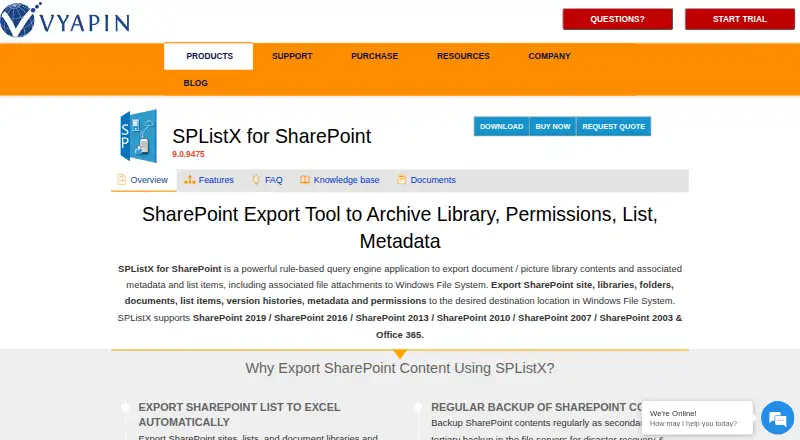
SPListX for SharePoint is Windows software for exporting and archiving SharePoint content. It is designed for SharePoint administrators and IT teams handling backup, migration, offline access, metadata analysis, and scheduled export tasks. The product can export sites, lists, libraries, folders, documents, list items, attachments, metadata, permissions, and version histories. Supported destinations include Windows file systems, local computers, file servers, network shares, and Azure Blob Storage.
Its strongest fit is structured, repeatable export work. Administrators can filter content through SharePoint columns or search results, combine multiple SharePoint lists in one task, and preserve source folder structures and selected file dates. Scheduling through Windows Task Scheduler, along with command-line and batch-file support, suits recurring operational jobs and scripted administration. Compatibility spans SharePoint Online and versions from SharePoint 2003 through SharePoint 2019, giving teams options across older and current environments.
Pricing follows a contact-sales model, while a trial download is available. SPListX makes sense for organizations that need detailed SharePoint exports with metadata, granular permissions, attachments, and version histories carried into files such as XML, CSV, or XLSX. Its scope is narrower than a general document management platform: it is not positioned around repository management, workflow, OCR, or mobile access. Teams seeking a focused Windows utility for scheduled SharePoint archiving, migration, or analysis should consider it; organizations wanting a broader collaborative document system should look elsewhere.
Your product? Our editors can test SPListX for SharePoint in depth and publish a review, labelled as paid · from $149/mo →
SPListX for SharePoint pricing
SPListX for SharePoint fact sheet
| Free plan | Not verified |
|---|---|
| Paid from | Not verified |
| Version history | Yes |
| Access control level | Granular |
| OCR | Not verified |
| Audit logs | Not verified |
| Storage limit | Not verified |
| Mobile apps | Not verified |
| Deployment | Desktop |
| Platforms | Windows |
| Support | Email, Live chat, Docs |
| Built for | Small business, Mid-market, Enterprise (editorial estimate) |
| Integrations | 11 integrations: SharePoint Online, SharePoint 2019, SharePoint 2016, SharePoint 2013, SharePoint 2010, SharePoint 2007 … |
| Pricing | Pricing on request (source) |
| Website | vyapinsoftware.com |
| Facts checked | 21 Sep 2026 |
SPListX for SharePoint integrations
SPListX for SharePoint lists 11 integrations on its own site.
- SharePoint Online
- SharePoint 2019
- SharePoint 2016
- SharePoint 2013
- SharePoint 2010
- SharePoint 2007
- SharePoint 2003
- Windows file system
- Windows file servers
- Network shares
- Azure Blob Storage
Alternatives to SPListX for SharePoint
- Microsoft SharePointA Microsoft-integrated document management platform with granular control and workflow automation.9.3
- BoxA wide cloud content workspace for teams that need storage, workflows, and administration.9.1
- OpenText Documentum Content ManagementA governed repository for large enterprises managing complex, regulated content.9.0


See all SPListX for SharePoint alternatives →
Used SPListX for SharePoint? Be the first to review it
The editor score above is our own research. What this page doesn't have yet is a reader's view — what you used SPListX for SharePoint for, what worked and what didn't. No stars are seeded and no review is paid for; an editor reads every one before it appears.
Write a reviewTwo minutes · verified accounts only · read by an editor before it appears
Featured on iTechGuides

SPListX for SharePoint is listed in our Document Management Software directory. Add the badge to your site — it links back to this page.
<a href="https://www.itechguides.com/products/splistx-for-sharepoint/"><img src="https://www.itechguides.com/best/badge/splistx-for-sharepoint.svg" alt="Featured on iTechGuides" width="230" height="46"></a>
Reviewed by iTechGuides Editors · Editorial team · Updated Oct 2026
Advertiser disclosure: iTechGuides is reader-supported. Vendors can pay for top positions in our rankings and for a place on other products' pages, and we may earn a commission when you click some links. Bought places stand at the number bought; this page and our disclosure say so. Paying vendors may get a fuller, more detailed review from our editors, and that review can change their score. How we rank.
Last updated · How we research and update