
Speaktor
Speaktor: A flexible narration tool for documents, video, podcasts, and teams. Ranked #134 of 222 in Text-to-Speech Software by our editors (3.0/10); pricing: Free plan; best for teams producing document, video, and podcast narration.
At a glance
- Editor score3.0 / 10
- PricingFree plan
- Best forTeams producing document, video, and podcast narration
- Free planYes
- Paid from$9.99/seat/mo
- Commercial useYes
- Facts checked20 Sep 2026
Where it wins
- Supports documents, multi-speaker audio, video, and podcast voiceovers
- Offers MP3, WAV, and SRT exports with speed, pitch, and emotion controls
- Runs on web, iOS, Android, and Chrome, with team and API options
Where it doesn't
- Lite includes 90 minutes of text-to-audio conversion per month
- Voice cloning for video dubbing starts on Pro and Team plans
- Full API access and custom workflows are limited to Enterprise
Our verdict on Speaktor
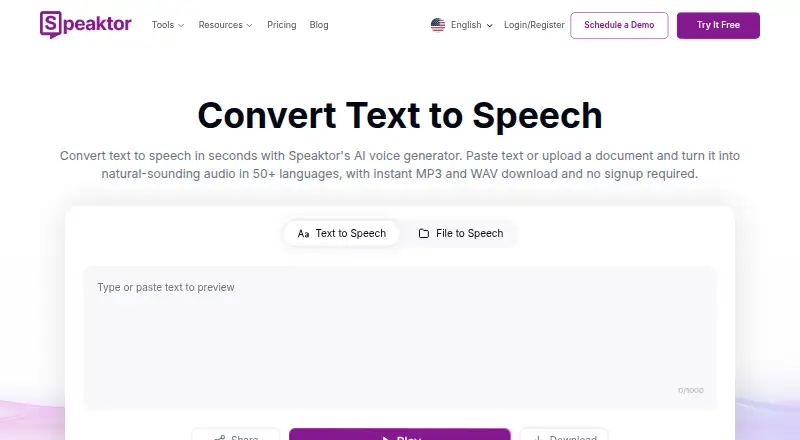
Speaktor converts written text and uploaded PDF, DOCX, and TXT files into spoken audio. It is aimed at content creators, educators, publishers, businesses, and accessibility use cases that need downloadable narration or voiceovers. Projects can include multiple speakers, adjustable speed, pitch, and emotion controls, plus video and podcast voiceovers. Commercial use is supported, and voice cloning is available for video dubbing on applicable paid plans.
Pricing is structured around monthly, per-seat plans. Lite costs $9.99 per seat per month and includes 90 minutes of text-to-audio conversion, 55+ languages, multi-speaker audio creation, MP3 or WAV export, and SRT subtitle export. Pro costs $24.99 per seat per month and raises the allowance to 600 minutes, adding video dubbing with voice cloning and Professional Pro voices. Team costs $30 per seat per month and includes 3,000 minutes per seat, team workspaces, centralized billing, and video dubbing with voice cloning. Enterprise offers flexible seats and credits, full API access, custom workflows, internal and external system integrations, and a dedicated customer success manager.
Platform coverage is a clear part of the product’s fit: Speaktor is available on the web, iOS, Android, and through a Chrome extension. The combination of document uploads, downloadable audio, SRT export, and voiceover tools suits teams moving between written content and media production. Team workspaces and centralized billing support shared use, while Enterprise extends the product into API-driven workflows. Choose Speaktor if your work spans narration formats and you value multiple access points. Consider an alternative if your priority is a lower paid conversion limit, or if you need API access without an Enterprise plan.
Your product? Our editors can test Speaktor in depth and publish a review, labelled as paid · from $149/mo →
Speaktor pricing
All 4 Speaktor plans and prices →
Speaktor fact sheet
| Free plan | Yes |
|---|---|
| Paid from | $9.99/seat/mo |
| Commercial use | Yes |
| Voice cloning | Yes |
| API access | Yes |
| Languages | Not verified |
| Maximum input | Not verified |
| Export formats | MP3, WAV |
| Platforms | web, ios, android, chrome_extension |
| Deployment | Cloud, Mobile, Browser extension |
| Platforms | Web, iOS, Android, Chrome extension |
| Compliance & security | SOC 2, GDPR |
| Support | |
| Built for | Solo, Small business, Mid-market, Enterprise (editorial estimate) |
| Pricing | Free plan (source) |
| Website | speaktor.com |
| Facts checked | 20 Sep 2026 |
Alternatives to Speaktor
- ElevenLabsAffordable voice cloning with multilingual generation, dubbing, streaming, and API access.9.4
- Google Cloud Text-to-SpeechA broad, API-only TTS service for developers building voice-enabled products.9.3
- Azure AI SpeechA broad, production-ready TTS platform for teams building voice applications.9.2


See all Speaktor alternatives →
Used Speaktor? Be the first to review it
The editor score above is our own research. What this page doesn't have yet is a reader's view — what you used Speaktor for, what worked and what didn't. No stars are seeded and no review is paid for; an editor reads every one before it appears.
Write a reviewTwo minutes · verified accounts only · read by an editor before it appears
Featured on iTechGuides

Speaktor is listed in our Text-to-Speech Software directory. Add the badge to your site — it links back to this page.
<a href="https://www.itechguides.com/products/speaktor/"><img src="https://www.itechguides.com/best/badge/speaktor.svg" alt="Featured on iTechGuides" width="230" height="46"></a>
Reviewed by iTechGuides Editors · Editorial team · Updated Oct 2026
Advertiser disclosure: iTechGuides is reader-supported. Vendors can pay for top positions in our rankings and for a place on other products' pages, and we may earn a commission when you click some links. Bought places stand at the number bought; this page and our disclosure say so. Paying vendors may get a fuller, more detailed review from our editors, and that review can change their score. How we rank.
Last updated · How we research and update