
Soya
Soya: A Mac-only assistant for local transcripts, structured notes, and meeting follow-ups. Ranked #27 of 29 in Meeting Assistant Software by our editors (6.1/10); pricing: Free plan; best for mac users wanting local meeting notes and exports.
At a glance
- Editor score6.1 / 10
- PricingFree plan
- Best forMac users wanting local meeting notes and exports
- Free planYes
- Paid from$90/yr
- Meeting captureDesktop
- Founded2025 · San Francisco Bay Area
- Facts checked23 Sep 2026
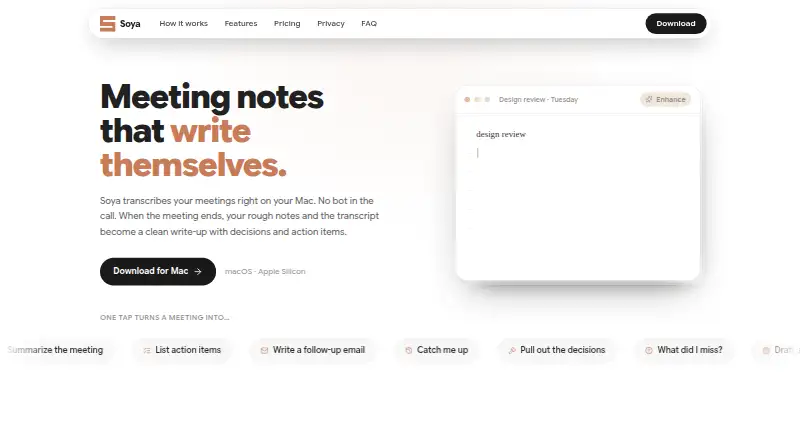
Where it wins
- Records and transcribes meetings on-device without a call bot
- Turns transcripts and typed notes into summaries, decisions, and actions
- Searches spoken content and drafts follow-ups, emails, and checklists
Where it doesn't
- Available only for Apple Silicon Macs
- Notion and Slack delivery, PDF export, and custom templates require Pro
- Pro starts at $9 per month
Our verdict on Soya
Soya is a Mac meeting assistant for people who want meeting transcripts and organized notes without sending a bot into the call. It records locally and transcribes on-device, then combines the transcript with notes typed during the meeting. Its write-ups include summaries, decisions, and action items; users can also search meetings by spoken content and ask questions about a meeting. That makes it a focused fit for solo users and small teams working on Apple Silicon Macs who want a local meeting archive and follow-up material.
The free plan includes local recording and transcription, AI-written meeting notes, unlimited local history, search, and calendar-aware titles. Soya Pro costs $9 per month or $90 per year. Both paid options add branded PDF export, AI follow-ups, custom note templates, and the ability to send notes to Notion and Slack. The free tier covers core capture and note organization; Pro is mainly for people who need export, customization, or delivery into those two services. The published plans distinguish these features clearly, so buyers can assess whether local history and notes are enough before paying.
Soya’s standout emphasis is the meeting record itself: it combines what was said with notes taken during the meeting, and makes that material searchable and queryable. Follow-up emails, checklists, and summaries extend that workflow beyond the transcript. The trade-off is platform scope: it is a desktop product for Apple Silicon Macs, with Notion and Slack as the named integrations. Choose Soya if local capture and structured notes are central to your Mac workflow; consider another assistant if you need a non-Mac platform or broader integration options.
Your product? Our editors can test Soya in depth and publish a review, labelled as paid · from $149/mo →
Soya pricing
Soya fact sheet
| Free plan | Yes |
|---|---|
| Paid from | $90/yr |
| Meeting capture | Desktop |
| AI action items | Yes |
| Decision capture | Yes |
| Speaker labels | Not verified |
| Included meetings | Not verified |
| CRM integrations | Not verified |
| Deployment | Desktop |
| Platforms | macOS |
| Support | |
| Built for | Solo, Small business (editorial estimate) |
| Integrations | 2 integrations: Notion, Slack |
| Pricing | Free plan (source) |
| Website | blendpixel.com |
| Facts checked | 23 Sep 2026 |
Soya integrations
Soya lists 2 integrations on its own site.
- Notion
- Slack
Alternatives to Soya
- Otter.aiA mature, budget-friendly notetaker with broad capture and workflow features.9.1
- FellowA broad meeting workflow suite with a free tier and low-cost annual Team plan.8.8
- MeetGeekBroad meeting capture and automation with generous platform coverage and a useful free plan.8.7



Used Soya? Be the first to review it
The editor score above is our own research. What this page doesn't have yet is a reader's view — what you used Soya for, what worked and what didn't. No stars are seeded and no review is paid for; an editor reads every one before it appears.
Write a reviewTwo minutes · verified accounts only · read by an editor before it appears
Featured on iTechGuides

Soya is listed in our Meeting Assistant Software directory. Add the badge to your site — it links back to this page.
<a href="https://www.itechguides.com/products/soya/"><img src="https://www.itechguides.com/best/badge/soya.svg" alt="Featured on iTechGuides" width="230" height="46"></a>
Reviewed by iTechGuides Editors · Editorial team · Updated Oct 2026
Advertiser disclosure: iTechGuides is reader-supported. Vendors can pay for top positions in our rankings and for a place on other products' pages, and we may earn a commission when you click some links. Bought places stand at the number bought; this page and our disclosure say so. Paying vendors may get a fuller, more detailed review from our editors, and that review can change their score. How we rank.
Last updated · How we research and update