
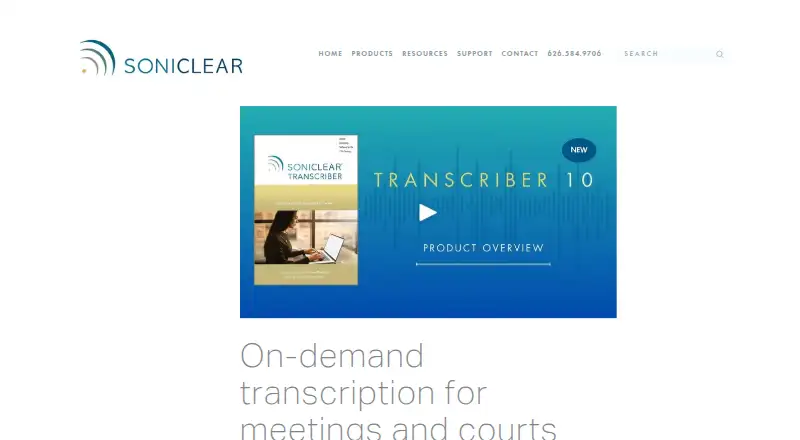
SoniClear Transcriber 10
SoniClear Transcriber 10: A flexible transcription workspace with free playback and multiple transcription paths. Ranked #12 of 24 in Legal Transcription Software by our editors (8.2/10); pricing: Free plan; best for users needing free playback and transcription options.
At a glance
- Editor score8.2 / 10
- PricingFree plan
- Best forUsers needing free playback and transcription options
- Free planYes
- Speaker identificationYes
- Founded1978 · La Canada, California, United States
- Facts checked20 Sep 2026
Where it wins
- Free player supports synchronized playback, notes and manual transcription
- AI transcription includes speaker recognition, timestamps and transcript search
- Imports common audio/video files and exports transcripts to Microsoft Word
Where it doesn't
- The free Player plan plays SoniClear recordings rather than broad file formats
- Cloud transcription time is limited on Pro and extra time is purchased separately
- SoniClear Cloud is not designed for HIPAA-covered or high-security processing
Our verdict on SoniClear Transcriber 10
SoniClear Transcriber 10 is Windows transcription software for governments, courts, legal organizations, school boards and businesses. It combines manual transcription with cloud-based automated AI transcription for meetings, hearings and legal proceedings. Users can work with SoniClear recordings, or use Pro capabilities to import MP3, WAV, MP4, M4A and WMV files. Core workflows include synchronized audio and text playback, speaker identification, timestamped notes, transcript search and Microsoft Word export. Summary, action and verbatim transcript templates support different documentation needs.
Its plan structure gives the product a useful entry point. Transcriber 10 Player is a free option with playback for SoniClear recordings, manual transcription and review, synchronized audio and text, USB foot-pedal support, and editable notes. Transcriber 10 Pro adds imports for common audio and video formats, cloud transcription, searchable transcript playback, Word export and 40 hours of cloud transcription time. Transcriber 10 with Recording connects transcription with Court Recorder 10 and Gov Recorder 10, supports separate installation across multiple computers in an organization, and allows additional cloud transcription time. The product therefore suits teams that want to begin with playback and manual work before adopting broader automated transcription.
Integration coverage fits organizations recording through Zoom, Microsoft Teams, Webex, SoniClear recording software or handheld recorders. Recordings can be archived and shared through Windows and web players, while the software also supports multiple-speaker recognition and synchronized review. That combination is useful when a transcript must remain connected to its source recording and timestamps matter during review. Organizations should choose SoniClear Transcriber 10 when they need legal or public-sector transcription workflows, foot-pedal support, searchable playback and Word output. Teams requiring HIPAA-covered medical processing or high-security cloud use should choose an alternative, as SoniClear Cloud is not designed for those applications.
Your product? Our editors can test SoniClear Transcriber 10 in depth and publish a review, labelled as paid · from $149/mo →
SoniClear Transcriber 10 pricing
All 3 SoniClear Transcriber 10 plans and prices →
SoniClear Transcriber 10 fact sheet
| Free plan | Yes |
|---|---|
| Paid from | Not verified |
| Speaker identification | Yes |
| Timestamp controls | Yes |
| Legal formatting | Yes |
| Maximum file length | Not verified |
| Transcription mode | Automated |
| Security certifications | Not verified |
| Deployment | Cloud, Desktop |
| Platforms | Web, Windows |
| Support | Email, Phone, Tickets, Docs |
| Built for | Small business, Mid-market, Enterprise (editorial estimate) |
| Integrations | 4 integrations: Zoom, Microsoft Teams, Webex, SoniClear recording software |
| Pricing | Free plan (source) |
| Website | soniclear.com |
| Facts checked | 20 Sep 2026 |
SoniClear Transcriber 10 integrations
SoniClear Transcriber 10 lists 4 integrations on its own site.
- Zoom
- Microsoft Teams
- Webex
- SoniClear recording software
Alternatives to SoniClear Transcriber 10
- HappyScribe LegalBroad legal transcription coverage with flexible workflows across web, mobile and API.9.4
- Prevail CheckMateA proceedings workspace combining certified transcripts, collaboration, search, and AI analysis.9.3
- Zanus AI for Transcription & LitigationA litigation-focused transcript system with citations, review gates, and deployment flexibility.9.2


See all SoniClear Transcriber 10 alternatives →
Also Ranked In
SoniClear Transcriber 10 is ranked in 2 of our directories.
Used SoniClear Transcriber 10? Be the first to review it
The editor score above is our own research. What this page doesn't have yet is a reader's view — what you used SoniClear Transcriber 10 for, what worked and what didn't. No stars are seeded and no review is paid for; an editor reads every one before it appears.
Write a reviewTwo minutes · verified accounts only · read by an editor before it appears
Featured on iTechGuides

SoniClear Transcriber 10 is listed in our Legal Transcription Software directory. Add the badge to your site — it links back to this page.
<a href="https://www.itechguides.com/products/soniclear-transcriber-10/"><img src="https://www.itechguides.com/best/badge/soniclear-transcriber-10.svg" alt="Featured on iTechGuides" width="230" height="46"></a>
Reviewed by iTechGuides Editors · Editorial team · Updated Oct 2026
Advertiser disclosure: iTechGuides is reader-supported. Vendors can pay for top positions in our rankings and for a place on other products' pages, and we may earn a commission when you click some links. Bought places stand at the number bought; this page and our disclosure say so. Paying vendors may get a fuller, more detailed review from our editors, and that review can change their score. How we rank.
Last updated · How we research and update